CAPINTEC, INC. CAPTUS
®
4000e
December 15 CUSTOM PROTOCOLS 15-13
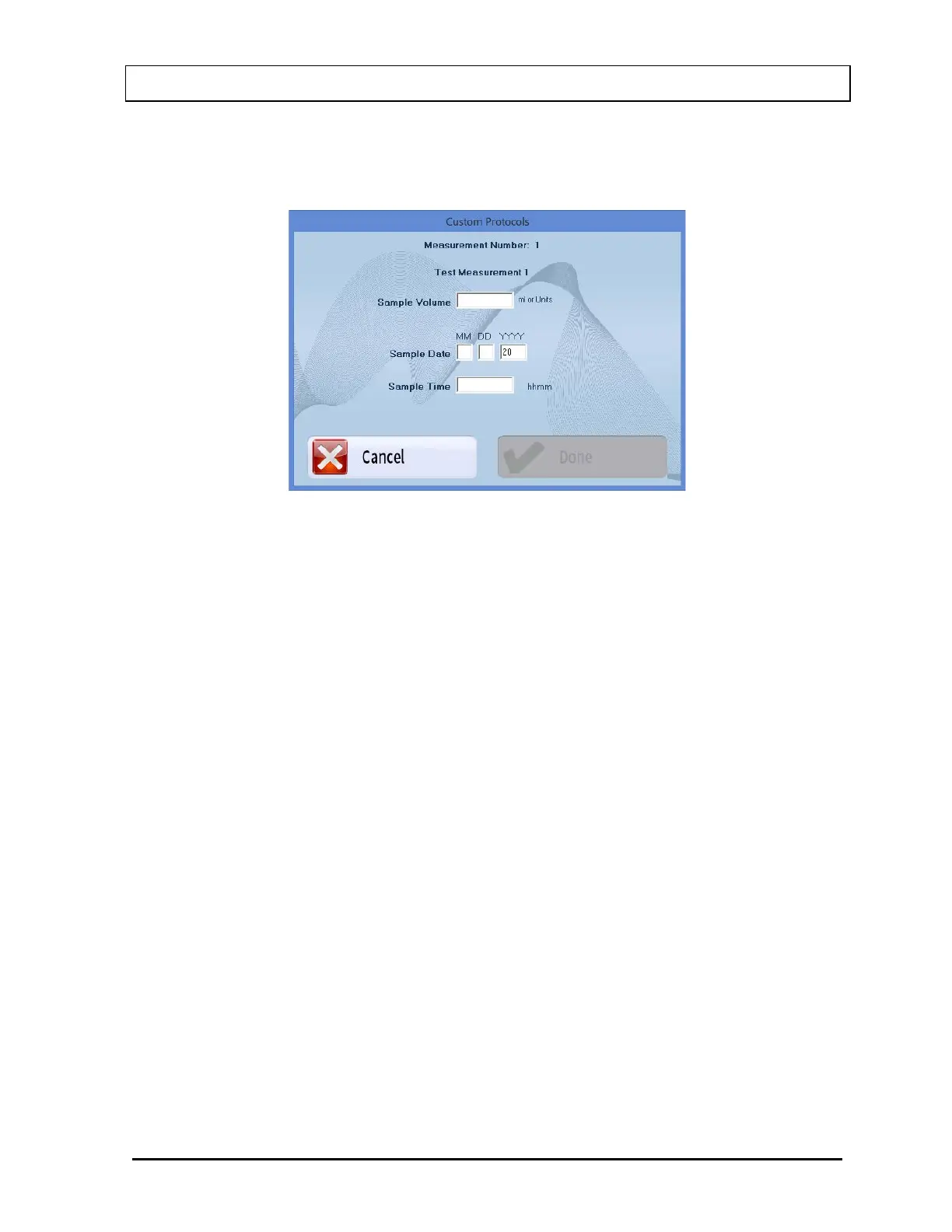
3. If one or more options were checked for the current measurement, the Measurement
Input Screen will be shown as in Figure 15-15. In the example, both Actual Sample
Volume and Sample Date and Time have been selected for Measurement Number 1.
Figure 15-15
4. Input the necessary information and select the Done button to continue with the
measurement or else select the Cancel button to return to Figure 15-1 Custom
Protocols Main Screen without making the measurement.
5. Select the Start Procedure button or press ALT+S to begin the measurement.
6. The Default Volume will be displayed for Sample Volume. Enter the actual volume if it
is not the same as the default.
7. Enter the date and time at which the sample was collected.
8. Select the Done button to continue with the measurement or else select the Cancel
button to return Figure 15-1 Custom Protocols Main Screen without making the
measurement.
9. The instructions for the current measurement will be displayed. The Measurement
Name and any additional Instructions For Sample will be shown.
Data Acquisition
The data acquisition screen appears as shown in Figure 15-16, with the live spectrum
displayed as counts are being collected.



 To Next Page