CAPINTEC, INC. CAPTUS
®
4000e
November 16 GENERAL SETUP 4-15
The system parameters for the CAPTUS
®
4000e software can be altered through the Setup
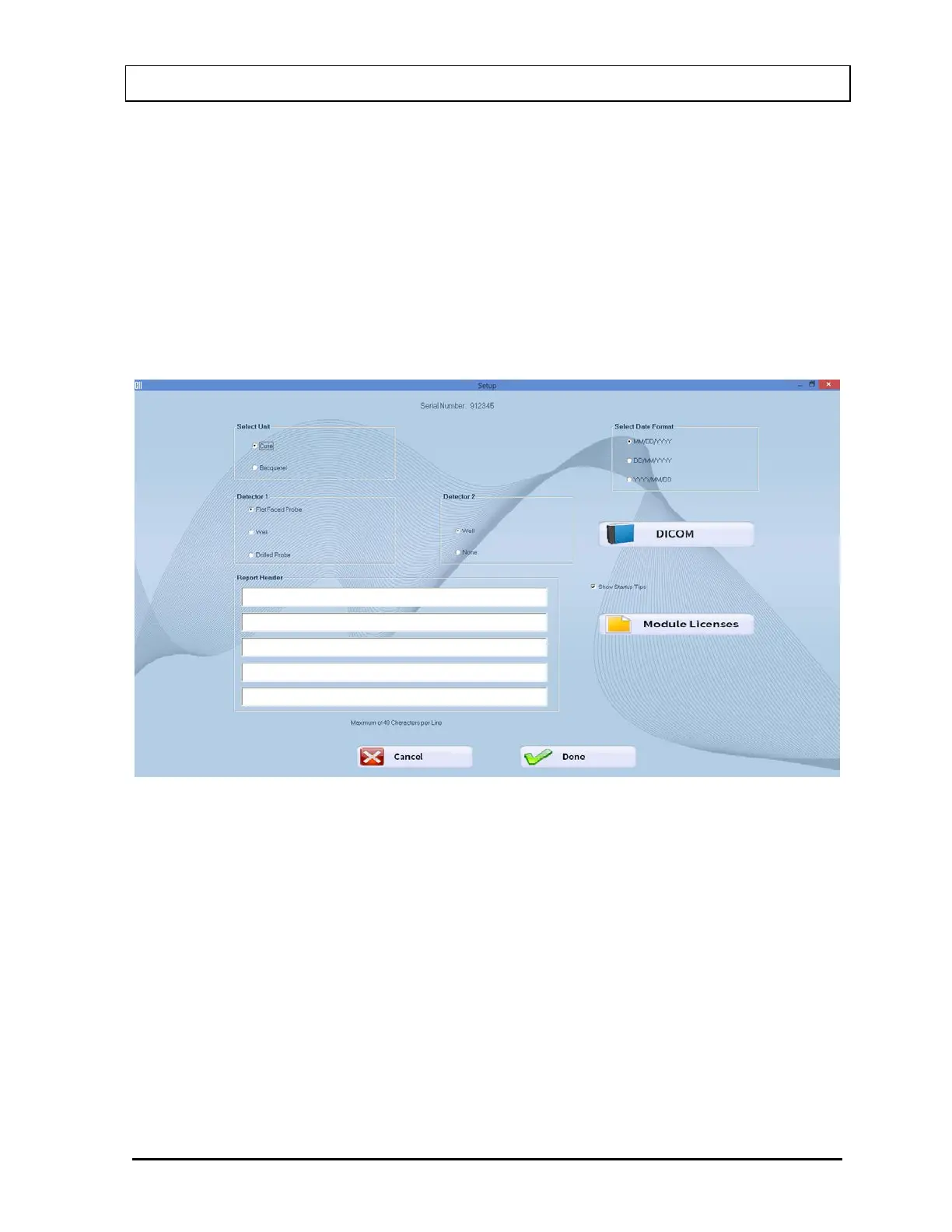
module. The Setup module (Figure 4-11 Setup Module Screen) standardizes units of
measurement, date format and detector type for the entire system. A report header can be
entered that will appear at the top of all report printouts. An option check box is also provided
to enable or disable the viewing of the Startup Tips window that will appear when the
CAPTUS
®
4000e software is started.
System Parameters
1. Select the Go button beside “Setup System Parameters”. Figure 4-11 Setup Module
Screen will appear.
Figure 4-11 Setup Module Screen
Note: The DICOM button will only be displayed if the valid Cap-DICOM license is
entered in your system.
Except for the report header, all other parameters are predefined with default settings.
The Serial Number at the top of the screen is specific to your system and is set at the
factory.
2. To change the default settings for unit of activity or format of the date, select in the
appropriate radio button. You can safely change any of these at any time during the use
of your system.



 To Next Page