CAPINTEC, INC. CAPTUS
®
4000e
6-4 ISOTOPES July 16
3. Click in the text boxes under Energy Information and input the peak energy values in
keV. At least one peak value (Peak 1) must be input. (Input must be between 0.01 and
2046.)
4. To save the added information and return to the Isotopes Main screen, select the Done
button or press Alt+D. Alternatively, select the Cancel button or press Alt+C to return
without saving. Note that the Done button is enabled only after all of the required (bold)
fields are entered.
• To move between data fields, use the Tab key.
• To return to CAPTUS
®
4000e Main screen from the Isotopes Main screen, select the
Exit button or press the ESC key.
EDITING ISOTOPE INFORMATION
Note: Only user added isotopes can be edited. Information for the system’s pre-existing
Isotope Library cannot be altered.
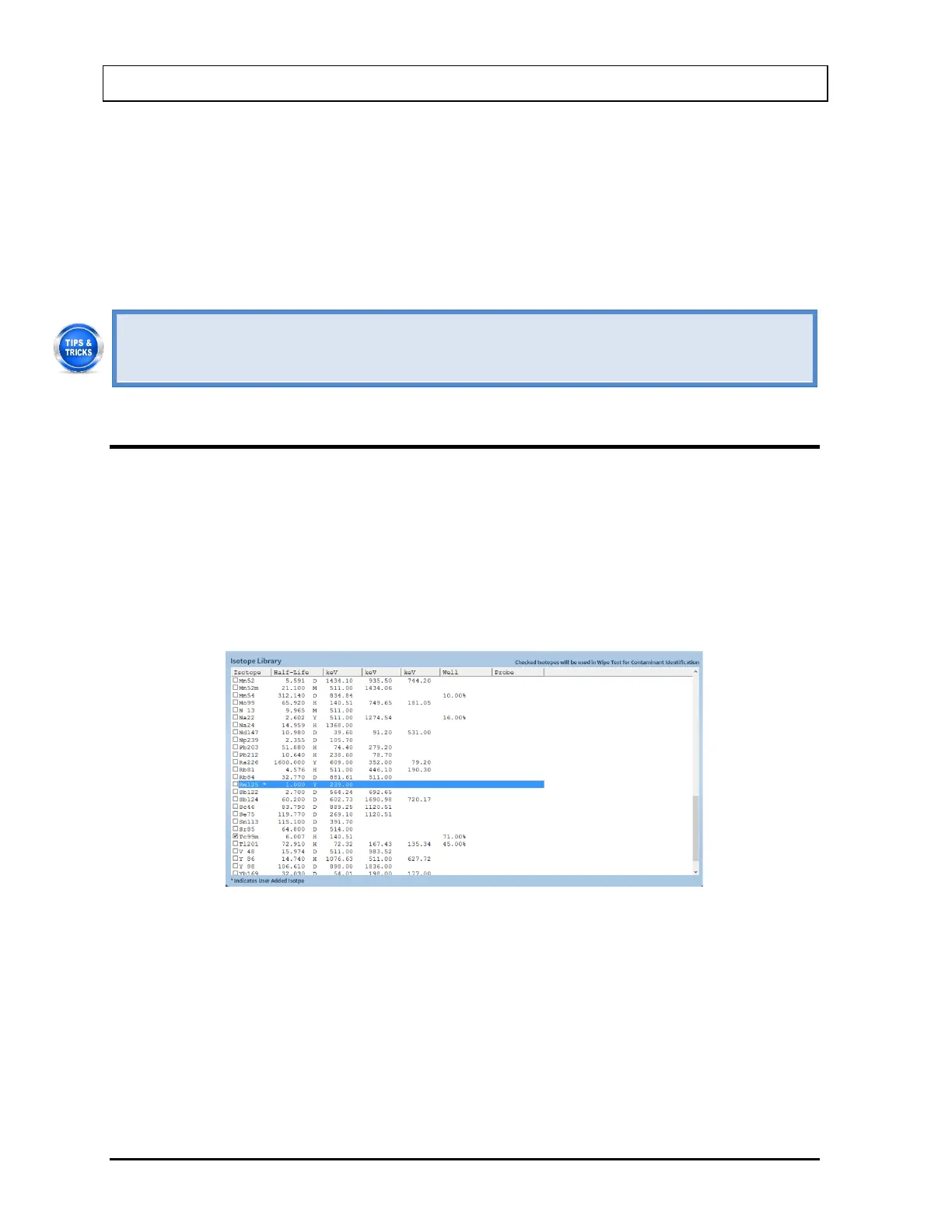
1. If the isotope to be edited is out of view in the Isotope Library box on Figure 6-1
Isotopes Main Screen, scroll the list up or down using the scroll bar, Page Down, Page
Up, the and arrow keys or press the first letter of the isotope to bring it into view.
2. Click on the isotope to select it (highlighted) for editing as shown in Figure 6-4.
Figure 6-4
3. Select the Edit button. Figure 6-2 will appear populated with the selected isotope’s
information.
4. Click in the desired text box or use the Tab key to move around. Replace the existing
information with the new information.
5. Select the Done button or press Alt+D to save changes or select the Cancel button or
press Alt+C to cancel the changes and return to Figure 6-1 Isotopes Main Screen.



 To Next Page