CAPINTEC, INC. CAPTUS
®
4000e
10-8 LAB TESTS November 16
Figure 10-6
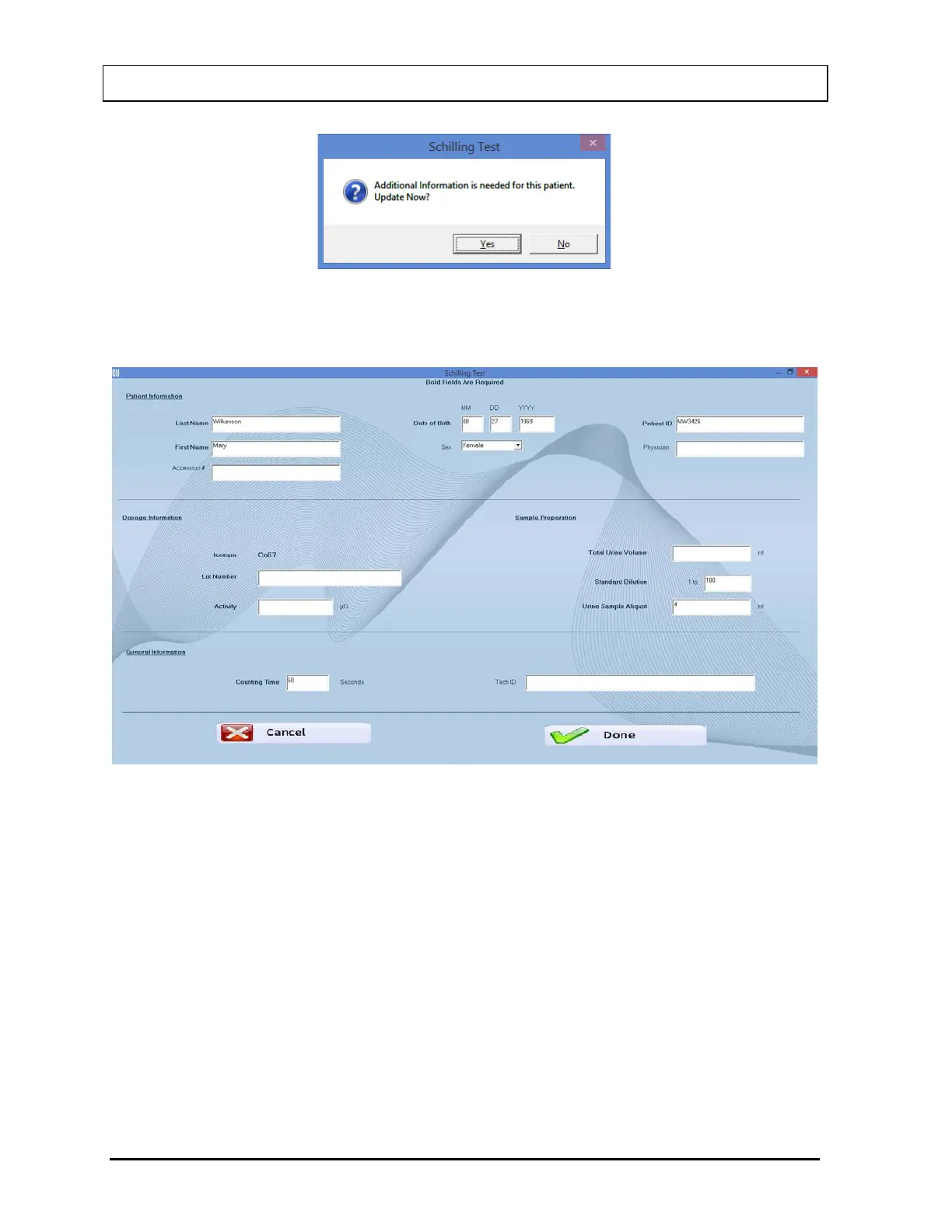
2. Select the Edit button. The screen appears as shown in Figure 10-7.
Figure 10-7
3. Click in the text box to be edited and type over the existing information.
Note: All fields in bold are required before you can begin the test.
Note: The Accession # field will only be displayed if the valid license key for Cap-
DICOM module is entered in your system.
4. Select the Done button to save changes or select the Cancel button to discard the
changes and return to Figure 10-2 Schilling Test Main Screen.
Deleting Patient Information
Note: If you wish to save patient information before deleting, refer to CHAPTER 14:
ARCHIVE.



 To Next Page