CAPINTEC, INC. CAPTUS
®
4000e
6-2 ISOTOPES July 16
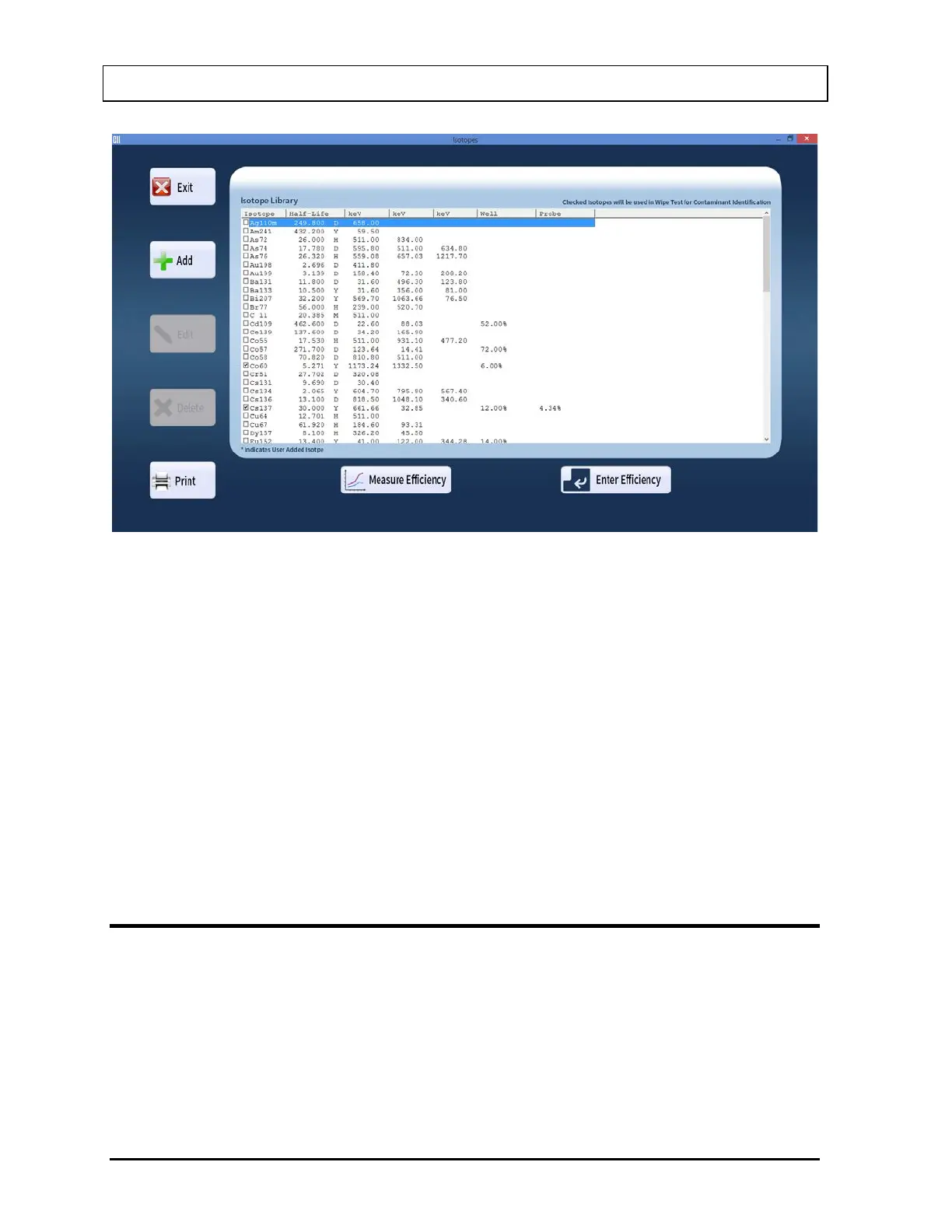
Figure 6-1 Isotopes Main Screen
The Isotope Library box lists the isotopes alphabetically, with their respective Half-Lives in
minutes (M), hours (H), days (D) or years (Y), keV (for major energy peaks), and Well and
Probe efficiencies, if known. The buttons at the side provide functions for adding new
isotopes, editing and deleting the added isotopes and printing the library. The Measure
Efficiency and Enter Efficiency buttons at the bottom of the screen allow for measuring
efficiency or entering a new efficiency value respectively for the selected isotope.
Note: At the top right of the Isotope Library box, the message “Checked Isotopes will be
used in Wipe Test for Contaminant Identification” is displayed. All isotopes with a
check mark in their check box will have their energy peaks used for isotope
identification in the Wipe Test module.
To return to the CAPTUS
®
4000e Main screen from this screen, select the Exit button or
press the Esc key.
VIEWING AND PRINTING ISOTOPE LIBRARY
1. To view all of the isotopes, scroll up or down the list in Isotopes Library box using the
scroll bar, Page Down, Page Up, or the and arrow keys.
2. To locate an isotope, press the first letter of the isotope to bring it into view. The first
isotope with that letter is highlighted. Use arrow key to move further down if necessary.
3. To print the entire contents of Isotope Library, select the Print button.



 To Next Page