CAPINTEC, INC. CAPTUS
®
4000e
July 16 ISOTOPES 6-9
To end the procedure, select the Yes button or press the Y key. The screen appears as
shown in Figure 6-8. Select the Start Procedure button or press Alt+S to start again or
select the Exit button to quit.
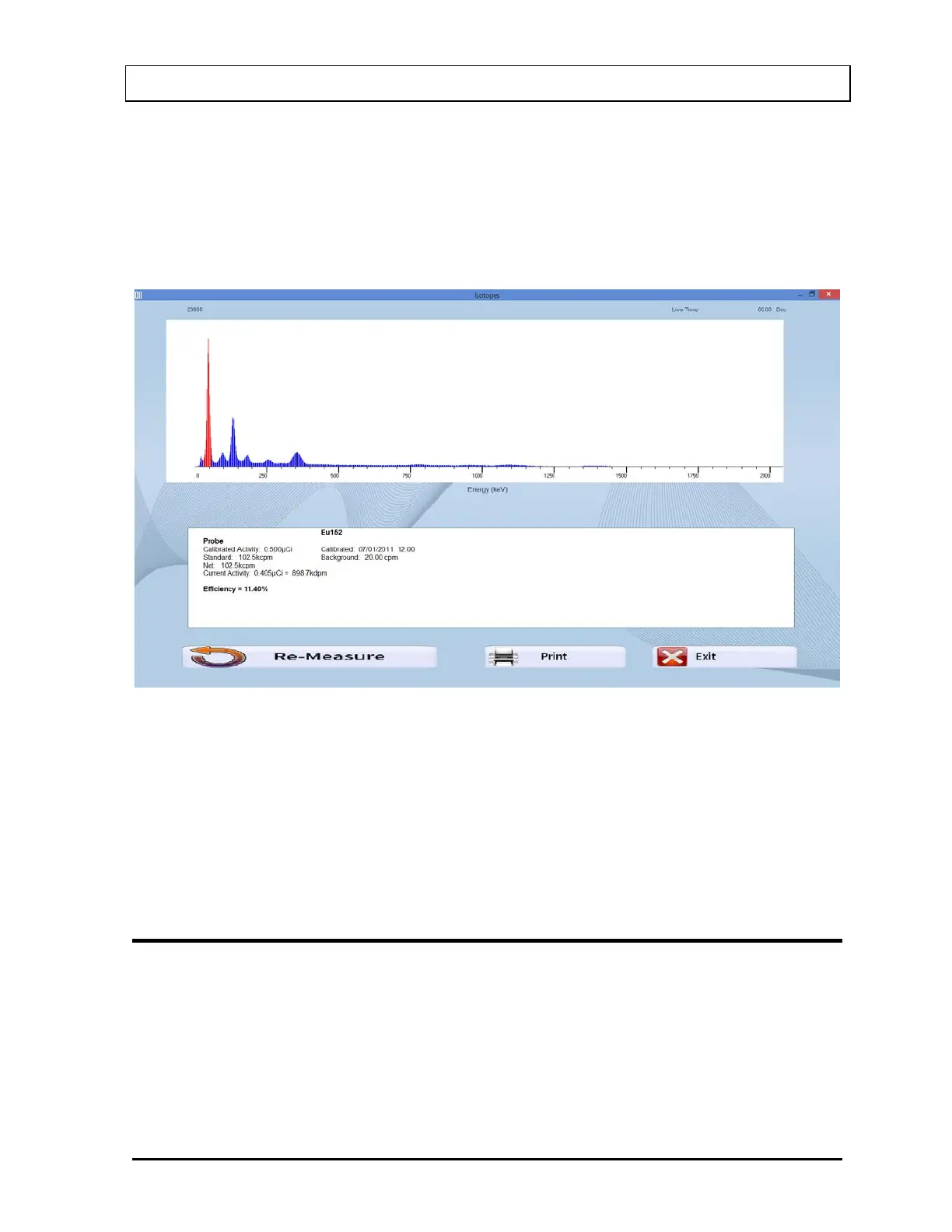
10. After the measurement is completed and accepted, the screen will appear similar to that
shown in Figure 6-13. The results in the lower part of the screen show measured counts
and calculated values for activity and efficiency.
Figure 6-13
11. To repeat the efficiency measurement for the same isotope, select the Re-Measure
button or press Alt+R. Steps 8 thru 10 are repeated.
12. To print the spectrum and displayed results, select the Print button or press Alt+P.
13. To exit the efficiency measurement and return to the main Isotopes screen, select the
Exit button or press Alt+E.
ENTERING EFFICIENCY
1. If the isotope whose Efficiency is to be entered is out of view in the Isotope Library box
on Figure 6-1 Isotopes Main Screen, scroll the list up or down using the scroll bar, Page
Down, Page Up, and arrow keys or press the first letter of the isotope to bring it into
view.
2. Click on the isotope to select it (highlighted) for entering efficiency as shown in Figure
6-4.



 To Next Page