CAPINTEC, INC. CAPTUS
®
4000e
9-14 ABSORBED DOSE ALERT August 15
10. Tech ID: Input the ID of the technologist performing the procedure. This field is optional
and can be any combination of alphanumeric characters to a maximum of 32 characters.
11. When data entry is complete, select the Done button to save the information, or select
the Cancel button to discard the changes.
12. To measure this patient now, select the Count button. Figure 9-20 Count Patient
Measurement Screen will appear.
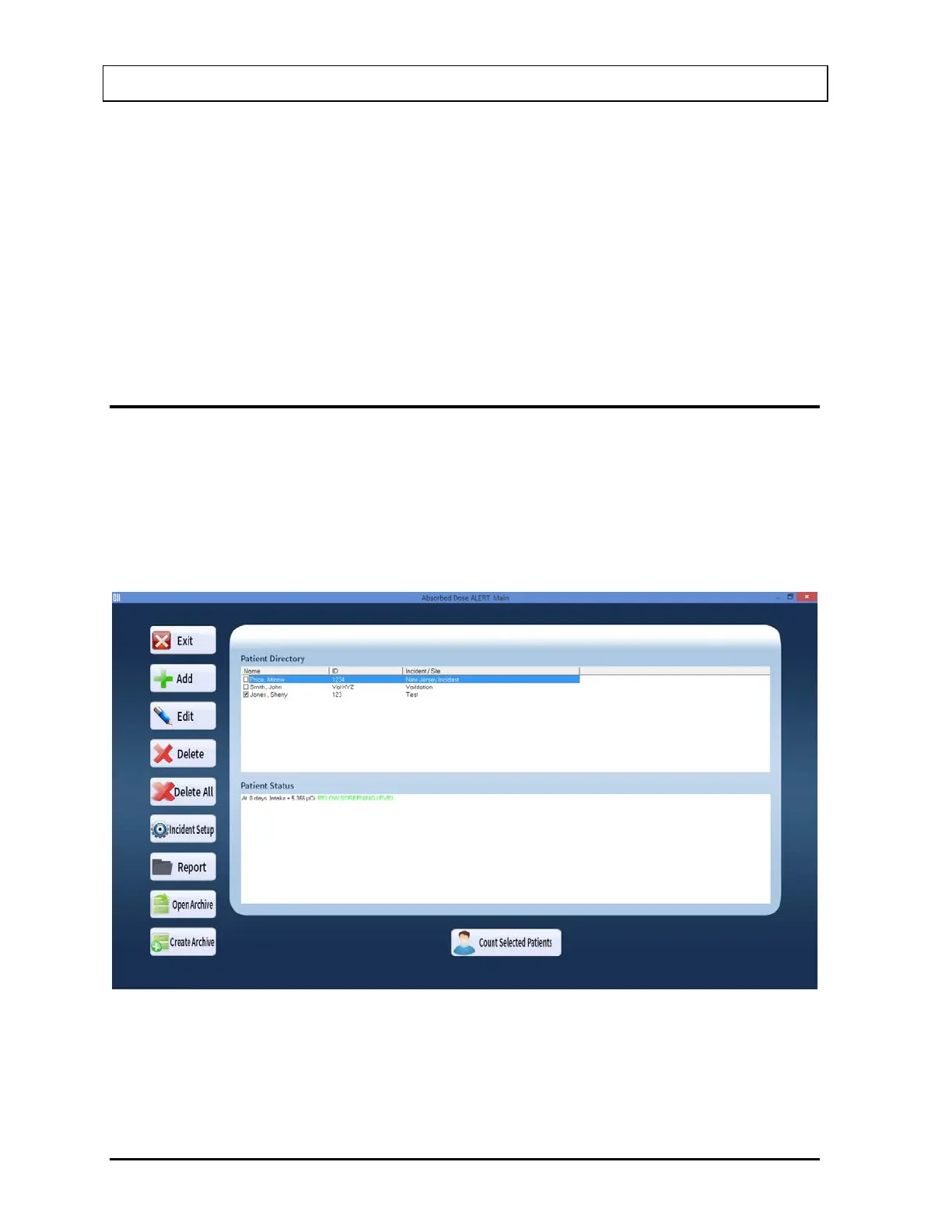
13. To add more patients, select the Add button on Figure 9-3 Absorbed Dose ALERT Main
Screen.
EDITING PATIENTS
Note: Once the patient has been measured, the only fields on the Edit Screen that can be
changed are: Patient Name, Patient ID, Sex, Address, Phone, and Tech ID.
1. To select (highlight) a patient to be edited, use the and keys or Page Up and Page
Down keys to move up or down in the patient list. If the list is long, the scroll bar is also
available. To reach a particular patient, press the first letter of the patient name. Press
the key if necessary, to go further down (Figure 9-14).
Figure 9-14
2. Select the Edit button. The screen appears as shown in Figure 9-15.



 To Next Page