CAPINTEC, INC. CAPTUS
®
4000e
November 16 GENERAL SETUP 4-9
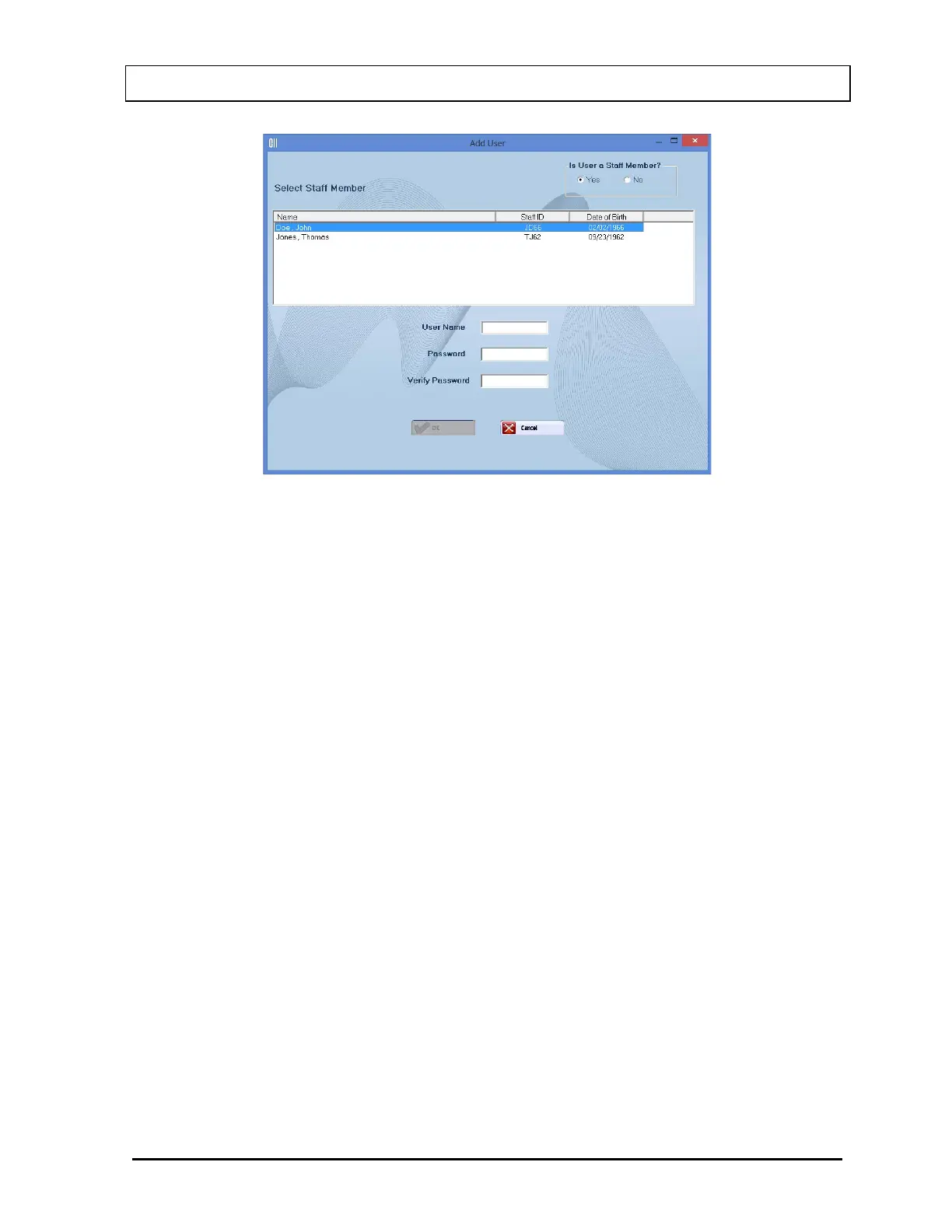
Figure 4-6 Add User (Staff Member) Window
Note: In order for the Staff Member List to be displayed, Staff Members must be added in
the Bioassay module in the CAPTUS
®
4000e software as described in CHAPTER 11:
BIOASSAY, SECTION: ADDING STAFF MEMBERS. If no Staff Members have been
added, the “Is User a Staff Member?” frame will be grayed-out (disabled) and
defaulted to No and the Select Staff Member List will not be displayed.
Select the Staff Member from the displayed list of Staff Members. Setting the user as a Staff
Member allows that user to access, count and print his/her own Bioassay data.
Input the new User Name for the selected Staff Member and then the Password. Input the
Password again in the Verify Password text box.
When the OK button is cselected, the new user and password will be accepted and Figure
4-4 Admin Log On will re-appear.
Add User – Not a Staff Member
If the user to be added is not a staff member, in the “Is User a Staff Member?” frame, select
the No radio button. Figure 4-7 Add User (Not a Staff Member) Window will appear.



 To Next Page