CAPINTEC, INC. CAPTUS
®
4000e
August 15 BIOASSAY 11-15
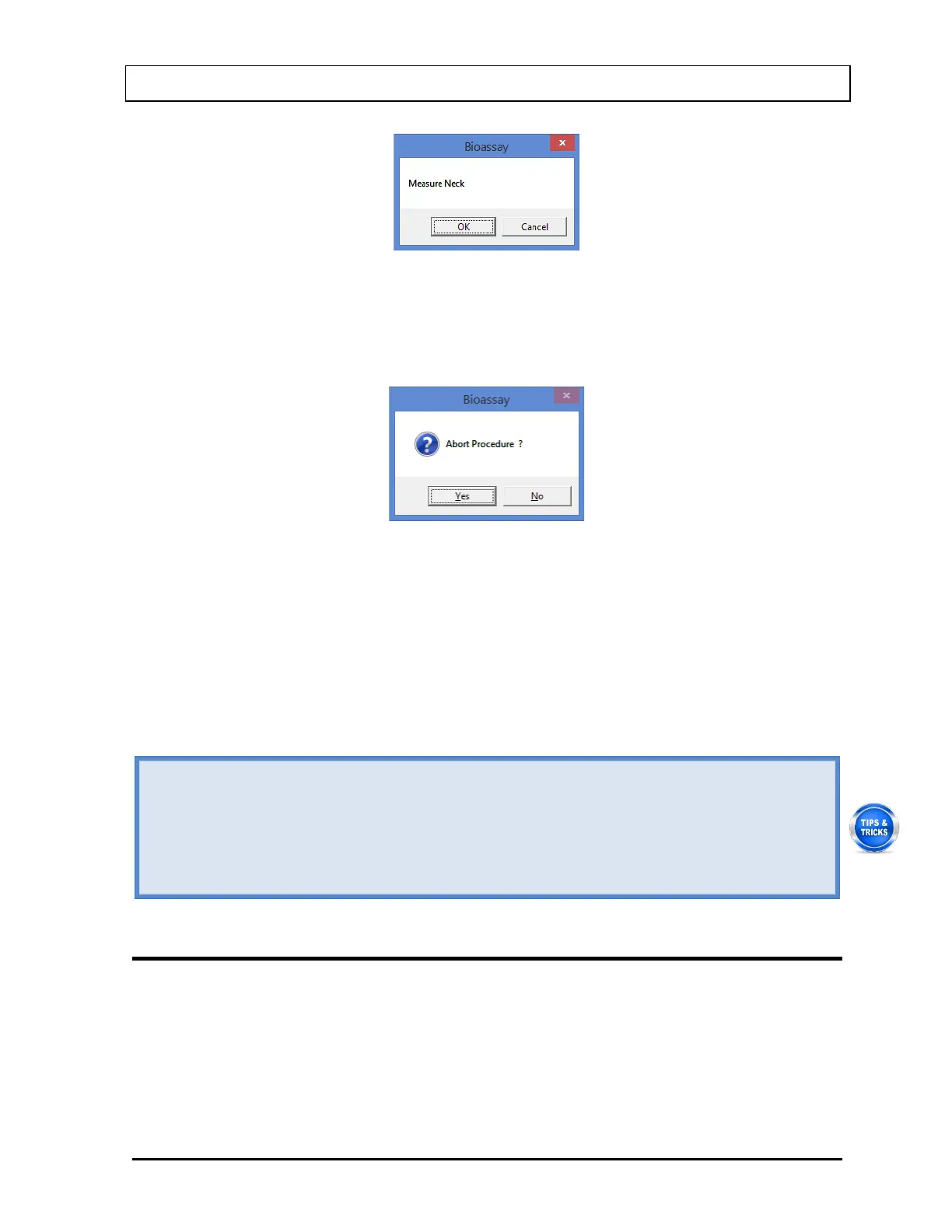
Figure 11-22
To begin counting, select the OK button. The spectrum is displayed as shown in
Figure 11-21 above. To cancel measurements, select the Cancel button. The screen
then appears as shown in Figure 11-23.
Figure 11-23
Select the Yes button or press the Y key to exit the measurement cycle. The Main
Bioassay Measurement screen appears as shown in Figure 11-18. To restart the
measurement for the selected Staff Member, select the Start Procedure button or
press Alt+S.
4. To exit and return to the Main Bioassay screen, select the Exit button or press Alt+E. The
results for the procedure will appear in the Latest Results box.
• To print the latest results for the selected patient, select the Print Latest Results
button or press Alt+P on the Main Bioassay screen.
• To view or print results for all the Bioassay tests done on the selected member, select
the Report button.
• To add comments about the latest test results for the selected member, select the
Add/Edit Comment button or press Alt+A.
VIEWING AND PRINTING REPORTS
1. To view or print a report for a selected Staff Member, highlight the Staff Member in the
Staff Member Directory box in the Main Bioassay screen using the and keys on the
keyboard.
2. Select the Report button. The screen appears as shown in Figure 11-24, which displays
the Bioassay report of the selected Staff Member.



 To Next Page