CAPINTEC, INC. CAPTUS
®
4000e
9-6 ABSORBED DOSE ALERT August 15
New Incident
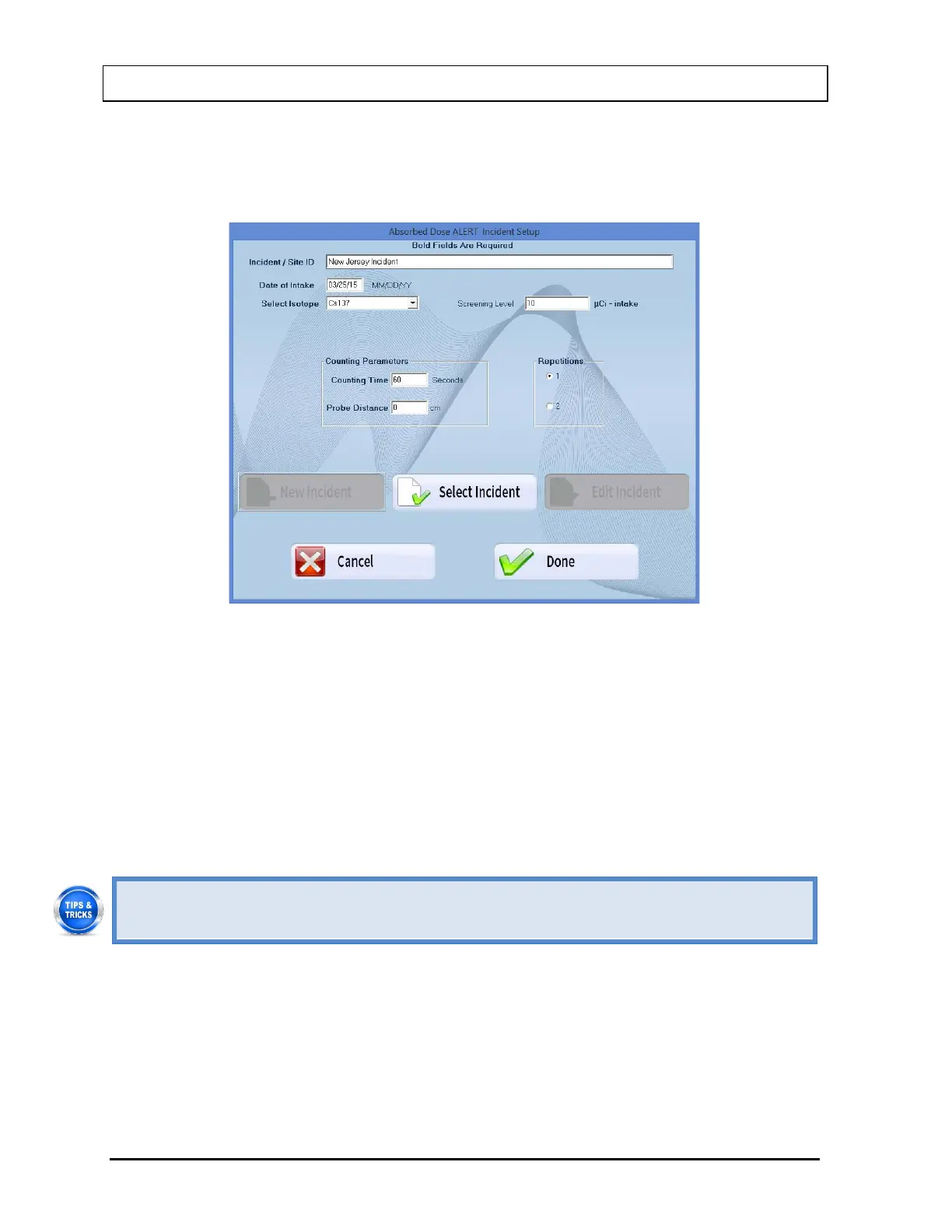
Select the Incident Setup button on Figure 9-3 Absorbed Dose ALERT Main Screen. Figure
9-5 will appear.
Figure 9-5
Note: The New Incident button will only be enabled after an initial incident has been set up.
Select the New Incident button. Figure 9-4 Incident Setup Screen will appear.
1. Input all required values and click the appropriate text box or radio button or use the Tab
key to move from one selection to another.
2. Select the Done button to save changes or select the Cancel button to discard the
changes and return to Figure 9-3 Absorbed Dose ALERT Main Screen.
• To return to previous screen without saving changes press the ESC key.
Select Incident
Select the Incident Setup button on Figure 9-3 Absorbed Dose ALERT Main Screen. Figure
9-6 will appear.



 To Next Page