CAPINTEC, INC. CAPTUS
®
4000e
17-10 DICOM November 16
Storage Provider
Adding Storage Provider
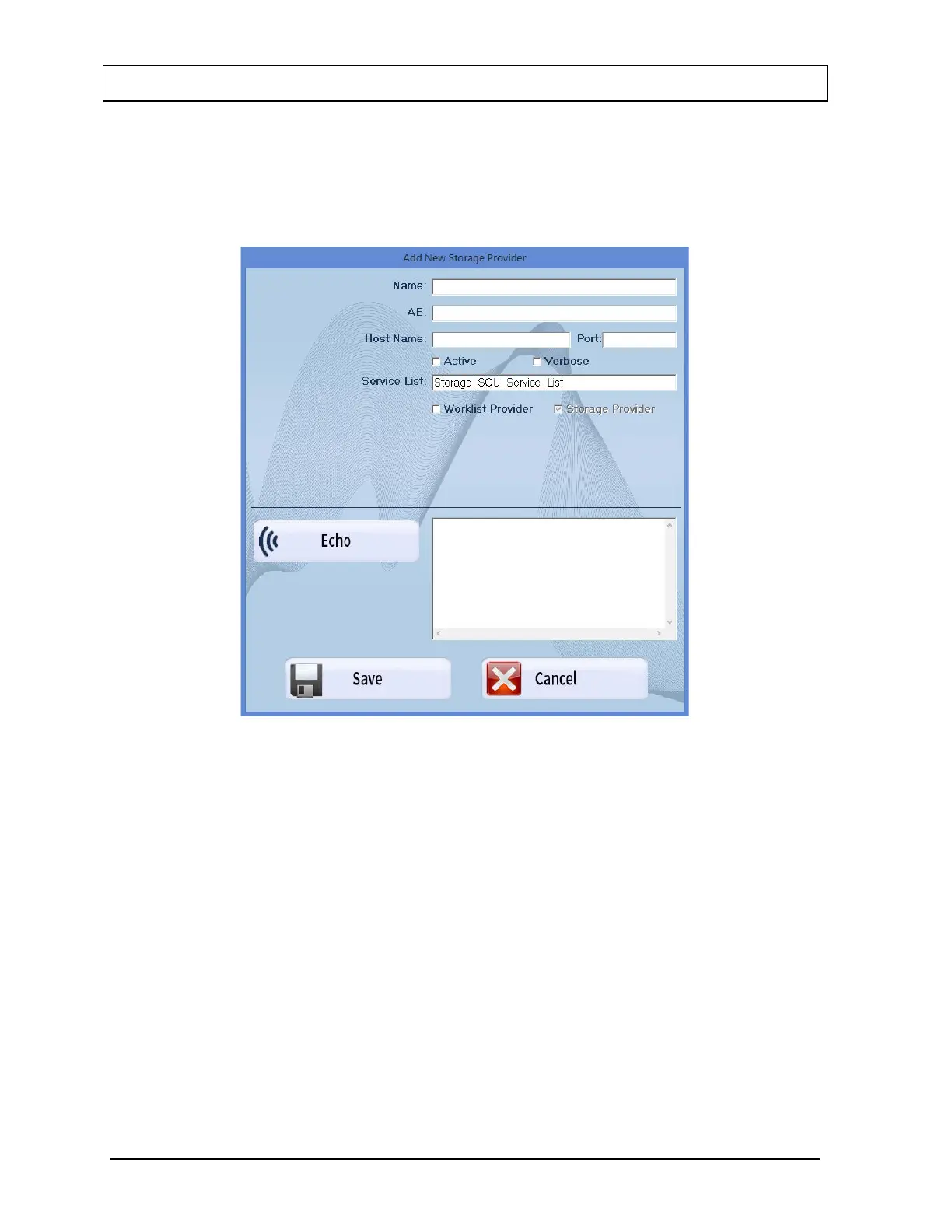
Now you are ready to add a Storage Provider. On Figure 17-7, select the Add
Storage Provider button. Figure 17-9 will appear.
Figure 17-9
This Storage Provider window is used to specify the DICOM Modality Storage
Provider configuration information
Input the data provided to you on the Site Survey or at the directions of your PAC’s
administrator.
Name
This is the name the user will see to represent the Worklist provider.
AE Title
This indicates the AE Title of the DICOM C-Store Provider.
Host Name
This indicates the Host Name (e.g., Worklist) or IP address (e.g., "127.0.0.1") of the
DICOM C-Store Provider.



 To Next Page