CAPINTEC, INC. CAPTUS
®
4000e
November 16 THYROID UPTAKE 7-25
When a Pre-Dose measurement has been recorded, then
P = Patient Neck count rate – Patient Background count rate
T = Pre-Dose Neck count rate – Pre-Dose Patient Background count rate
Patients Reports
1. To view or print a Patient Report, first select a patient by using the and arrow keys or
Page Up and Page Down keys to move up or down in the patient list. If the list is long, the
scroll bar is also available. To reach a particular patient, press the first letter of the patient
name. Press the arrow key if necessary, to go further down.
Note: To locate a patient record easily, the records are sorted by dose administration
date, latest one first. You may change to sorting by patient name by clicking on
Name header in the Patient Directory box. The field being used for sorting is
denoted by an asterisk beside the header name.
2. Then, click on the desired patient’s name in the Patient Directory box on Figure 7-1
Thyroid Uptake Main Screen to select (highlight) that patient.
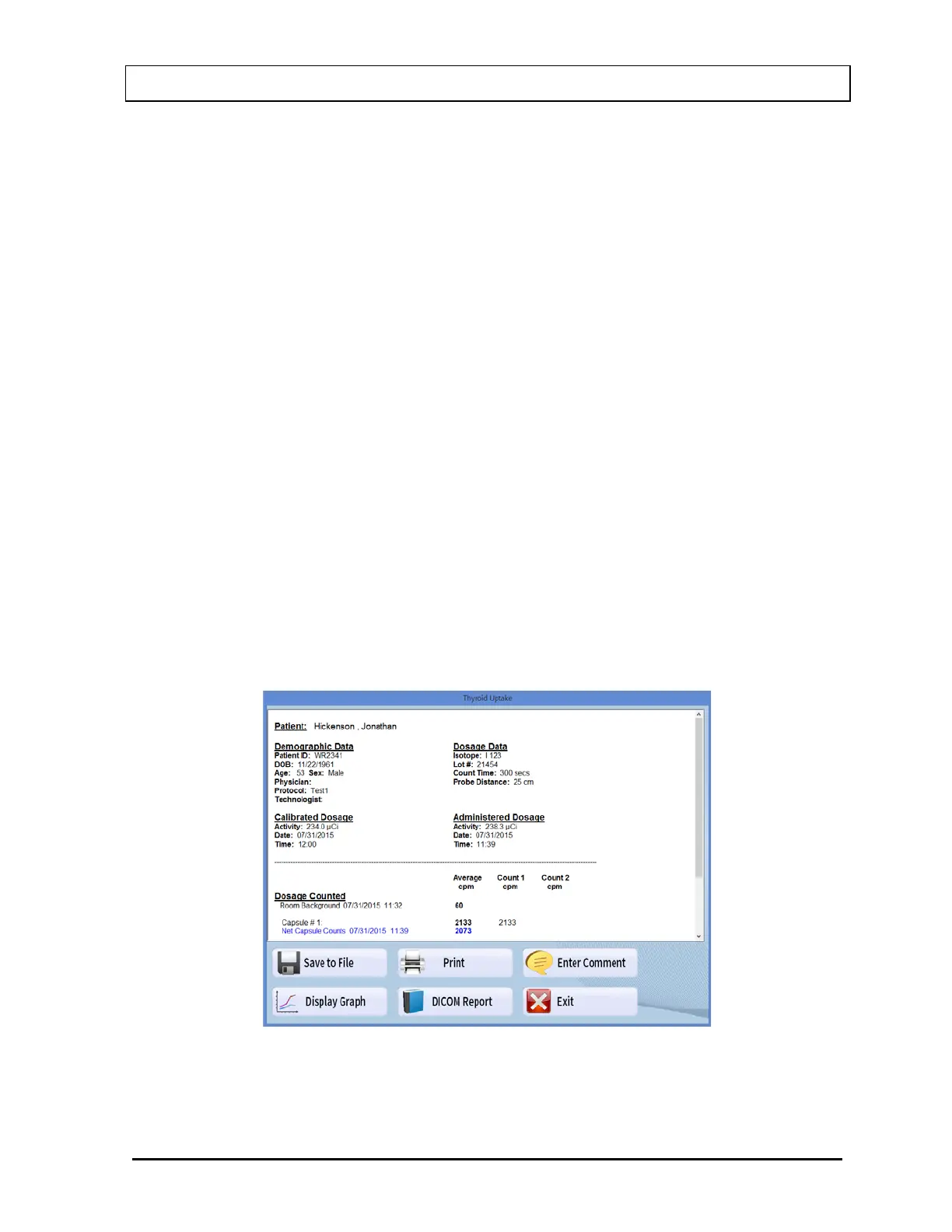
3. Select the Report button. A typical patient report screen appears as shown in Figure
7-26. It contains the patient’s demographic data, measurement protocol, dosage
information, count data and calculated results. If Normal Range values have been
entered in the setup, normal ranges will also be printed. Any results outside of these
limits, provided that the thyroid uptake was performed within 1 hour of the stated time in
Normal Range setup, will be flagged as out of range.
Figure 7-26



 To Next Page