CAPINTEC, INC. CAPTUS
®
4000e
7-2 THYROID UPTAKE November 16
of thyroid hormone, or Jod-Basedow disease. During the treatment of thyroid cancer by I-131
ablation, uptake measurements are used to monitor thyroid activity.
The CAPTUS
®
4000e system will store patient demographic and dosage information, count
data for both the administered dosage and the patient, decay correct all count data, calculate
thyroid uptake results, and store all of this information. Regions of Interest have been defined
for three isotopes, I-131, I-123, or Tc99m. If normal values have been entered in the Setup,
then uptake results exceeding these values will be flagged. All of the patient information may
be printed. The thyroid uptake software has been designed to accommodate a variety of
different counting protocols, using either capsules or liquid dosages.
Note: In the following sections of the chapter, the word capsule will be used for either a
capsule or liquid dosage.
To access the Thyroid Uptake functions, select the Thyroid Uptake button or press Alt+U on
the CAPTUS
®
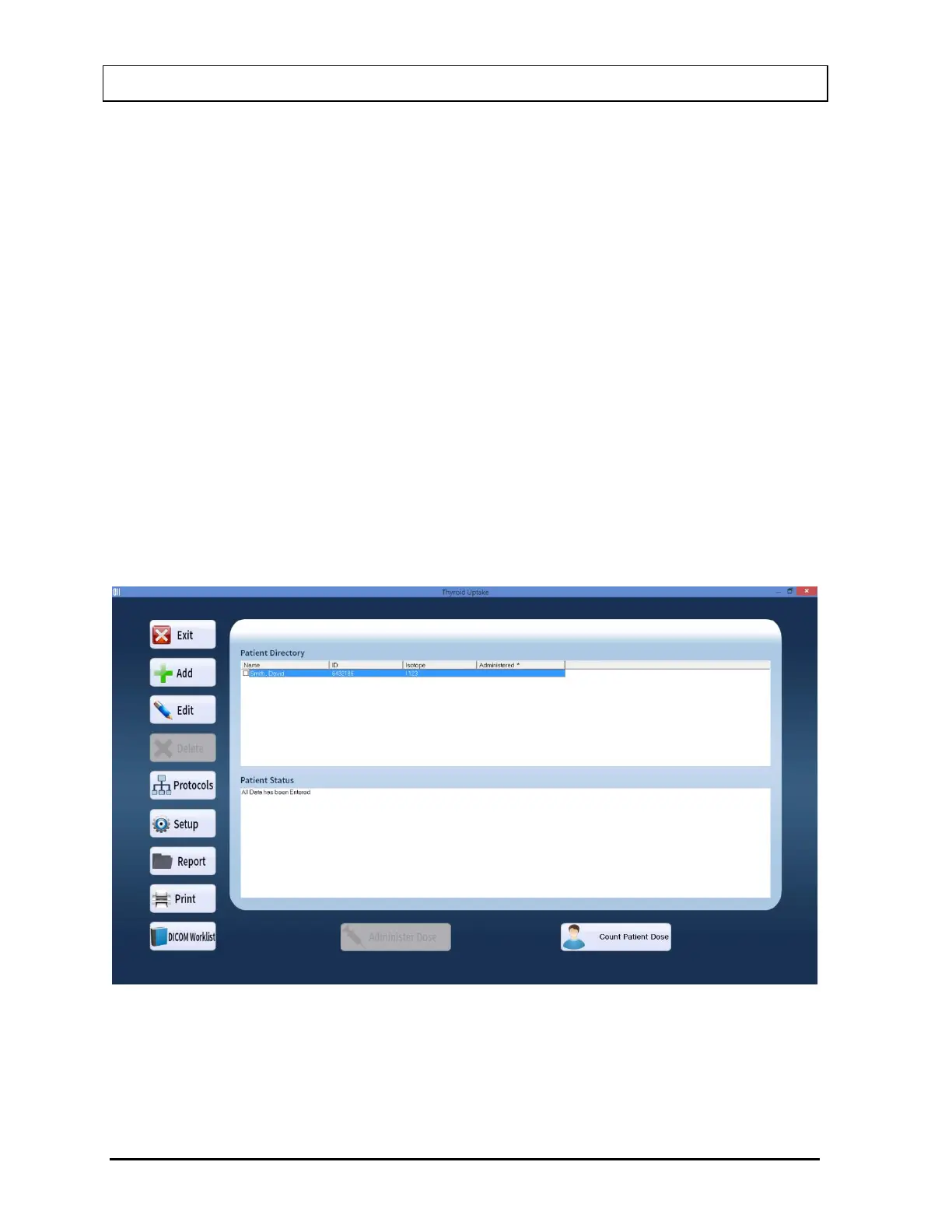
4000e Main screen. Figure 7-1 Thyroid Uptake Main Screen will appear. The
Patient Directory box will be empty if there are no existing patients in the database. This
box will display the patient’s name, ID, administered isotope (if known) and the time and date
of dose administration (if already done). By default, patients are sorted by their dose
administration time, latest one first. The Patient Status box below the Patient Directory box
shows the current status of the selected patient. If the uptake procedure has been started,
the updated results will be displayed here.
Figure 7-1 Thyroid Uptake Main Screen
To return to the CAPTUS
®
4000e Main screen from Figure 7-1 Thyroid Uptake Main Screen,
select the Exit button or press the Esc key.



 To Next Page