CAPINTEC, INC. CAPTUS
®
4000e
15-16 CUSTOM PROTOCOLS December 15
CUSTOM PROTOCOLS EXCEL WORKBOOK
An Excel Workbook must be set up for each protocol. The protocol must first be set up in the
CAPTUS
®
4000e program.
In order to accurately create formulas for the protocol, a dummy patient should be entered
and all the measurements simulated (e.g. using a rod source).
Note: The Custom Protocols module can support multiple protocols. However, each
protocol requires a separate Excel Workbook. When the master workbook
(CustomCap.xls) is opened, you will be prompted to save the file with a unique file
name. Create a descriptive name so the workbook can be easily identified.
Creating a Workbook for a Protocol (Setup Mode)
Exit the CAPTUS
®
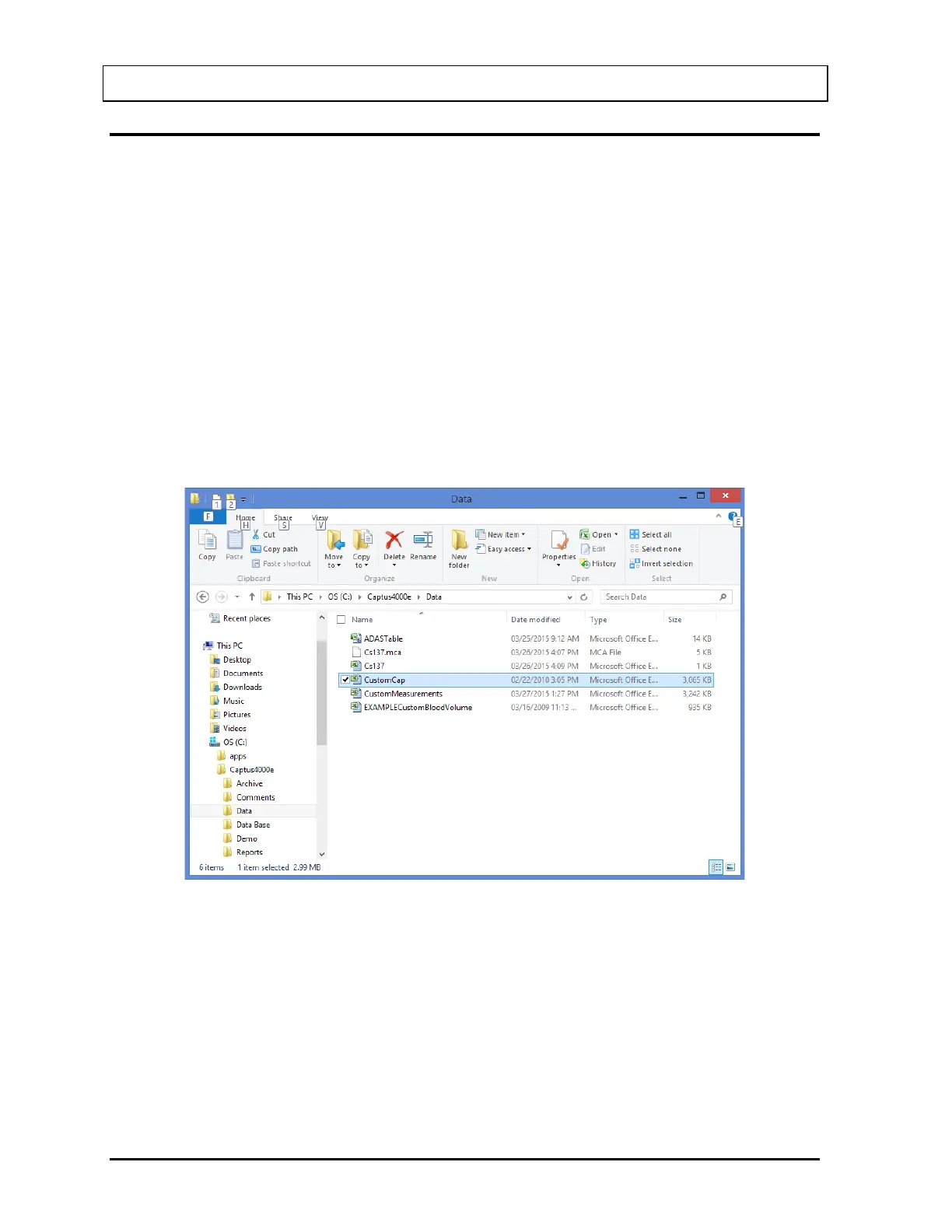
4000e program. Open Windows/File Explorer and open the
C:\Captus4000e\Data folder. A display similar to that shown in Figure 15-19 should appear.
Figure 15-19
Double-click on CustomCap file to open it. The Custom Protocol Workbook Splash Screen
(Figure 15-20) will appear.



 To Next Page