CAPINTEC, INC. CAPTUS
®
4000e
August 15 BIOASSAY 11-9
I 131/I 125 and I 123/1 125 Cross Contamination
The CAPTUS
®
4000e system, when measuring I 131 and I 123, generates counts that also
appear in the I 125 ROI. This is generally referred to as “spillover” or “cross contamination.”
Counts for I 125 will automatically be corrected for spillover from I 131 and I 123.
ROI) cpm(I131
ROI) cpm(I125
R =
RROI) cpm(I131-cpm(I125)Cor ×=
where R = spillover ratio
Cor = correction factor for I 125 counts
These values are automatically calculated when isotope efficiency measurements are made.
If the isotope efficiencies are manually entered, then the spillover must also be manually
entered.
ADDING STAFF MEMBERS
Note: Staff Members can only be added by the Administrator.
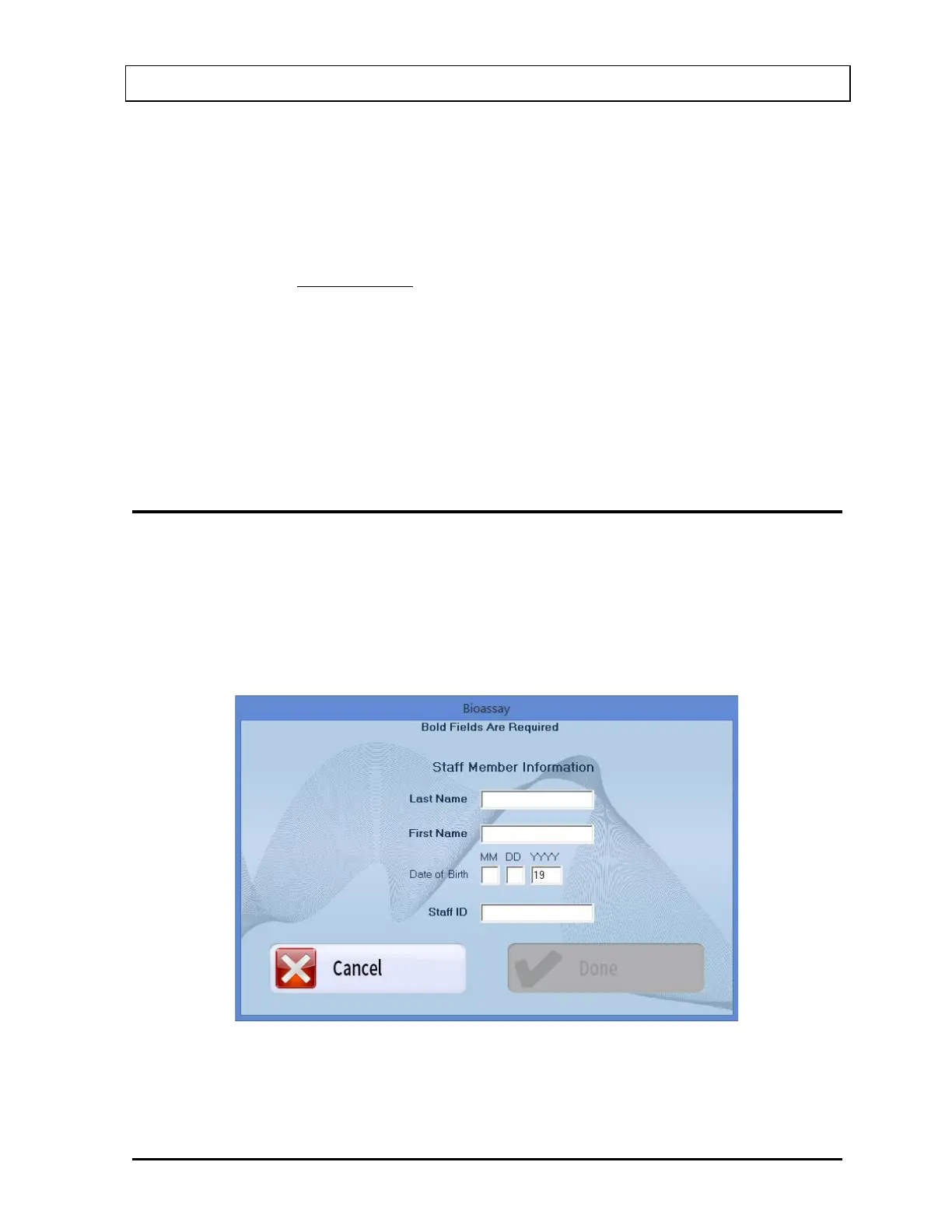
Note: All fields appearing in bold are required to perform a Bioassay procedure on a Staff
Member.
1. Select the Add button on Figure 11-1 Main Bioassay Screen. The screen appears as
shown in Figure 11-12.
Figure 11-12
2. Click in the appropriate text boxes to enter the Staff Member’s Name, Date of Birth
(optional) and Staff ID.



 To Next Page