CAPINTEC, INC. CAPTUS
®
4000e
7-26 THYROID UPTAKE November 16
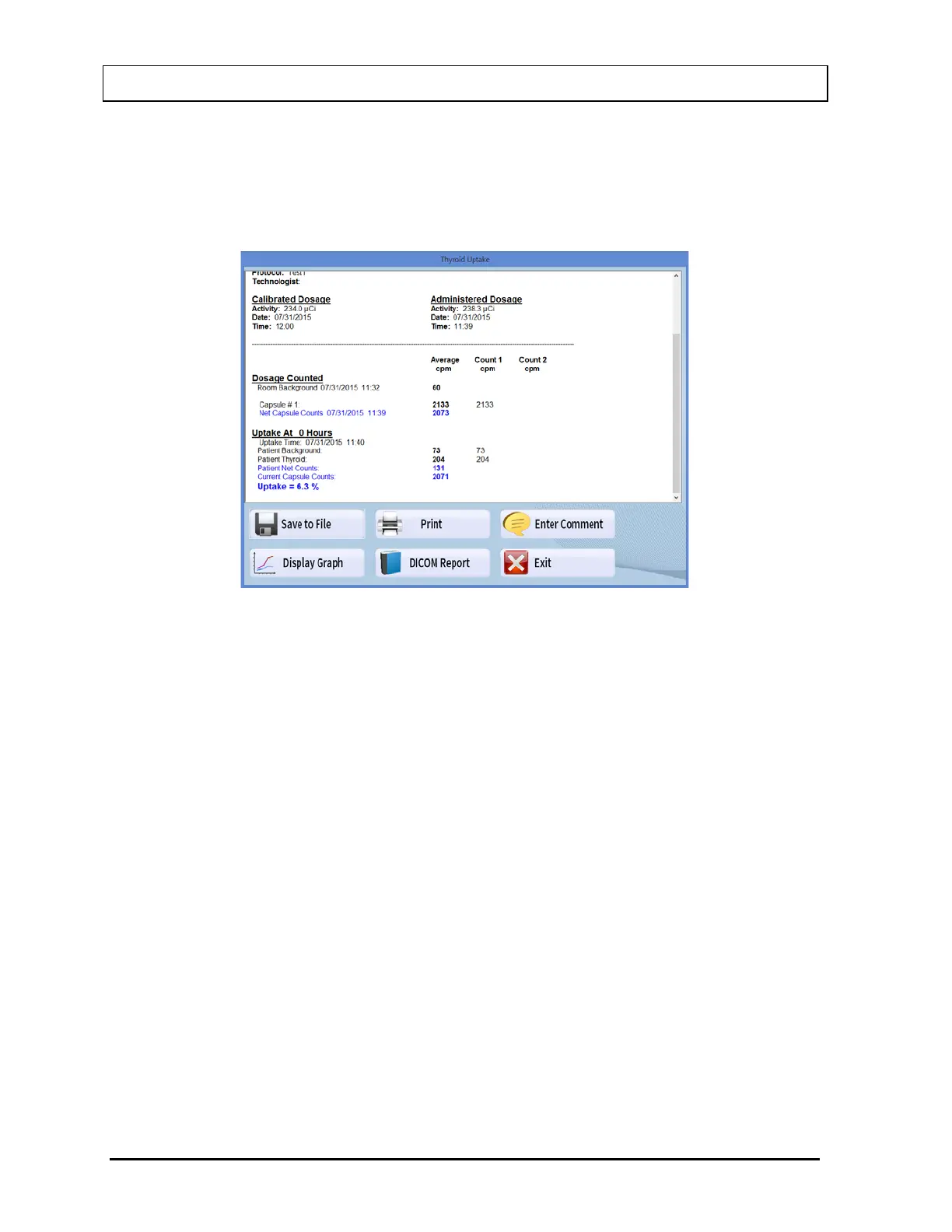
Using the scroll bars, scroll the report screen down to view the complete report. As
shown in Figure 7-27, the results appear for each uptake time, depending on the protocol
used. In this particular example, the background counts and the counts measured for the
capsule are shown. Next, the measured patient Background counts and neck counts
appear. The calculated uptake percentage at that uptake time appears in bold blue.
Figure 7-27
4. To save the report on the screen, select the Save to File button or press Alt+S. The
Save As box appears as shown in Figure 7-28. Reports are saved as rich text format file
(.rtf file) in C:\Captus4000e\Reports\ folder by default. These files can be opened using
WordPad or Microsoft Word.



 To Next Page