CAPINTEC, INC. CAPTUS
®
4000e
November 16 LAB TESTS 10-9
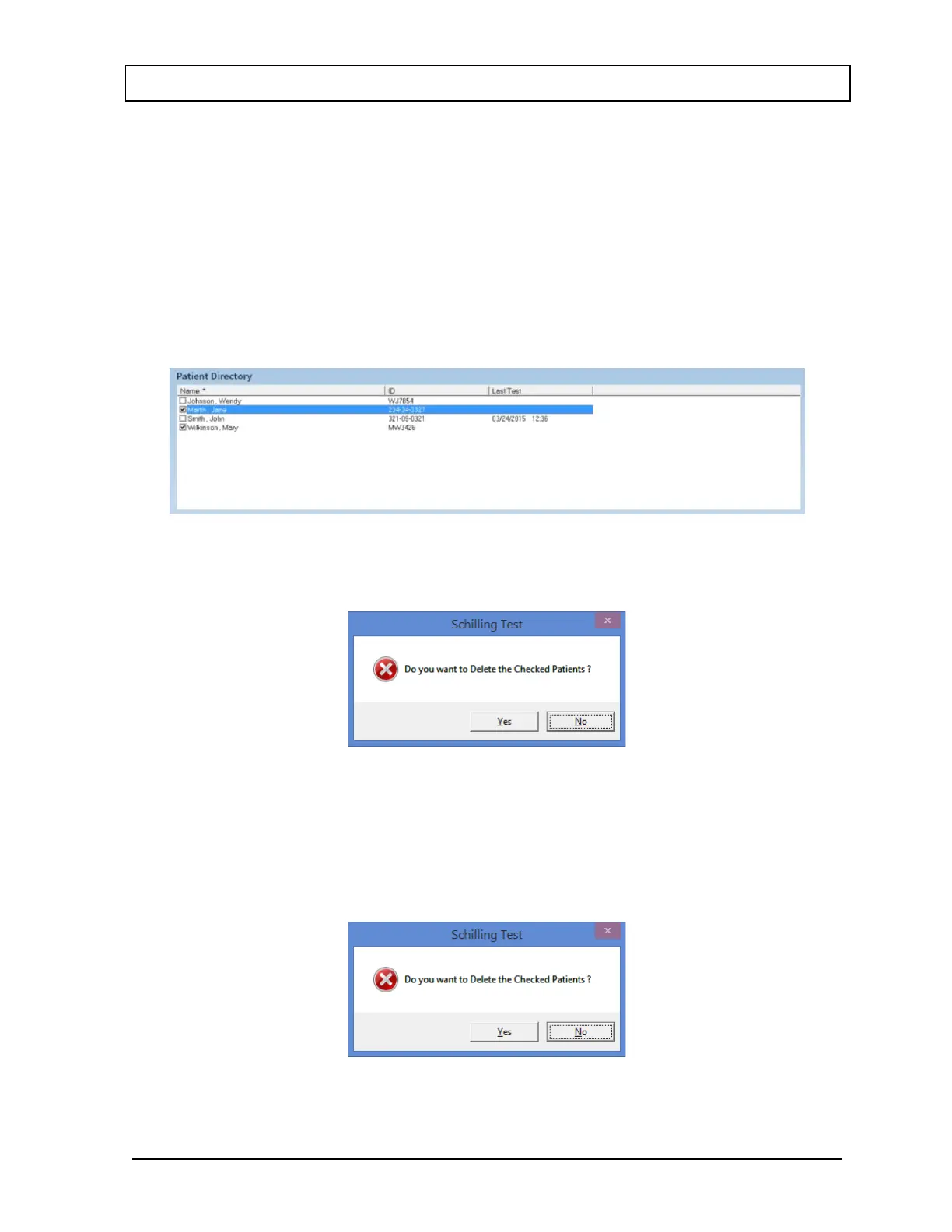
1. To select one or more patients for deletion, click in the check box to the left of the patient
name in the Patient Directory box on the Main Schilling Test Screen (Figure 10-8). A
check will appear in the check box to indicate it has been selected. The patient can also
be selected by first highlighting the desired patient by clicking and then double-clicking
anywhere in the grid to place a check in the box. To deselect a patient, click in their
check box again or double-click anywhere in the grid while the desired patient is
highlighted and the check will be removed from the check box.
Note: The status of a check box can be toggled by quickly double-clicking the desired
item.
Figure 10-8
2. Select the Delete button. Figure 10-9 will appear.
Figure 10-9
3. Select the Yes button or press the Y key to confirm the deletion or select the No button or
press the N key to cancel.
4. To delete all the patients at once, simply select the Delete All button. You will be
prompted to confirm the deletion. Figure 10-10 will appear.
Figure 10-10



 To Next Page