CAPINTEC, INC. CAPTUS
®
4000e
8-20 WIPE TESTS November 16
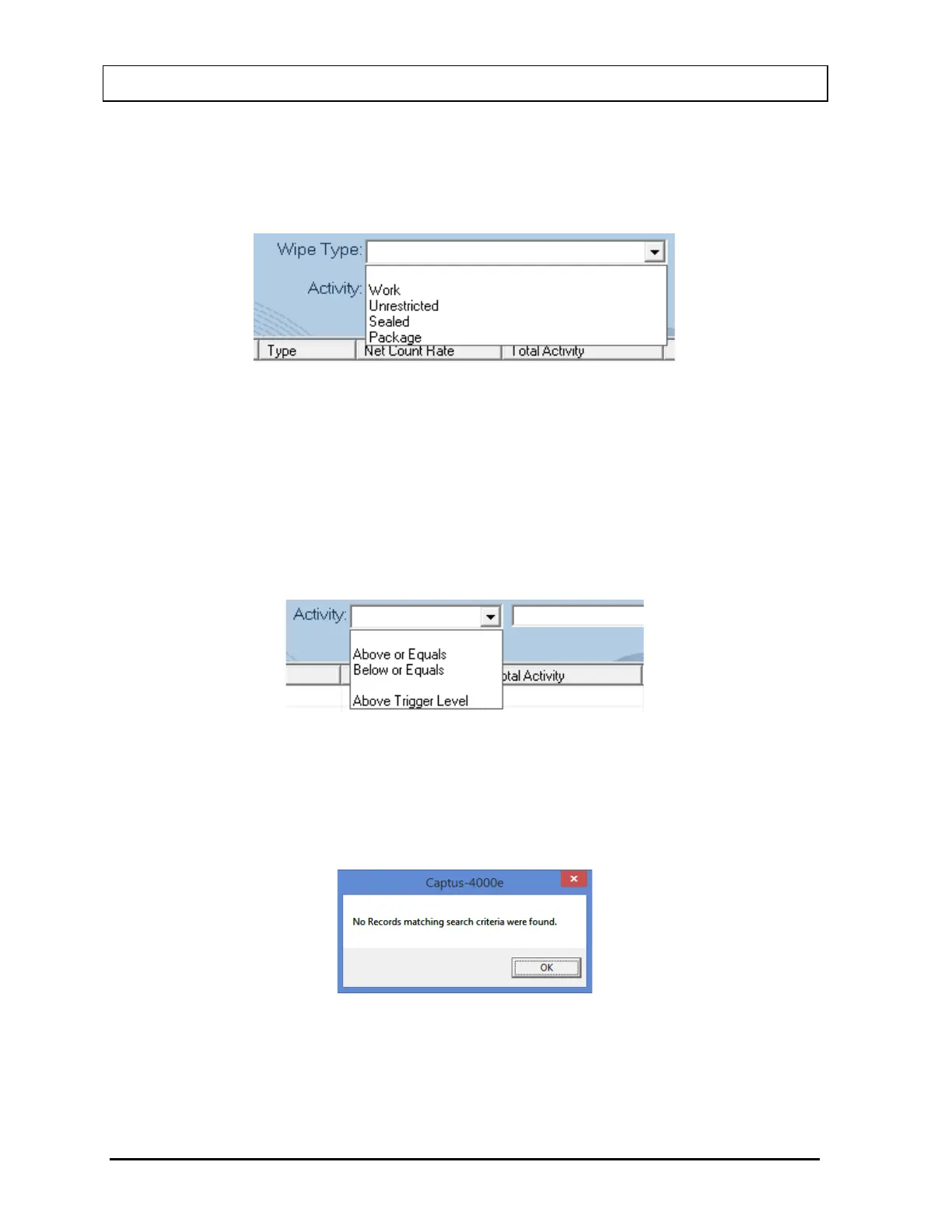
• Wipe Type .......... This allows the setting of the Wipe Type that the user is interested
in finding within the specified date range. The Wipe Type is
selected by clicking the drop-down arrow and choosing the desired
Wipe Type from the drop-down list.
Figure 8-26
• Activity ............... This allows the setting of an activity level that the user is interested
in finding within the specified date range. The activity level is set by
selecting the drop-down arrow and choosing the desired
comparison phrase from the drop-down list. If Above or Equals or
Below or Equals is chosen, then the desired activity level is
entered the in the text box to the right. If Above Trigger Level is
chosen, then the search will be based on the defined Trigger
Levels.
Figure 8-27
After setting the desired criteria, select the Search button`. If data are available for the set
criteria, the results will be displayed in the Wipe Test Search Results box as shown in
Figure 8-29 Wipe Test Search Window with Results. If no data are available for the selected
criteria, the following message will appear:
Figure 8-28
Refine the search criteria until the desired results are displayed. In the example below, the
Wipe Date/To range and Location are specified.



 To Next Page