CAPINTEC, INC. CAPTUS
®
4000e
10-6 LAB TESTS November 16
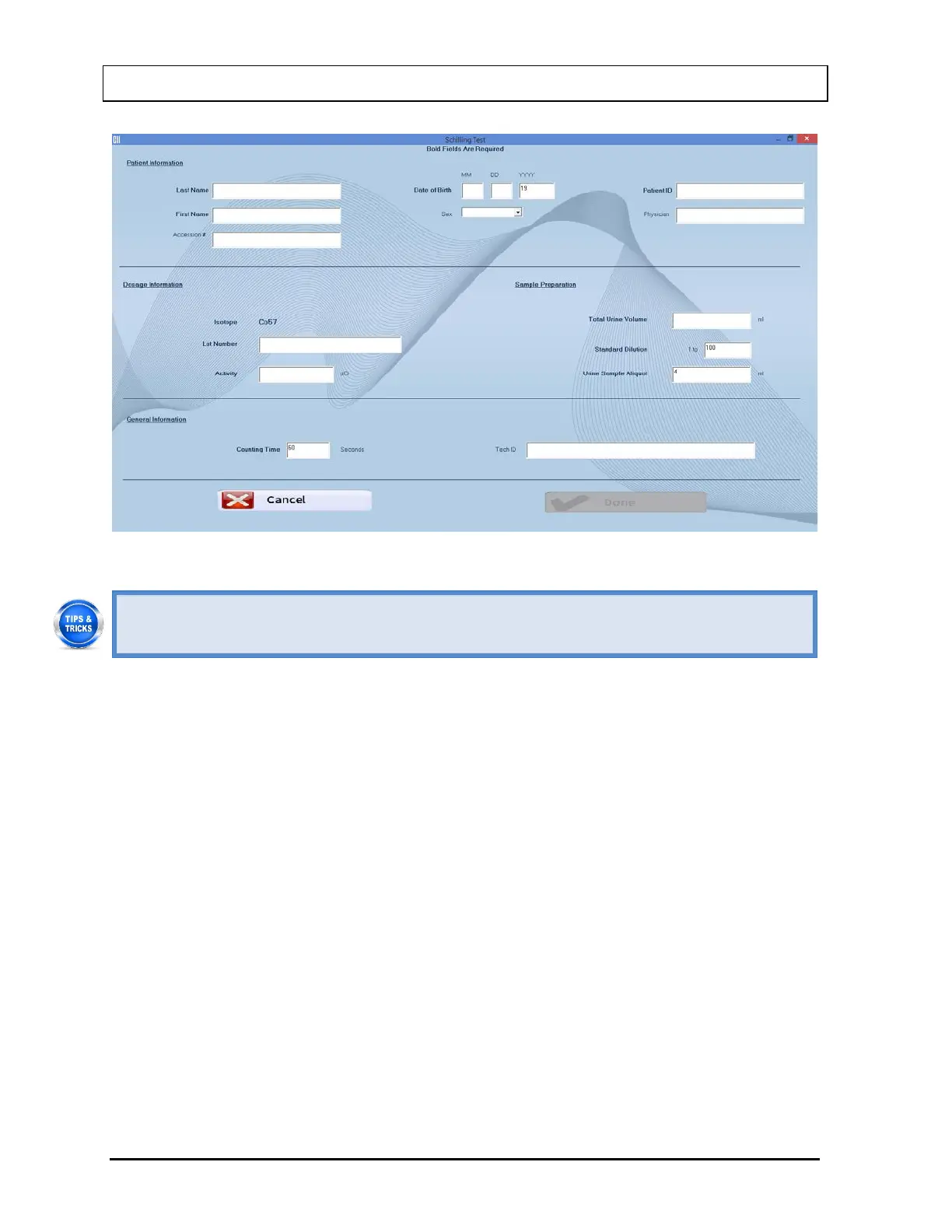
Figure 10-4
• Click in the text box or use the Tab key to move from one text box to another. To
select from drop-down list, use or keys.
2. Enter the Patient Information.
• Enter the Last Name, First Name, Date of Birth, Patient ID and Physician.
• In the Sex box, select male or female from the drop-down list or press the M or F
key.
Note: Any combination of up to 20 alphanumeric characters can be used for the First
Name, Last Name, ID and Physician. Fields not in bold are optional.
Note: The Accession # field will only be displayed if the valid license key for Cap-
DICOM module is entered in your system.
3. Next, input the Dosage Information.
• The name of the isotope used for labeling Vitamin B-12, Co57 appears on the
screen.
• The Lot Number and Activity may be determined from your measurements of
the dose in a dose calibrator or from the previously prepared dose label.
4. In the Sample Preparation section, input the Total Urine Volume collected over the
required period of time. Standard Dilution and Urine Sample Aliquot will reflect the
default values entered in the Setup. Any new values entered in these text boxes will
override the default settings.



 To Next Page