1‑183
Chapter 1 Troubleshooting
Version 2 2007.05.22
FIP-1. 77 Illegal Data 033-783/034-799/No Dial Tone 035-746/035-773/035-774
Regarding a fax error, a communication test is available between the customer and
Dell, thereby allowing you to analyze the trouble.
The communication test can be performed from the customer to the Dell site for
transmission errors, and from the Dell site to the customer for reception errors.
Possible causative parts: PWBA HYUI (PL13.4.1)
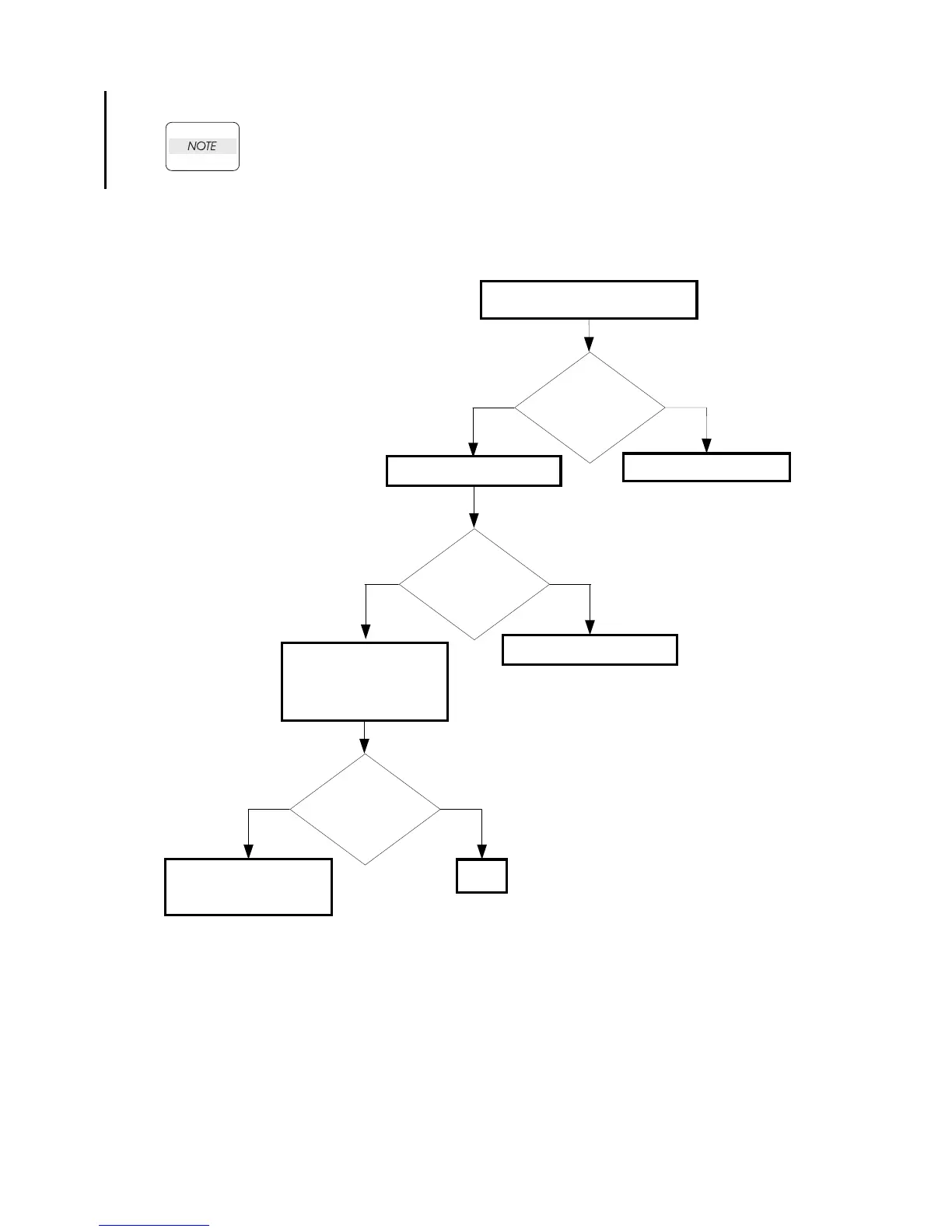
Checking the dial data
Check the dial data
Is the dial data
correct?
NoYes
Set the dial data.
Checking the PWBA HYUI
installation
Reseat the PWBA HYUI.
(Removal64/Replacement
58)
Does the error still
occur when faxing?
NoYes
END
Replace the PWBA HYUI.
(Removal64/Replacement
58)
Checking the printer setting.
Is the [Country] of
[Fax setting] on the
[Admin Menu]
correct?
No
Set the [Country] correctly.
Yes















 To Next Page