3 - 26
Chapter 3 Removal and Replacement Procedures (RRPs)
Version 2 2007.03.20
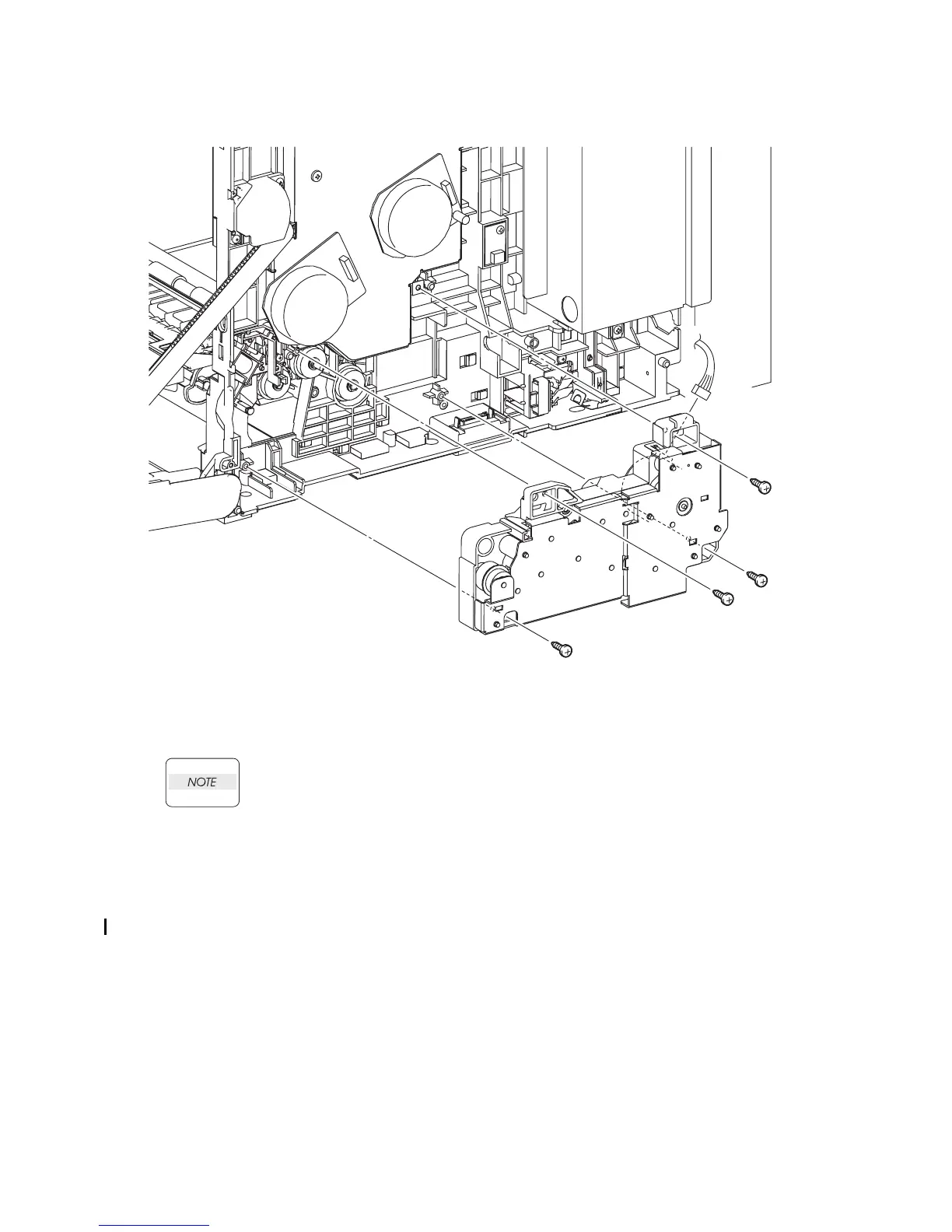
Removal 15 FEED DRIVE ASSEMBLY (PL8.1.7)
12) Remove the four screws (silver, tap, 10mm) that fix the FEED DRIVE ASSEMBLY to the
printer.
When performing the step described below, take care not to move the FEED DRIVE
ASSEMBLY from the printer too far because they are connected with the harness.
13) Remove the FEED DRIVE ASSEMBLY from the printer.
14) Disengage the connector (P/J251) of the FEED DRIVE ASSEMBLY.
Go to the next removal step:
Removal 16 INTEGRATED FEEDER ASSEMBLY (PL3.2.99)
Gnb03020KA
12)
12)
13)
14)
12)
12)















 To Next Page