3 - 73
Chapter 3 Removal and Replacement Procedures (RRPs)
Version 1 2006.11.28
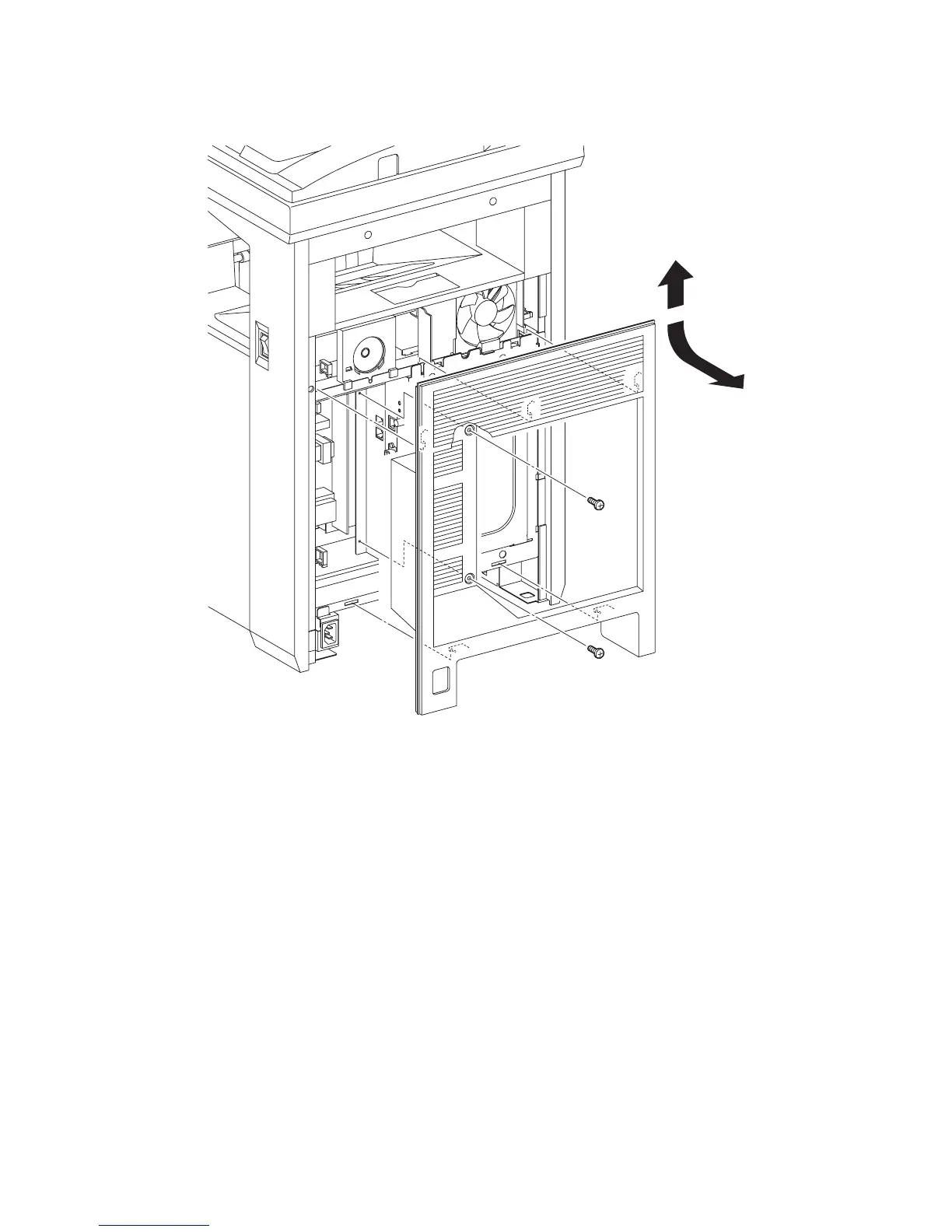
Removal 49 REAR COVER (PL13.1.6)
1) Remove the two screws (silver, 6mm) that fix the REAR COVER (PL13.1.6) to the printer.
2) Release the five hooks on the backside of the REAR COVER from the printer by lifting up the
REAR COVER slightly.
3) Remove the REAR COVER from the printer by releasing the rim on the upper section of the
REAR COVER from the inside of the TOP COVER (PL13.1.1).
Go to the next removal step:
Removal 50 COVER BOTTOM (PL13.1.5)
Gnb03154KA
1)
1)
2)
3)















 To Next Page