3 - 125
Chapter 3 Removal and Replacement Procedures (RRPs)
Version 2 2007.03.20
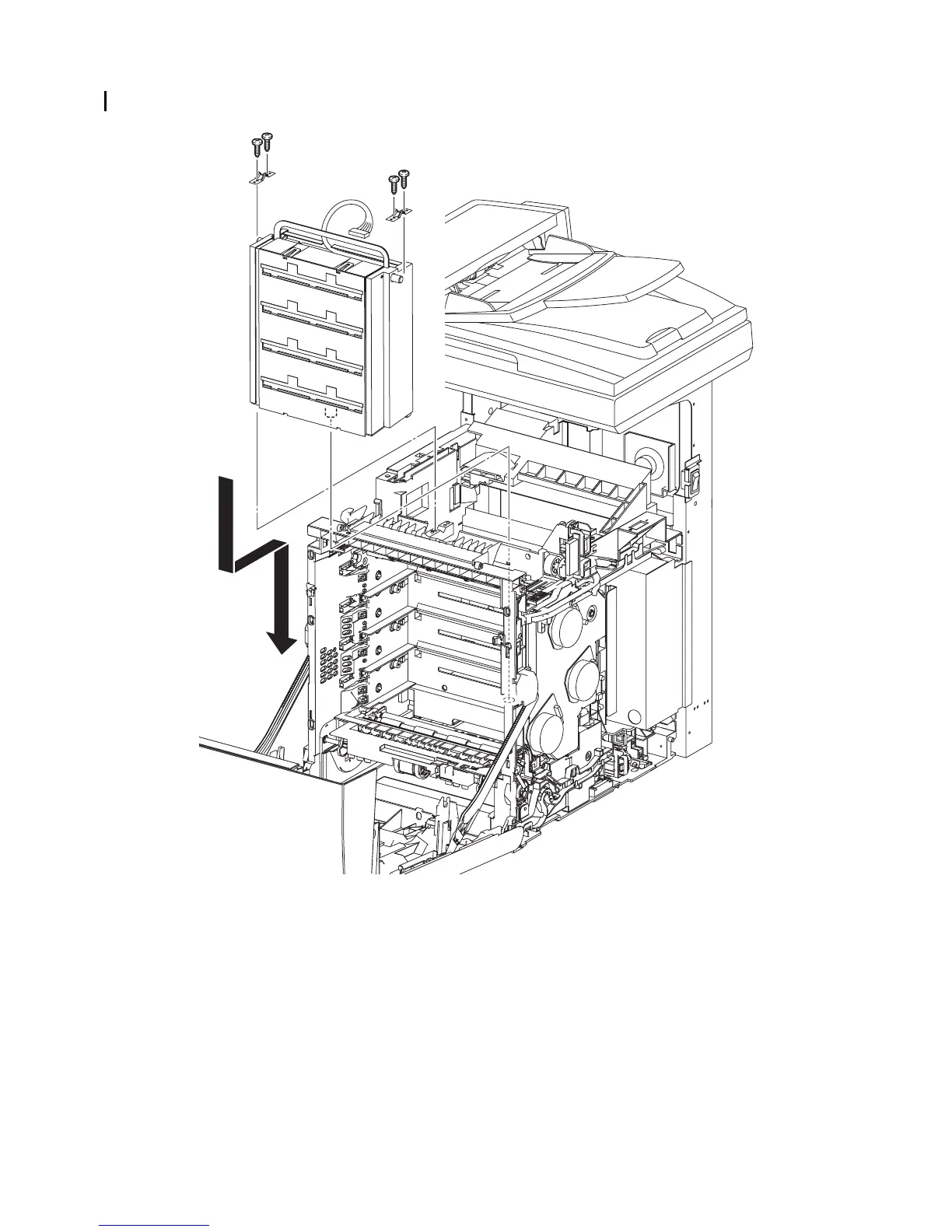
Replacement 12 PRINT HEAD (PL13.3.99)
1) Insert the PRINT HEAD by mating the underside boss of the PRINT HEAD with the hole on
the printer.
2) Place the two SPRING ROSs onto the left and right side bosses on the PRINT HEAD so that
the holes of SPRING ROSs are mated with the bosses on the printer.
3) Secure the SPRING ROSs to the printer using the four screws (silver, tap, 10mm).
Continues to the next page.
Gnb03109KA
3)
2)
2)
1)
3)
3)
3)















 To Next Page