3 - 16
Chapter 3 Removal and Replacement Procedures (RRPs)
Version 1 2006.11.28
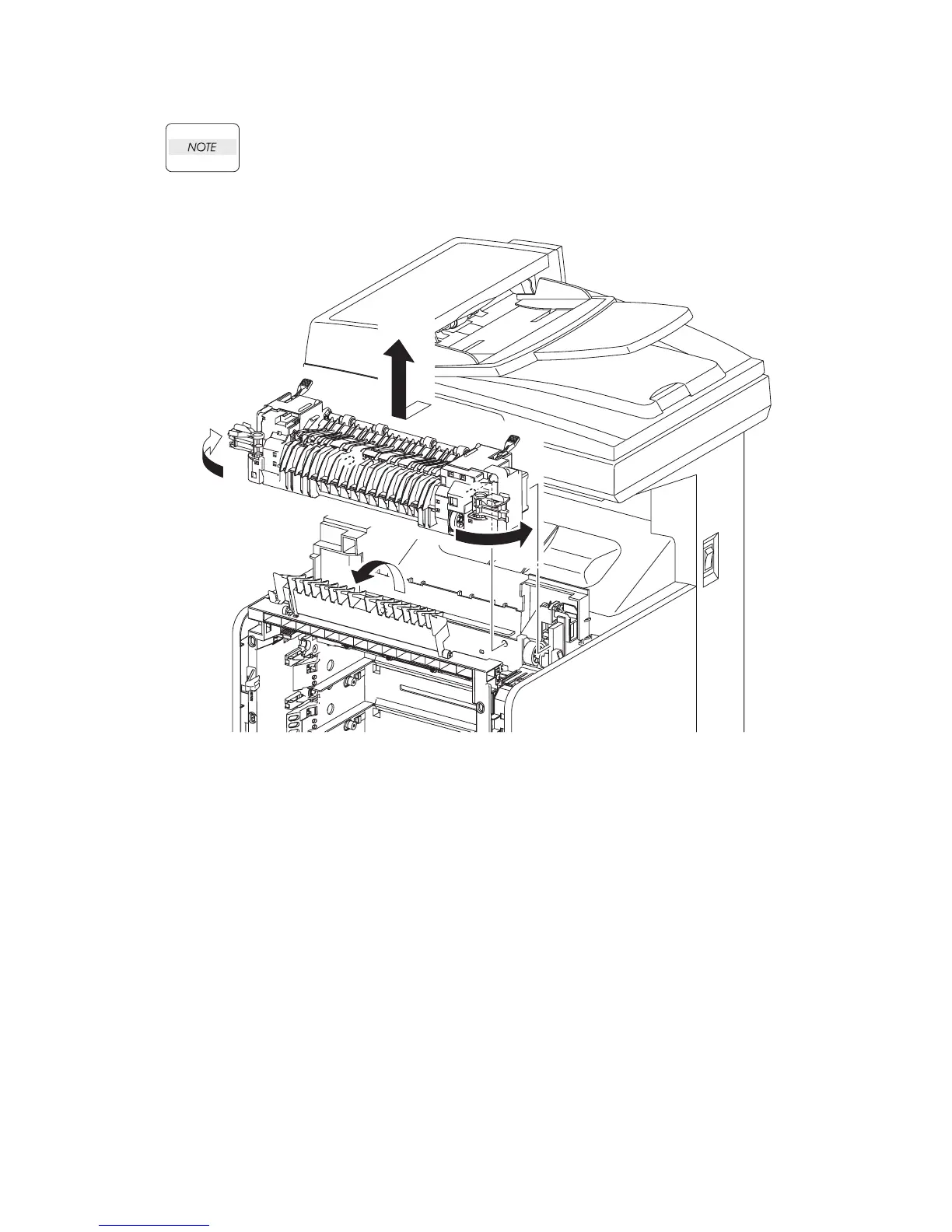
Removal 8 FUSER (PL6.1.10)
The FUSER part is very hot. Take added care not to get burned when performing the ser-
vice operation.
1) Open the FRONT COVER (PL13.2.1).
2) Open the DUPLEX GATE (PL6.1.13).
3) Release the lock by rotating the left and right levers of the FUSER (PL6.1.10) to the outside
direction.
4) Disengage the bosses and connector (P/J171) of the FUSER by moving the FUSER slightly
toward you. Remove the FUSER upward.
Go to the next removal step:
Removal 9 SPUR ASSEMBLY (PL7.1.1)
Gnb03011KA
2)
3)
3)
4)















 To Next Page