3 - 14
Chapter 3 Removal and Replacement Procedures (RRPs)
Version 1 2006.11.28
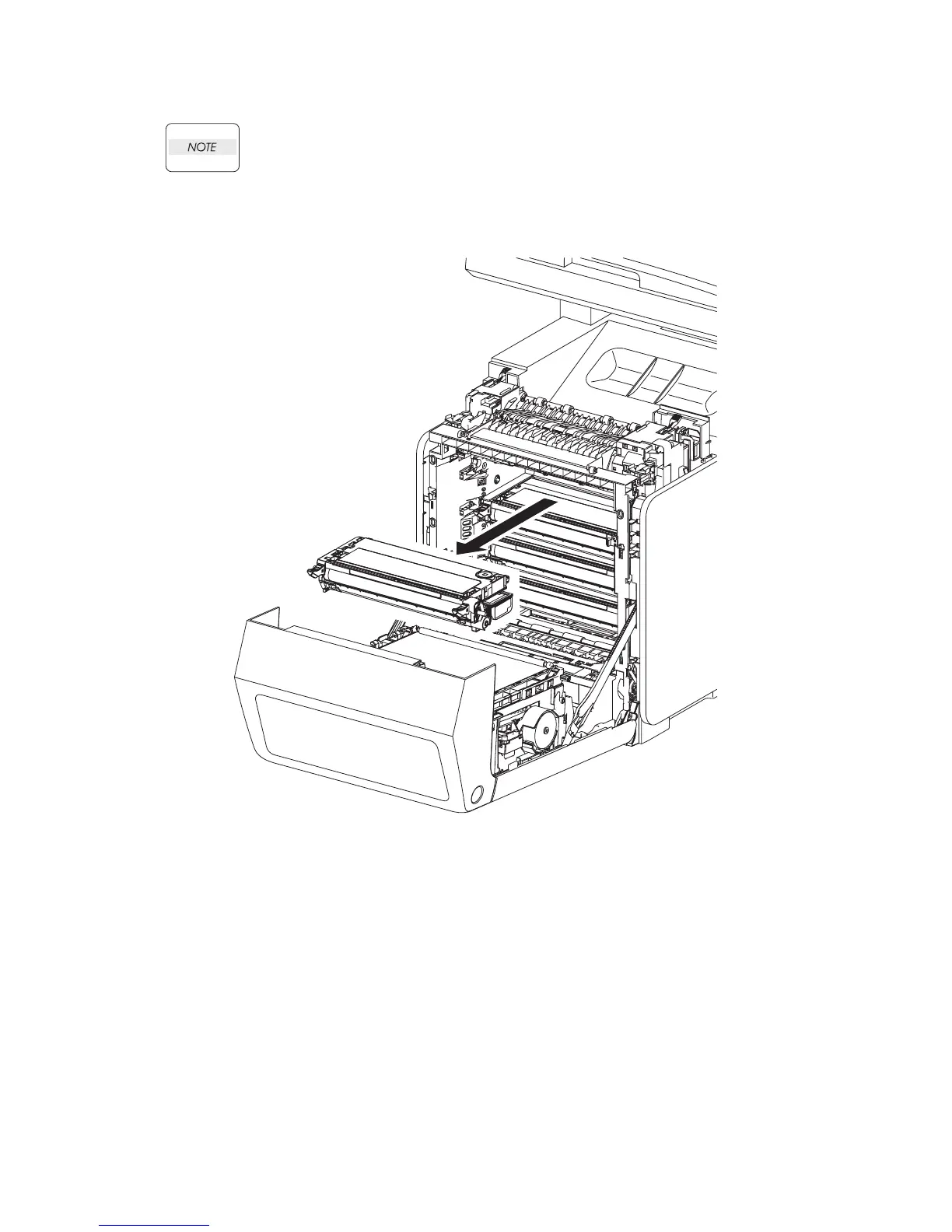
Removal 6 TONER CARTRIDGE (K), (C), (M), (Y) (PL5.1.18-21)
Described below is the removal procedure common among the TONER CARTRIDGEs
(C), (M), (Y), and (K).
Step 1 is for reference. Before removing this component, check that Step 1 has been performed.
1) Open the FRONT COVER (PL13.2.1).
2) Remove the TONER CARTRIDGE toward you by pulling it by the left and right handles.
Gnb03009KA
2)















 To Next Page