3 - 220
Chapter 3 Removal and Replacement Procedures (RRPs)
Version 1 2006.11.28
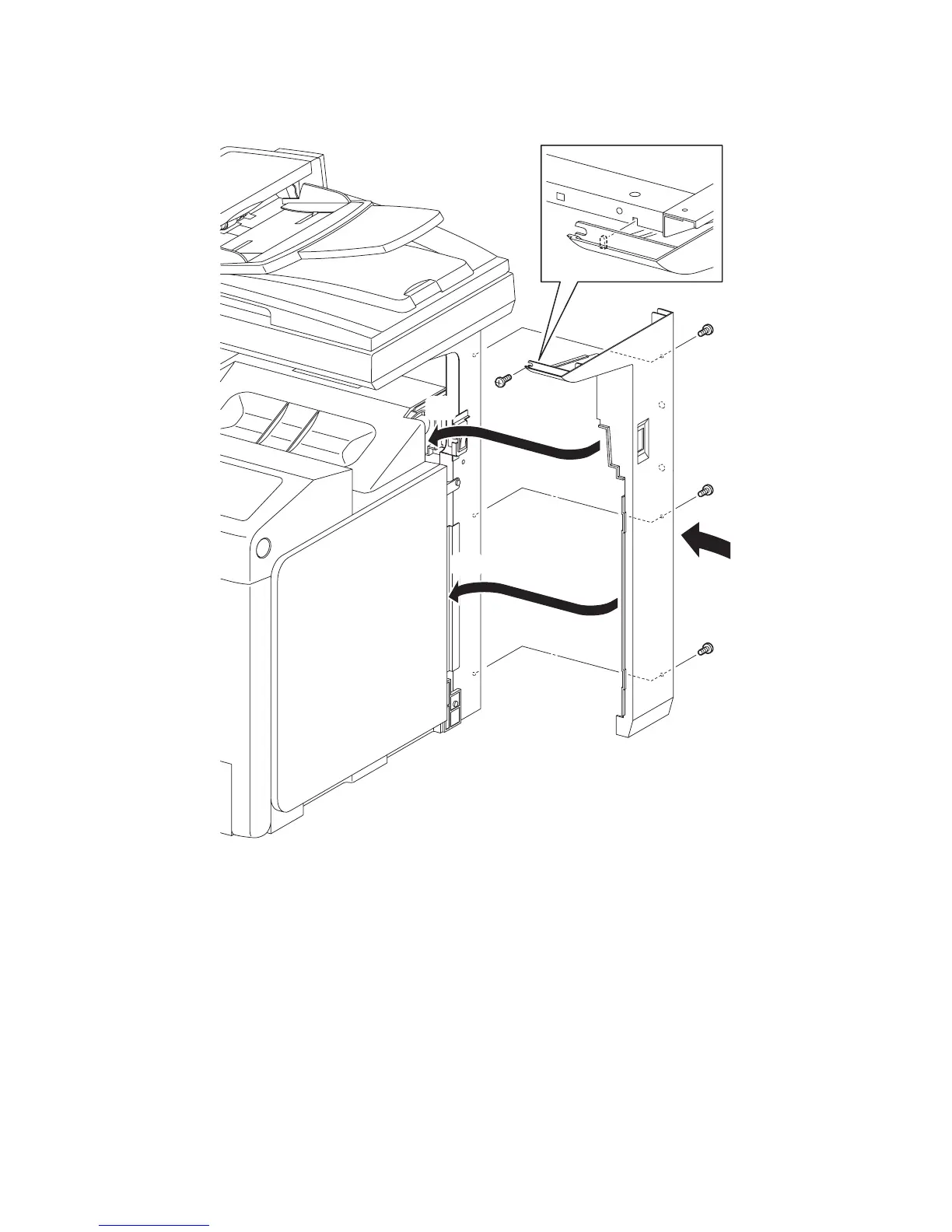
Replacement 70 COVER POLE R (PL13.1.8)
1) Replace the COVER POLE R to the printer by inserting the rim on the front side of the
COVER POLE R into the inside of the TOP COVER and the RIGHT COVER.
2) Mate the lug of the front mounting section of the COVER POLE R with the notch of the
printer.
3) Secure the COVER POLE R to the printer using the four screws (silver, 6mm).
Go to the next replacement step:
Replacement 71 COVER POLE IN R (PL13.1.4)
Gnb03218KA
3)
3)
2)
3)
3)
1)-1
1)-1
1)-2















 To Next Page