3 - 85
Chapter 3 Removal and Replacement Procedures (RRPs)
Version 1 2006.11.28
Removal 57 COVER POLE IN L (PL13.1.3)
Step 1 is for reference. Before removing this component, check that Step 1 has been performed.
1) Remove the COVER BOTTOM. (Removal 50)
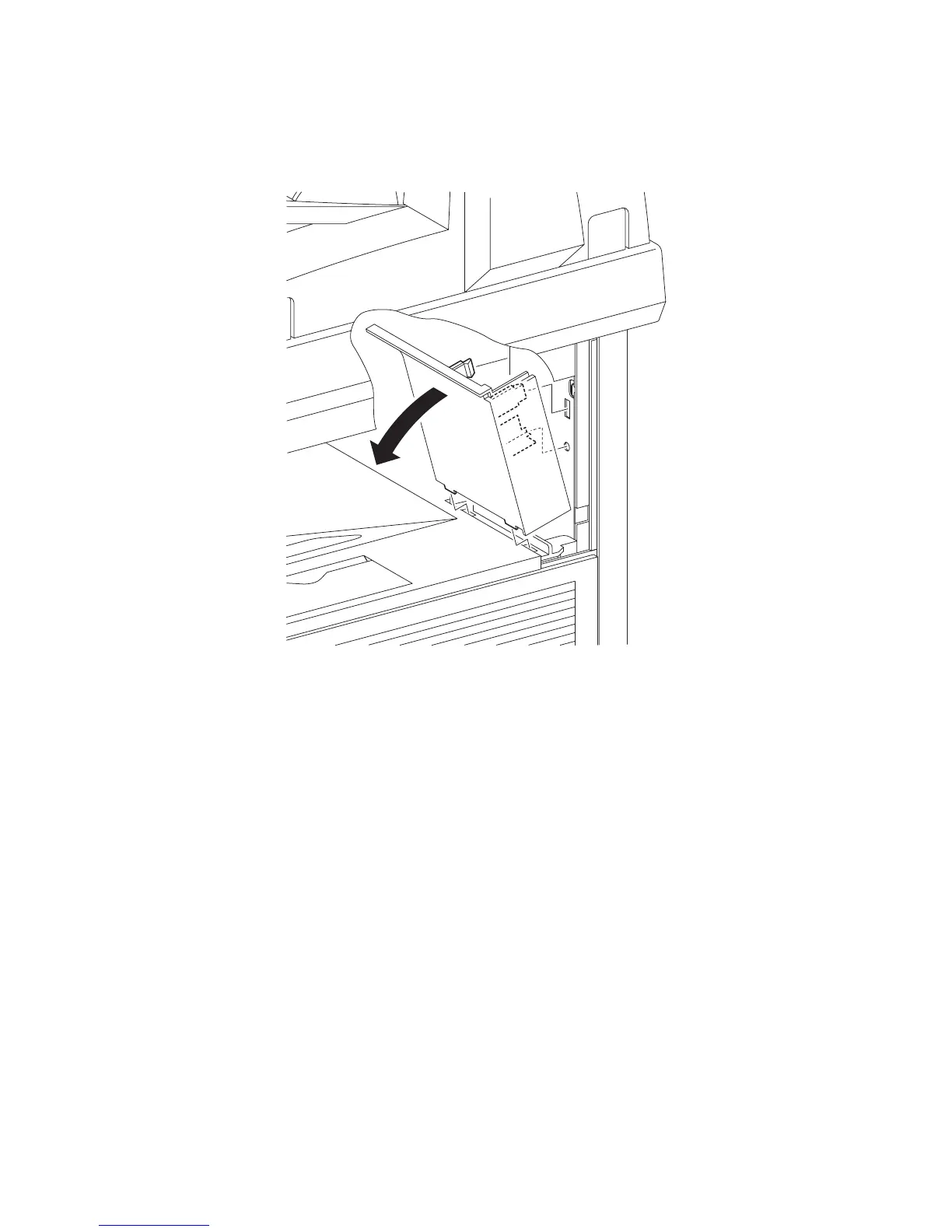
2) Release the two hooks on the rear side of the COVER POLE IN L (PL13.1.3) from the printer
by tilting the COVER POLE IN L inward.
3) Remove the COVER POLE IN L from the printer by releasing the two hooks on the underside
of the COVER POLE IN L from the holes on the TOP COVER (PL13.1.1).
Go to the next removal step:
Removal 58 COVER POLE L (PL13.1.11)
Gnb03164KA
2)
3)
3)















 To Next Page