3 - 139
Chapter 3 Removal and Replacement Procedures (RRPs)
Version 1 2006.11.28
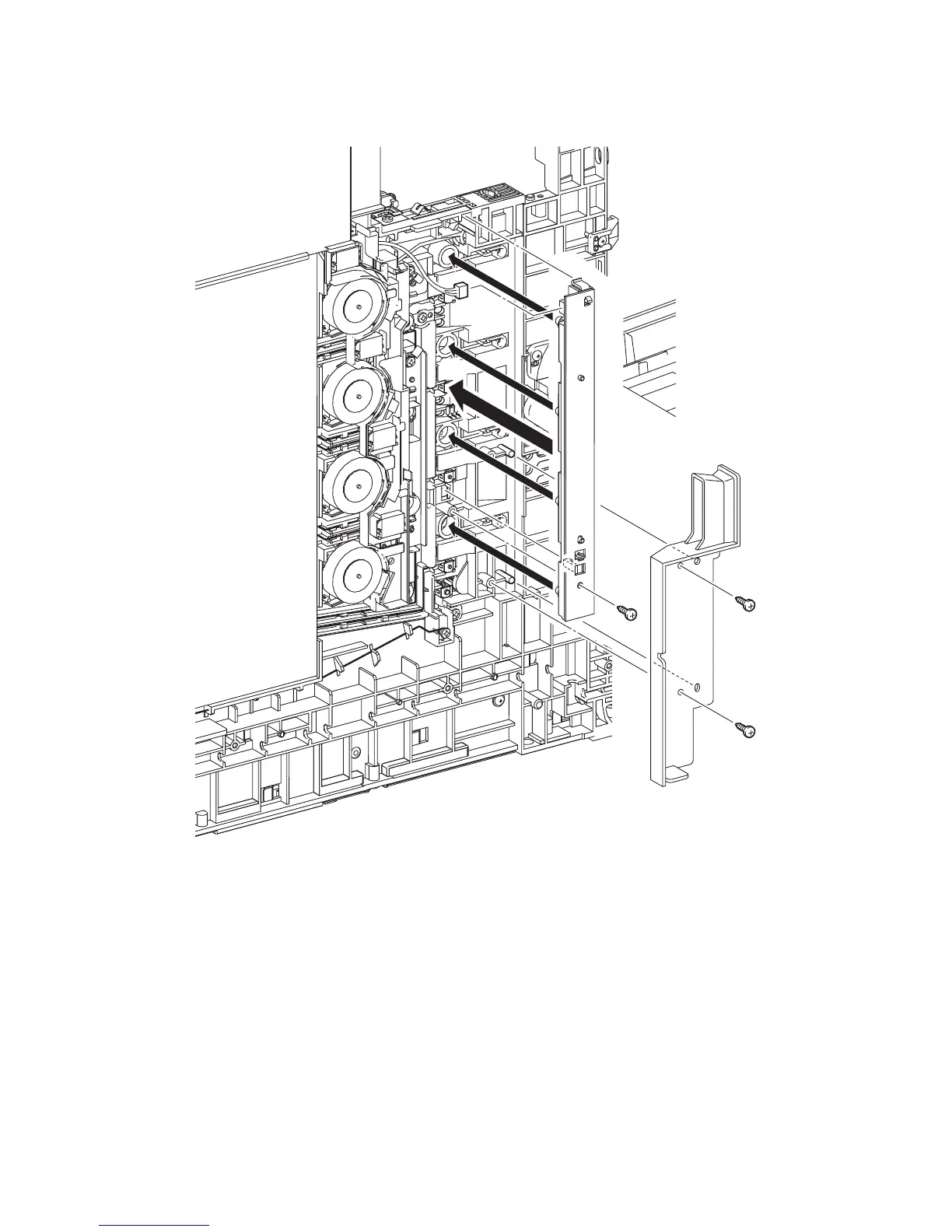
Replacement 21 LED ASSEMBLY (PL5.1.15)
1) Engage the connector (P/J141) of the LED ASSEMBLY.
2) Mate the four LEDs on the LED ASSEMBLY with the holes on the printer, and then secure
the LED ASSEMBLY at the two hooks.
3) Fix the LED ASSEMBLY to the printer using the one screw (silver, tap, 10mm).
4) Replace the DUCT SID L by mating the two holes on the DUCT SIDE L with the bosses on the
printer.
5) Secure the DUCT SIDE L to the printer using the two screws (silver, tap, 8mm).
Go to the next replacement step:
Replacement 63 LEFT COVER (PL13.1.10)
Kmy03097KA
3)
4)
5)
5)
2)
1)















 To Next Page