3 - 146
Chapter 3 Removal and Replacement Procedures (RRPs)
Version 1 2006.11.28
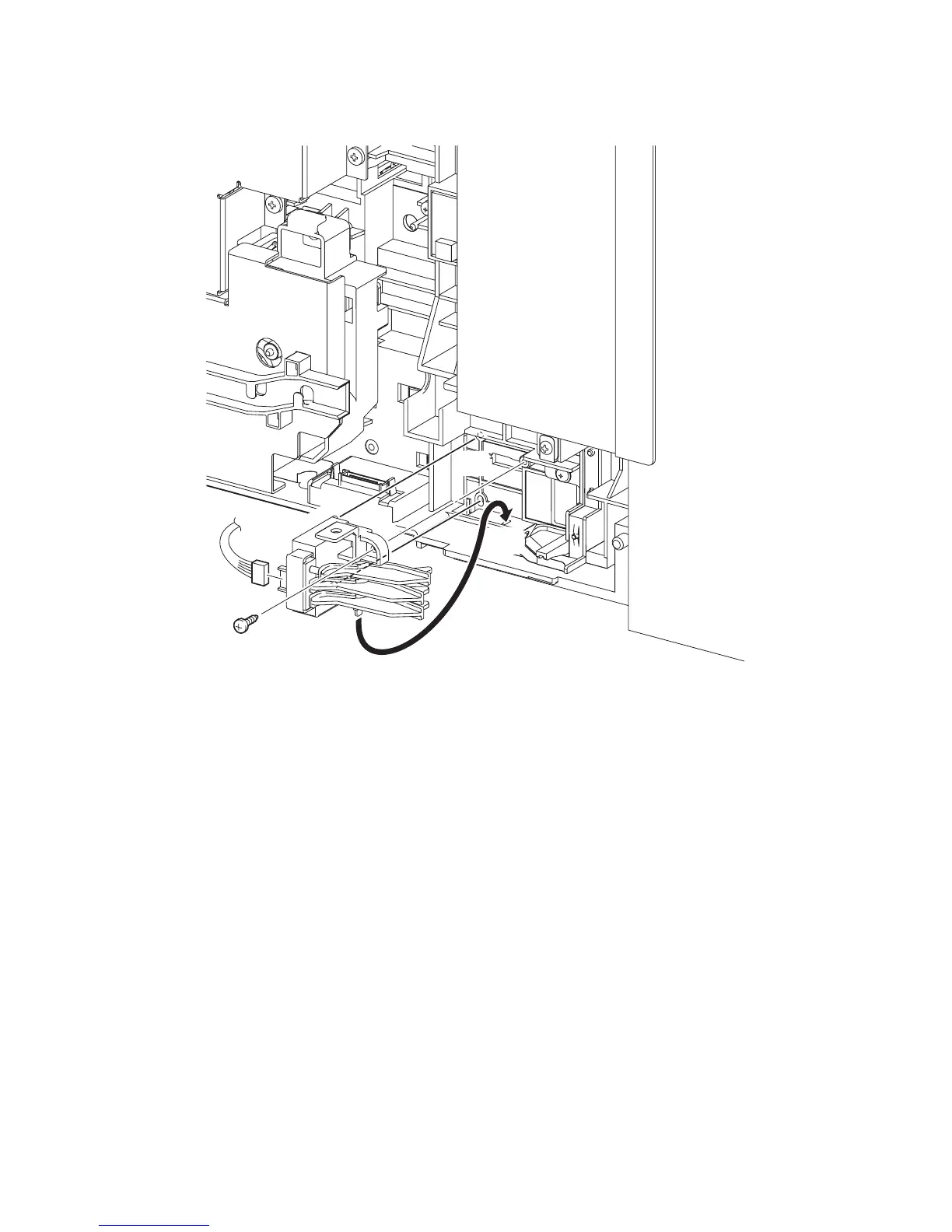
Replacement 27 SIZE SWITCH ASSEMBLY (PL7.1.18)
1) Insert the underside tab of the SIZE SWITCH ASSEMBLY into the hole on the printer and
insert the two bosses of the SIZE SWITCH ASSEMBLY into the holes on the printer.
2) Secure the SIZE SWITCH ASSEMBLY to the printer using the one screw (silver, tap, 10mm).
3) Engage the connector (P/J231) of the SIZE SWITCH ASSEMBLY.
Go to the next replacement step:
Replacement 68 RIGHT COVER (PL13.1.9)
Gnb03089KA
3)
2)
1)-1
1)-2















 To Next Page