3 - 63
Chapter 3 Removal and Replacement Procedures (RRPs)
Version 1 2006.11.28
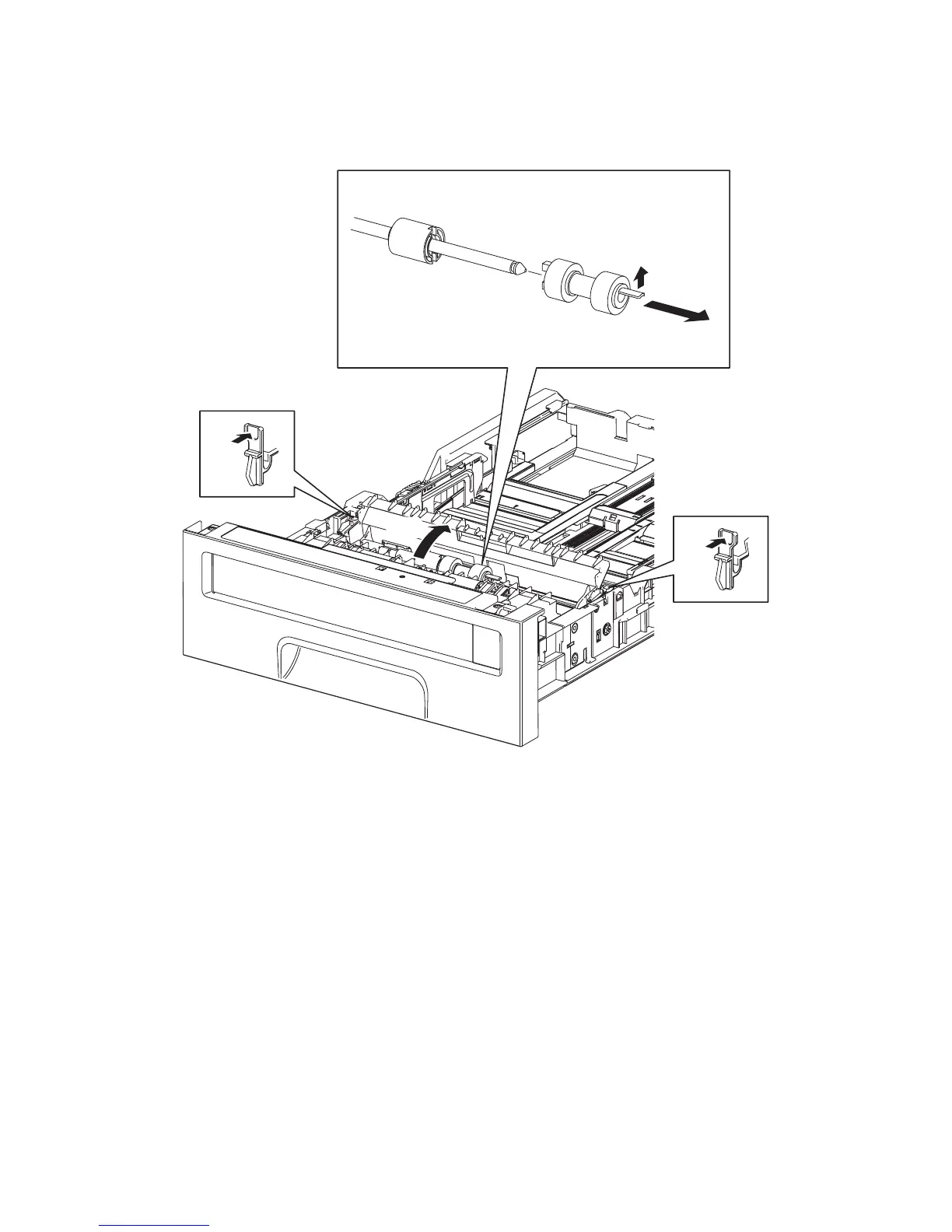
Removal 39 SEPARATOR ROLLER (PL2.2.17) (Same as the FEED ROLLER)
1) Remove the 250 SHEET PAPER TRAY (PL2.1.1) from the printer.
2) Release the left and right hooks of the CVR RTD CST (PL2.2.13), and then open the CVR RTD
CST.
3) Release the hook of the SEPARATOR ROLLER (PL2.2.17), and then remove the SEPARATOR
ROLLER from the SHAFT RETARD (PL2.2.15).
Kmy03055KA
2)-1
2)-1
3)-1
3)-2
2)-2















 To Next Page