3 - 165
Chapter 3 Removal and Replacement Procedures (RRPs)
Version 1 2006.11.28
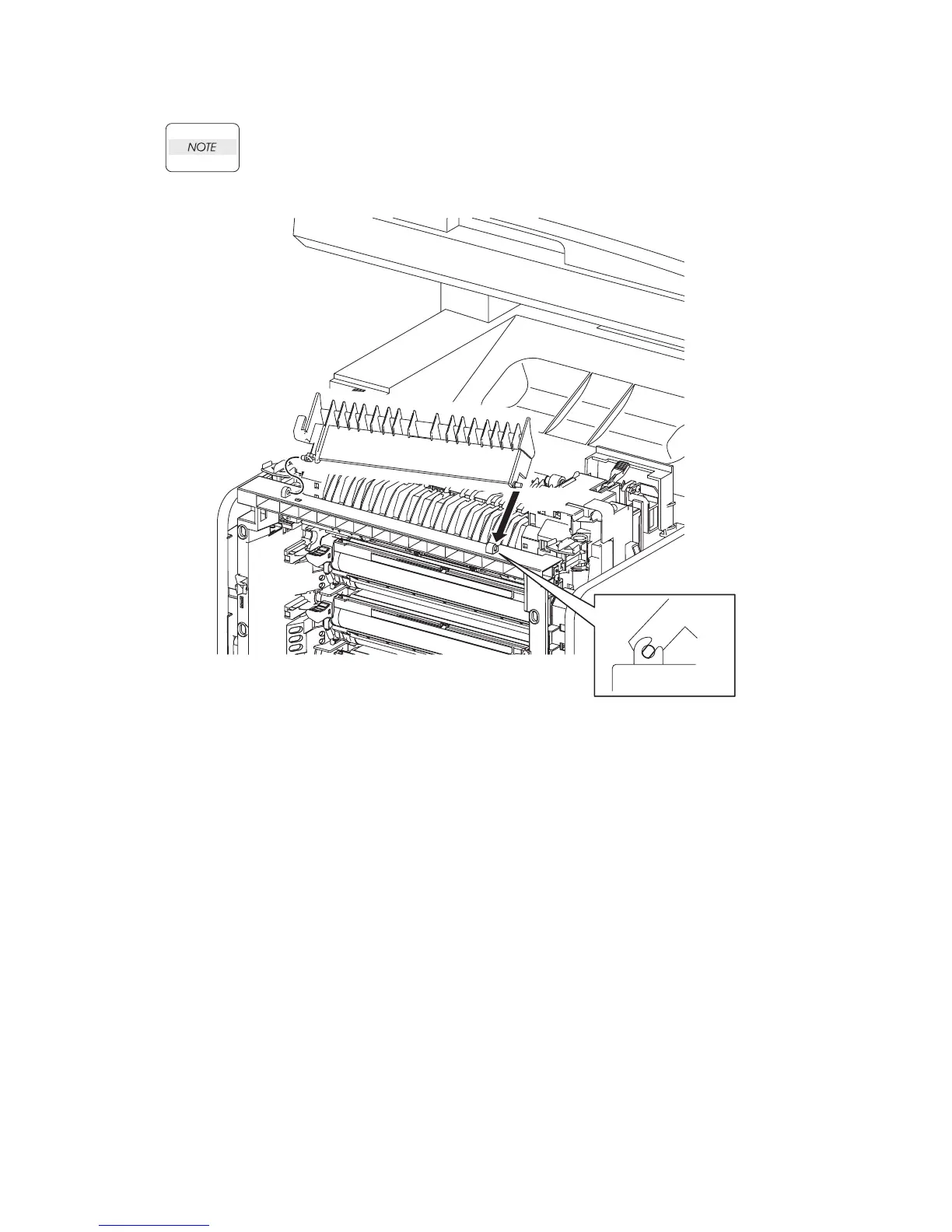
Replacement 39 DUPLEX GATE (PL6.1.13)
The FUSER part is very hot. Take added care not to get burned when performing the ser-
vice operation.
1) Insert the left side boss of the DUPLEX GATE with the hole of the printer.
2) Open the DUPLEX GATE (PL6.1.13) to about 45 degrees so that the flat faces of the right side
pivot of the DUPLEX GATE comes parallel with the U-shaped notch. Push in the right side
pivot of the DUPLEX GATE into the U-shaped notch diagonally forward.
3) Close the DUPLEX GATE.
4) Close the FRONT COVER.
Gnb03069KA
2)
1)















 To Next Page