3 - 18
Chapter 3 Removal and Replacement Procedures (RRPs)
Version 2 2007.03.20
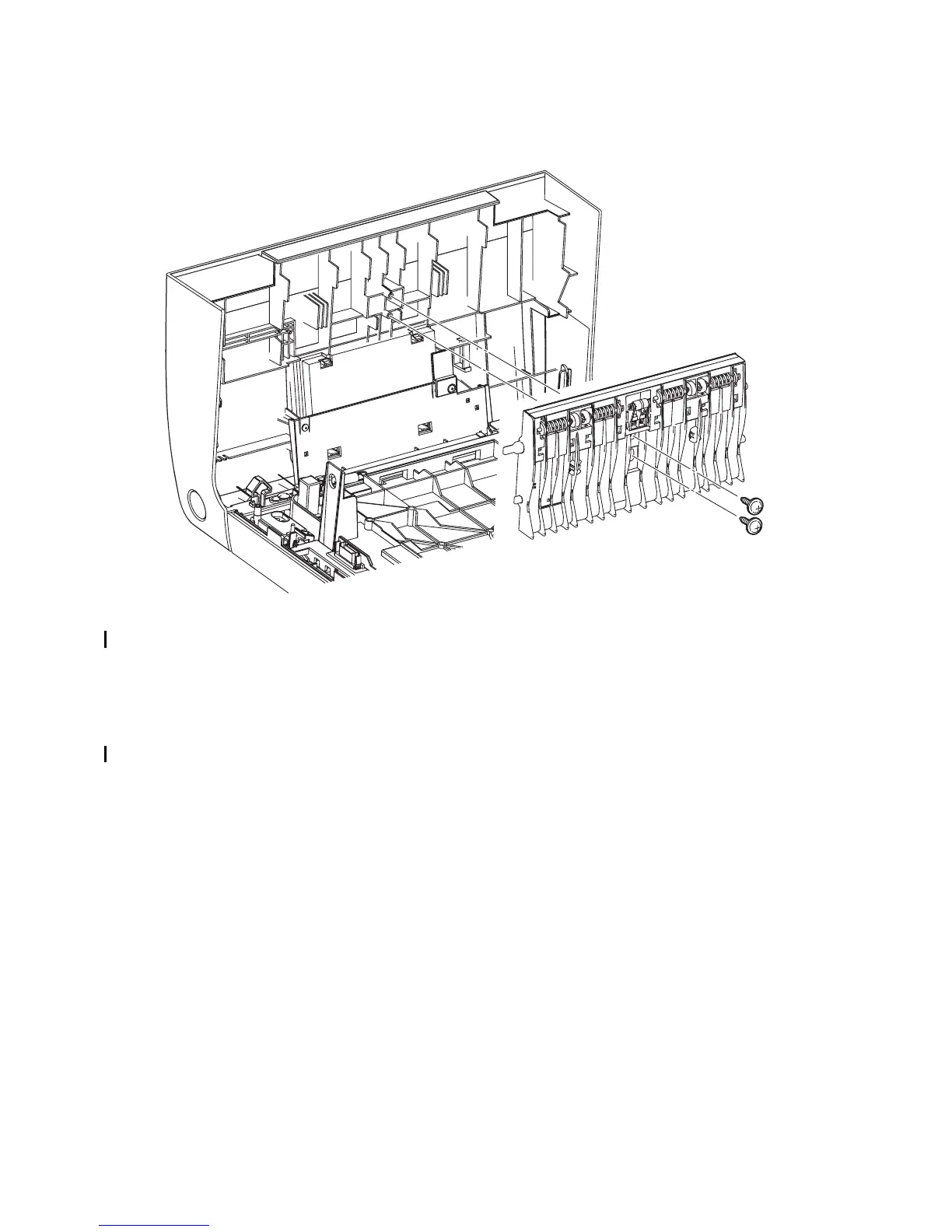
Removal 10 CHUTE ASSY EXIT OUT (PL6.1.1)
1) Open the FRONT COVER (PL13.2.1).
2) Remove two screws (silver, with flange, tap, 10mm) that fix the CHUTE ASSY EXIT OUT
(PL6.1.1) to the FRONT COVER.
3) Remove the CHUTE ASSY EXIT OUT from the FRONT COVER.
Go to the next removal step:
Removal 56 OPERATOR PANEL (PL13.2.97)
Kmy03013KA
2)
2)
3)















 To Next Page