2 - 54
Chapter 2 Operation of Diag.
Version 1 2006.11.21
4.6 Test Print
Print an internal test pattern of the printer. If paper jam or paper empty occurs during the print,
the test waits until they are resolved.
4.6.1 Executing test print
1) Turn off the power.
2) Turn on the power while holding down “ ” and “ ” keys.
3) Release the fingers from these keys when “Please wait...” is displayed.
4) The “Customer Mode”, “FAX Scanner” and “Printer Diag” are displayed. (Entered the Diag.
mode.)
5) Press “ ” key to select “Printer Diag”, and press “ 3 ” key.
6) Press “ ” key to select “Test Print”, and then press “ 3 ” key.
7) Press “ ” or “ ” key to select the test item.
8) Press “ 3 ” key twice to execute the test.
To exit the test or to returning to one step higher menu, press “CANCEL” key.
4.6.2 No Image [IOT]
Prints the blanked paper.
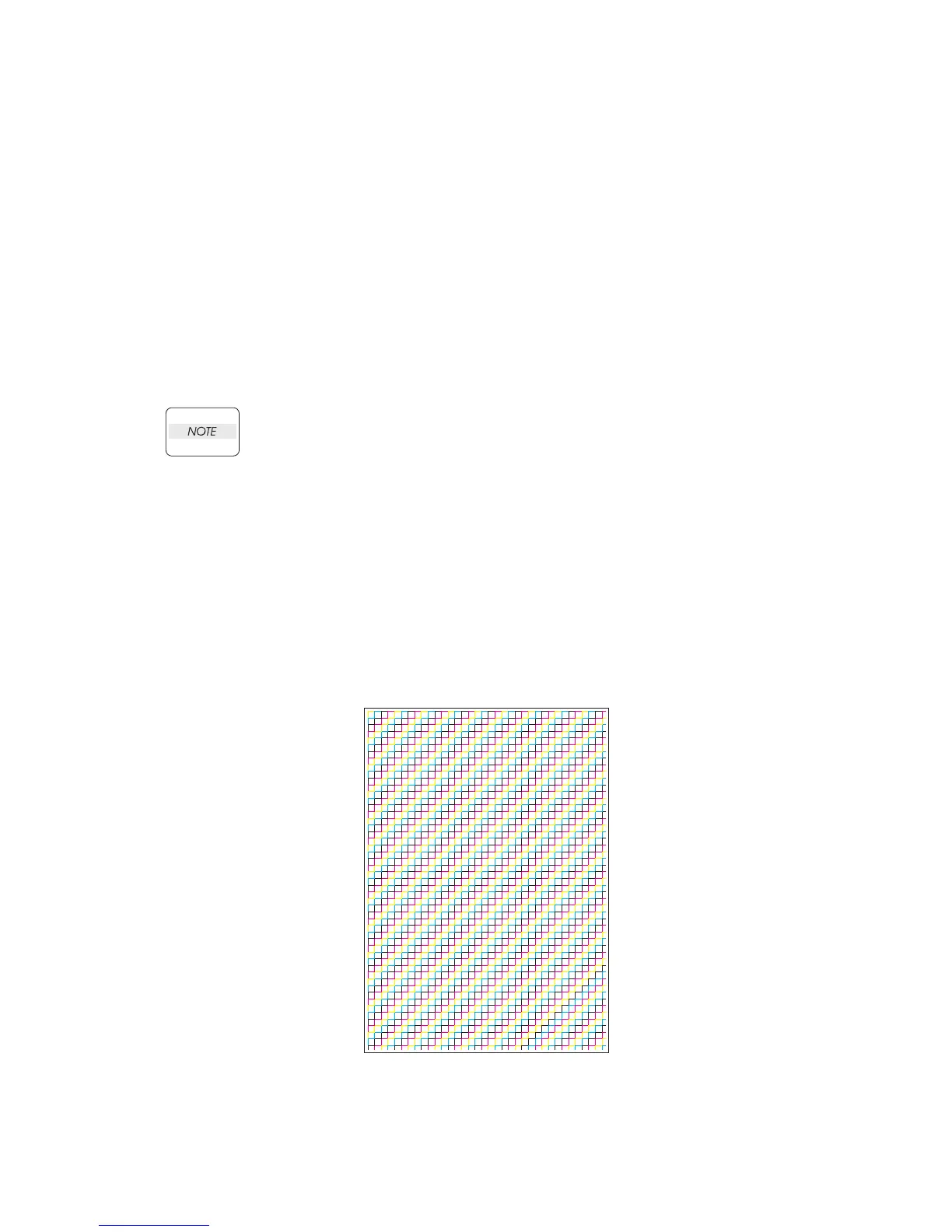
4.6.3 Test Pattern 600[IOT]
Prints the IOT built-in 600dpi pattern.
When the PQ problem occurred, this test enables to identify the problem as the printing process or
the PWBA ESS related.
Compare the sample chart with the print.
Check result: NG (Check the printing process.) OK (Check the PWBA ESS related.)
Kmy02001KA















 To Next Page