6 – 23
Chapter 6 Principle of Operation (Scanner)
Version 1 2006.11.21
9.2.1 Setting a Document
When a document is set in the document tray and pushed into the tray until its lead edge stops, an
actuator moves to place the ADF document sensor in the unshielded (unblocked) state, indicating
detection of the document.
9.2.2 Preparation for Feed
Pressing the Start button with the document set in the tray starts feeding of the document.
First, the Nudger Roll moves down and presses onto the document in the document tray to enable
document feed. The Nudger Roll moves down with normal rotation of the ADF Motor. Upon completion
of document feed, the ADF Motor reverses rotation to return the Nudger Roll to its normal position.
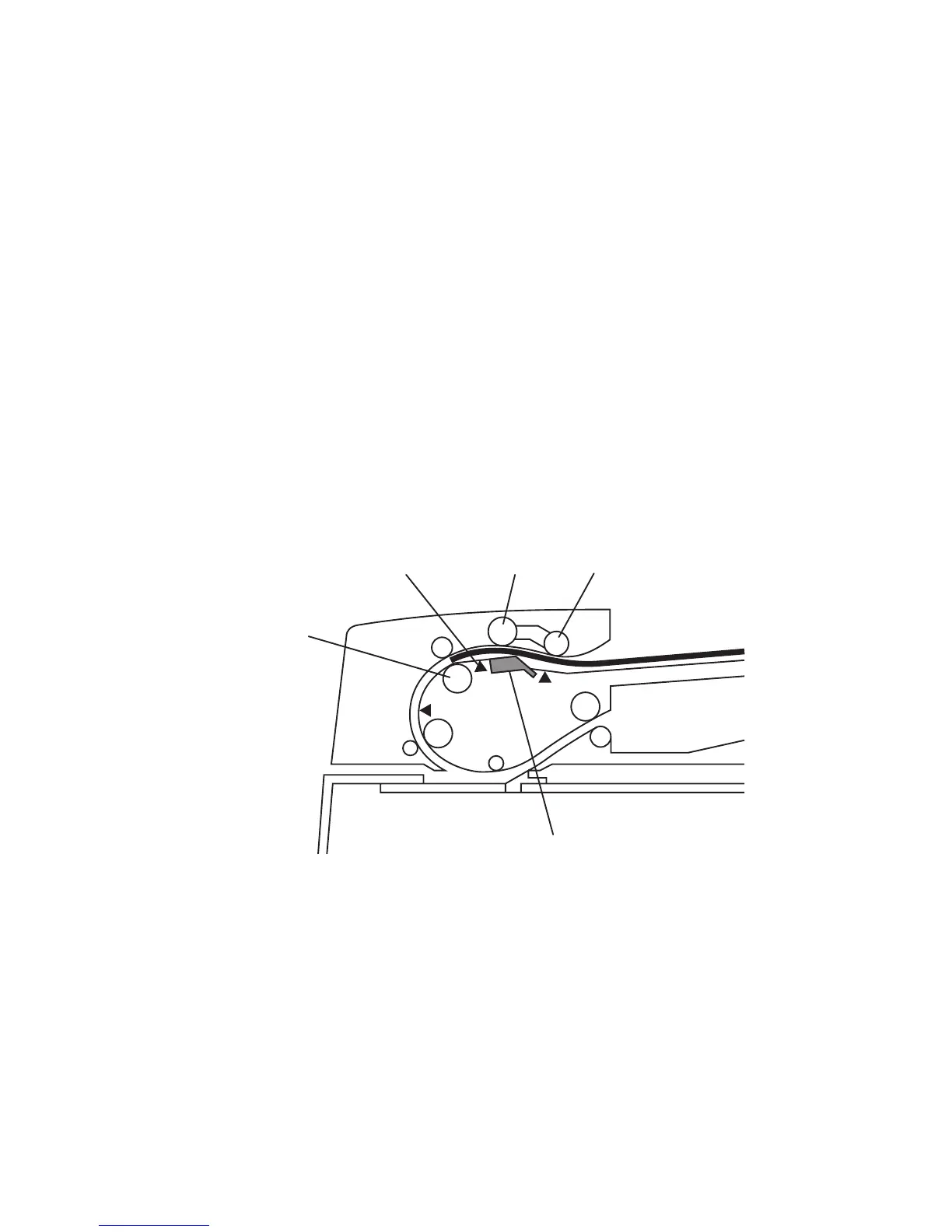
9.2.3 Prefeed
In the prefeed step, a document sheet is fed from the Feed Roll to the Takeaway Roll.
When the Nudger Roll is pressed down to the document sheet surface, (see "9.2.2 Preparation for
Feed"), the ADF Motor rotates to drive the Nudger Roll and Feed Roll. The Nudger Roll feeds the top
document sheet in the document tray to the Feed Roll. The Feed Roll, nipped by the ADF Separator
Pad, feeds document sheets (coming from the Nudger Roll) one by one. When the Feed Sensor
detects a document sheet, the machine recognizes that feed of the first document sheet is complete.
Gnb06004KA
Nudger Roll
ADF Separator Pad
Feed Roll
Takeaway Roll
Feed Sensor















 To Next Page