3 - 153
Chapter 3 Removal and Replacement Procedures (RRPs)
Version 2 2007.03.20
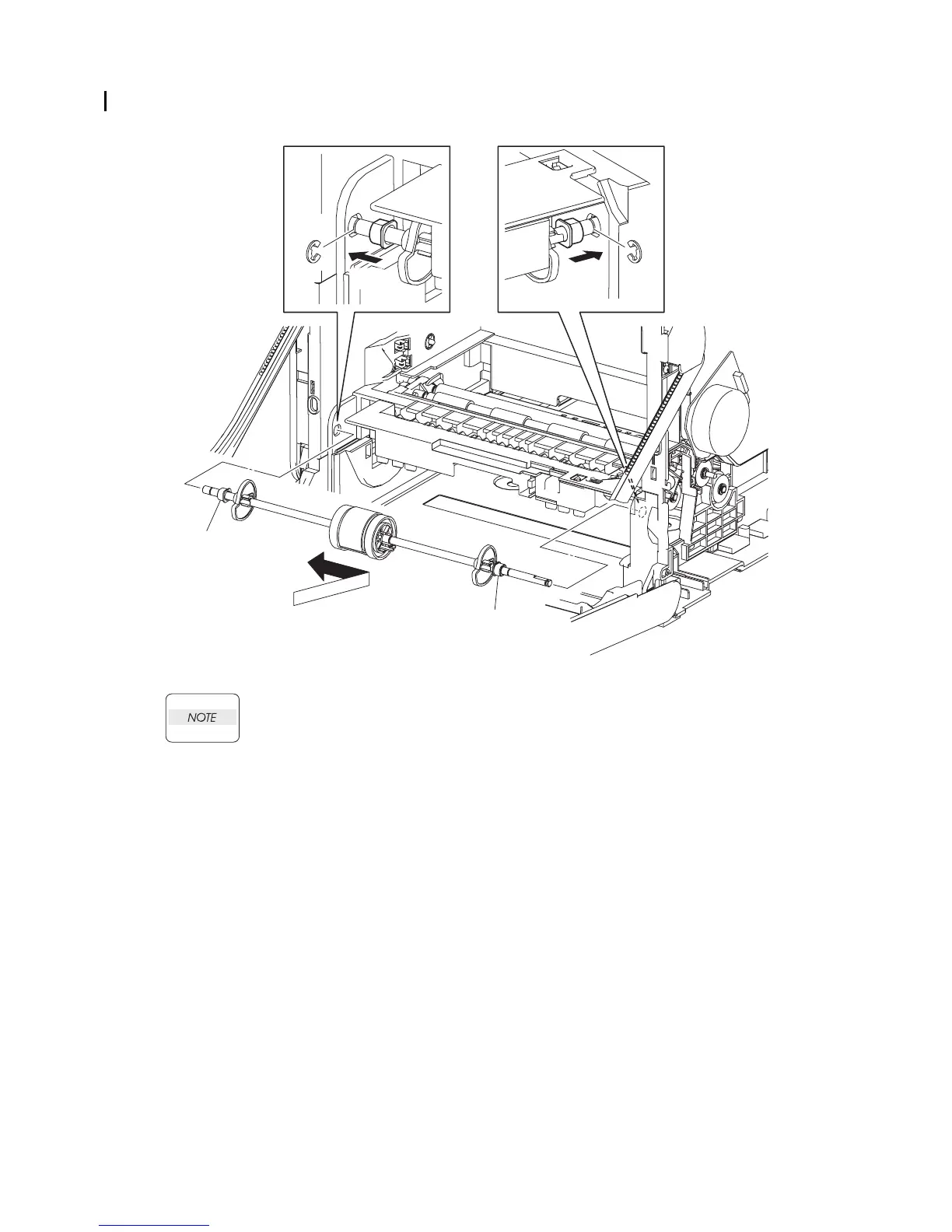
Replacement 30 INTEGRATED FEEDER ASSEMBLY (PL3.2.99)
When performing the step described below, ensure that the color of each BEARING is
correct.
The color of the right BEARING is black.
The color of the left BEARING is white.
14) Replace the ROLL ASSY MSI to the printer by inserting the right and left ends of the ROLL
ASSY MSI into the holes on the printer.
15) Slide the left and right of the BEARINGs outward into the holes on the printer, and secure
using the e-rings.
Go to the next replacement step:
Replacement 31 FEED DRIVE ASSEMBLY (PL8.1.7)
Kmy03084KB
Black
White
15)-2
15)-1
14)
15)-1 15)-2















 To Next Page