3 - 60
Chapter 3 Removal and Replacement Procedures (RRPs)
Version 2 2007.03.20
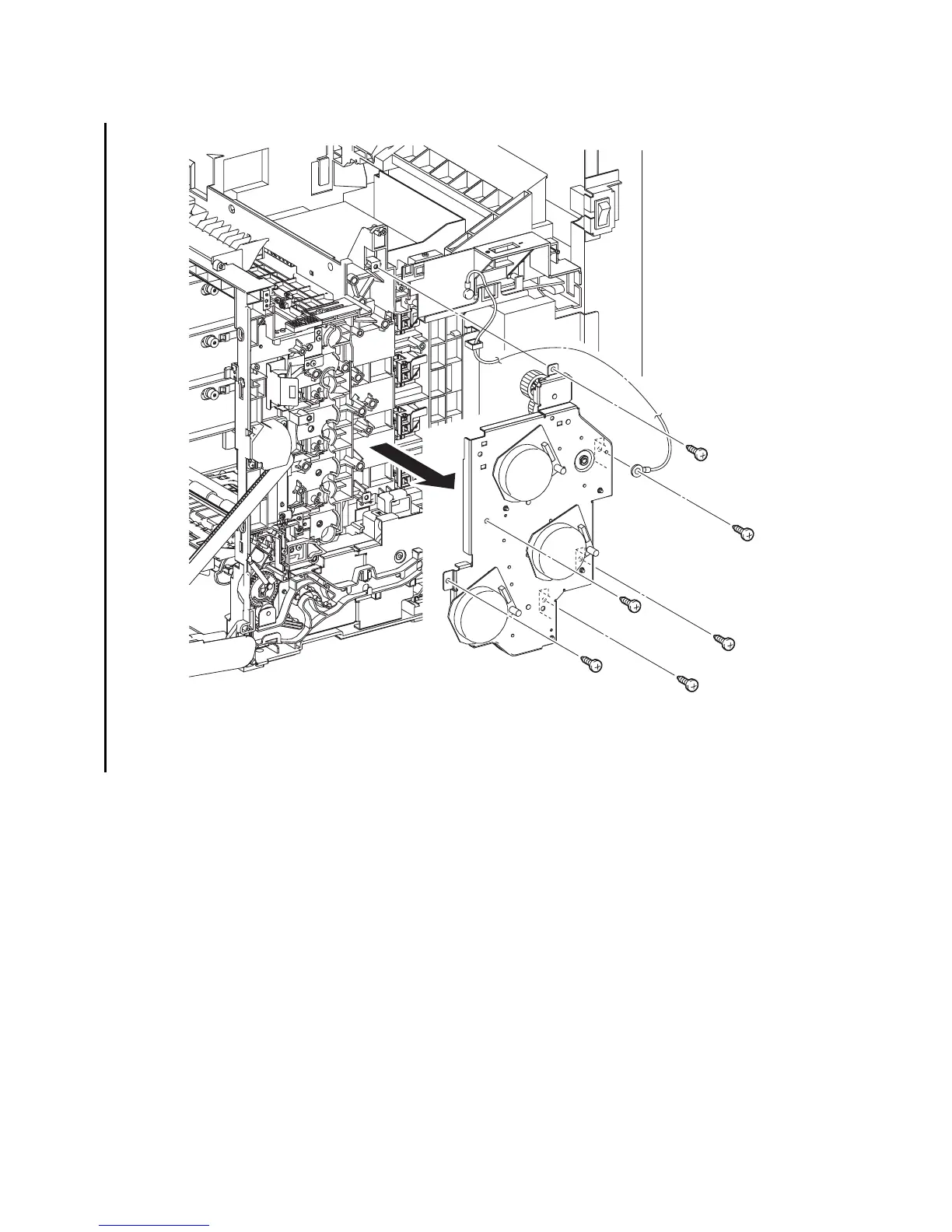
Removal 36 PHOTOCONDUCTOR (PC) / DEVELOPER (DEV) DRIVE (PL8.1.2)
20) Remove the six screws (silver, tap, 10mm) that fix the PHOTOCONDUCTOR (PC) / DEVEL-
OPER (DEV) DRIVE to the printer.
21) Remove the PHOTOCONDUCTOR (PC) / DEVELOPER (DEV) DRIVE from the printer.
Go to the next removal step:
Removal 37 TONER CARTRIDGE SENSOR ASSEMBLY (K) (PL5.1.4)
Gnb03052KB
21)
20)
20)
20)
20)
20)
20)















 To Next Page