3 - 112
Chapter 3 Removal and Replacement Procedures (RRPs)
Version 1 2006.11.28
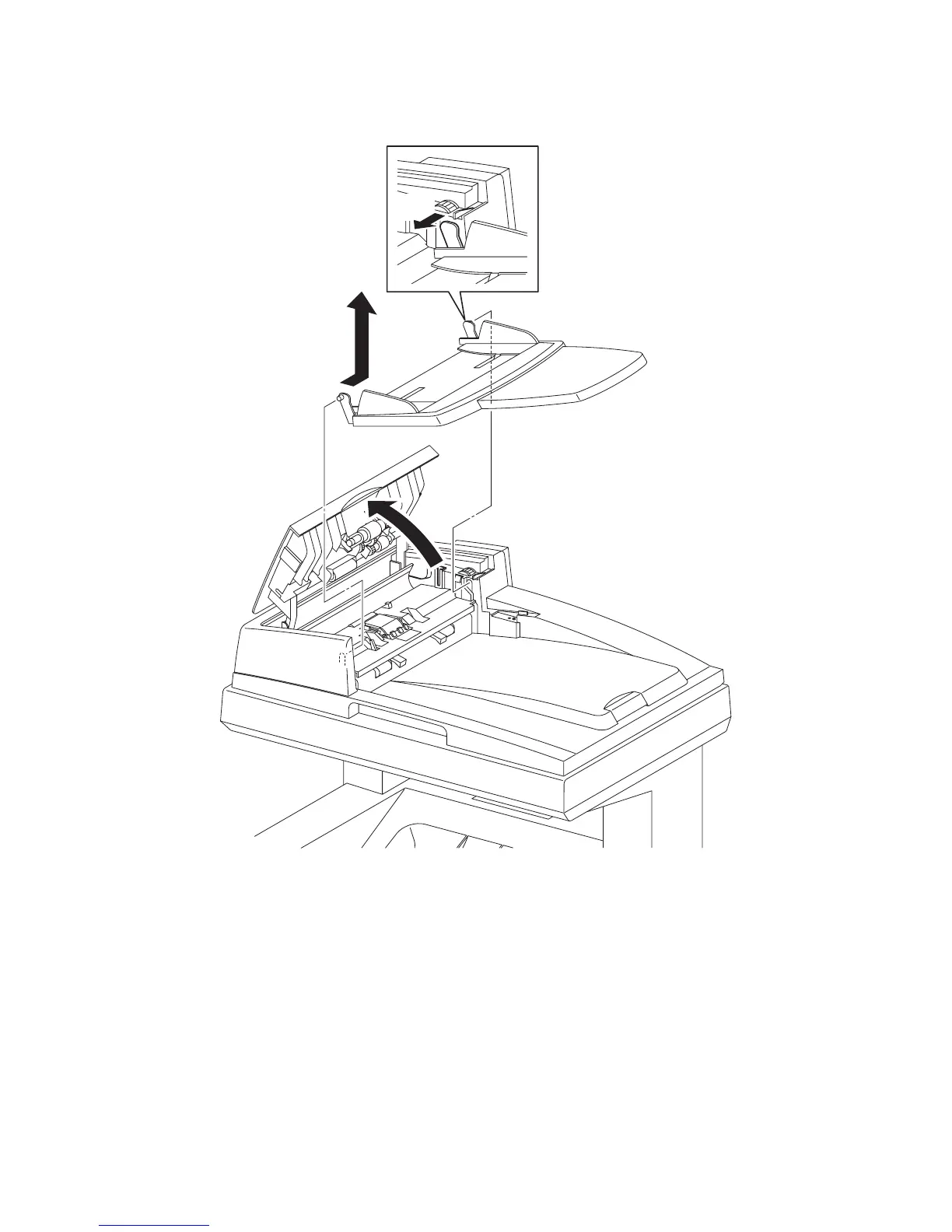
Removal 75 KIT TRAY MAIN (PL13.8.10)
1) Open the COVER of the ADF ASSY (PL13.8.2).
2) Bend the rear side mounting section of the KIT TRAY MAIN (PL13.8.10), release the boss of
the KIT TRAY MAIN from the hole of the ADF ASSY (PL13.8.2).
3) Release the front side boss of the KIT TRAY MAIN from the hole of the ADF ASSY, remove
the KIT TRAY MAIN.
Gnb03224KA
1)
2)
3)















 To Next Page