3 - 216
Chapter 3 Removal and Replacement Procedures (RRPs)
Version 2 2007.03.20
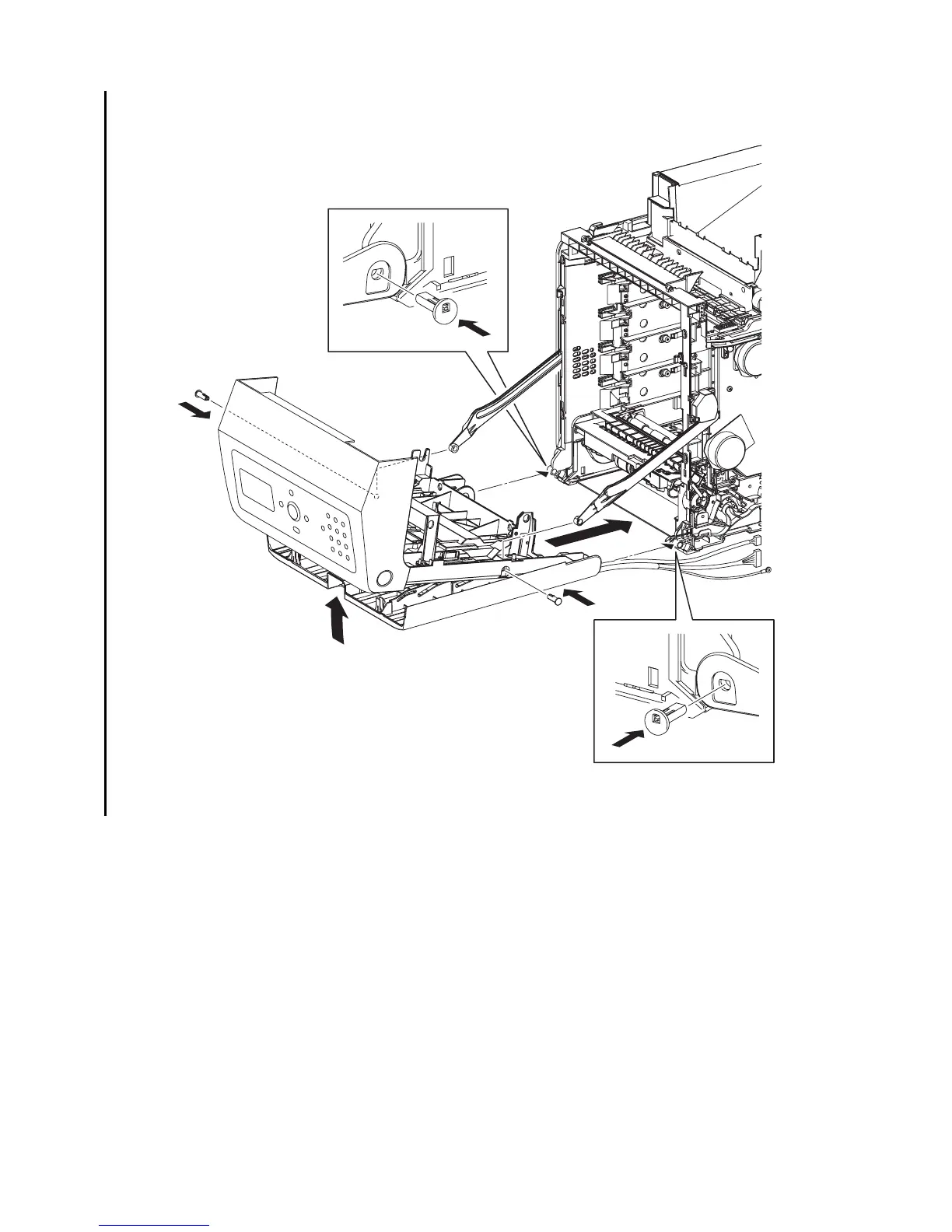
Replacement 67 FRONT COVER (PL13.2.98)
1) Align the left and right side holes on the FRONT COVER and MPF COVER to the fitting holes
on the printer.
2) Insert the SHAFT PIVOT MSIs into the left and right sides fitting holes of the FRONT
COVER and the MPF COVER, and then secure the SHAFT PIVOT MSIs with the hooks.
3) Align the left and right side fitting holes of the FRONT COVER with the fitting hole of the
LINK L and the LINK R, and then insert the SHAFT PIVOTs. Secure the SHAFT PIVOTs
with the hooks.
4) Close the MPF COVER.
Continues to the next page.
Gnb03085KB
2)
3)-2
3)-2
3)-1
3)-1
4)
1)
2)















 To Next Page