3 - 215
Chapter 3 Removal and Replacement Procedures (RRPs)
Version 2 2007.03.20
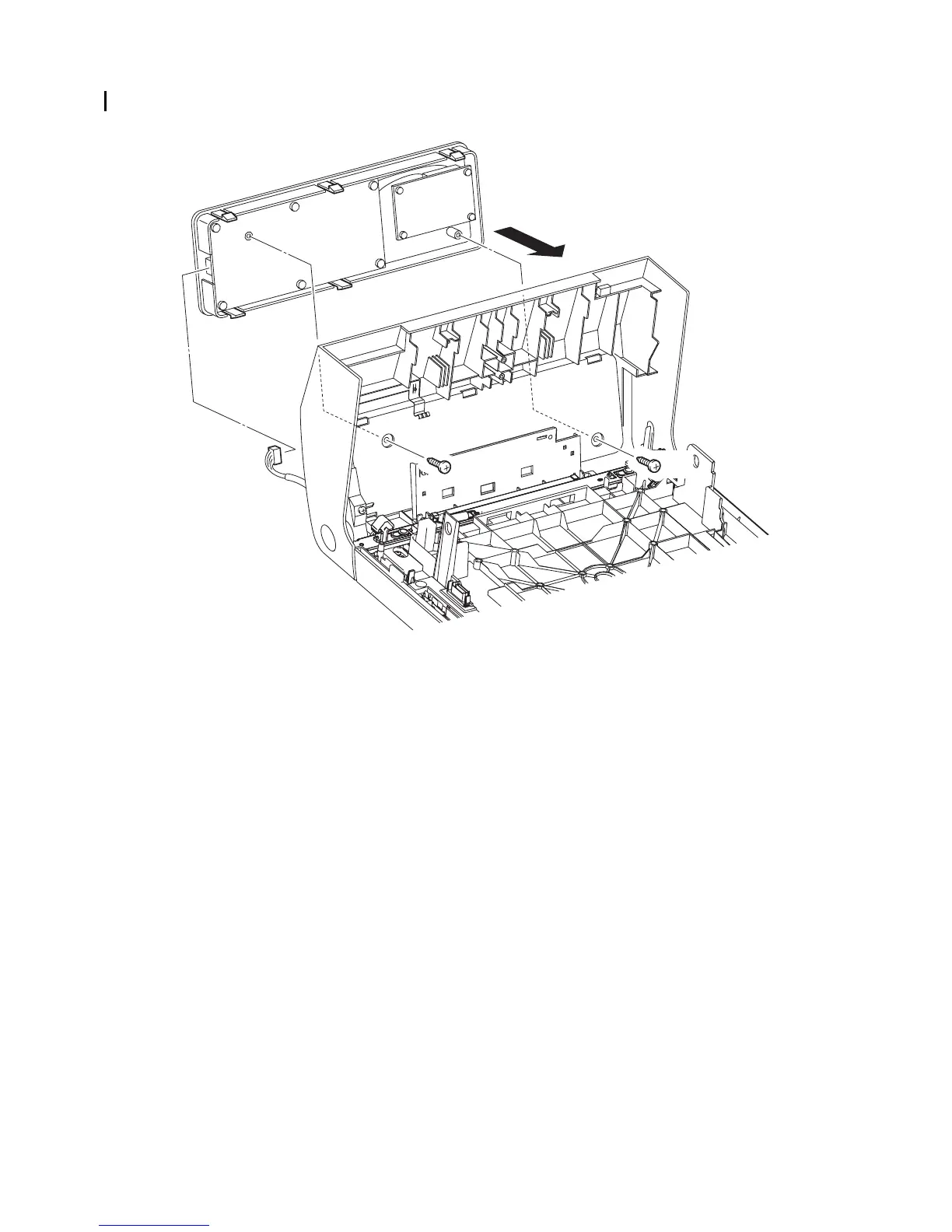
Replacement 66 OPERATOR PANEL (PL13.2.97)
13) Engage the connector (P/J202) the OPERATOR PANEL.
14) Secure the OPERATOR PANEL to the FRONT COVER with the five hooks of the OPERATOR
PANEL.
15) Secure the OPERATOR PANEL to the FRONT COVER using the two screws (silver, tap,
10mm).
Go to the next replacement step:
Replacement 36 CHUTE ASSY EXIT OUT (PL6.1.1)
Gnb03214KA
13)
15) 15)
14)















 To Next Page