3 - 167
Chapter 3 Removal and Replacement Procedures (RRPs)
Version 2 2007.03.20
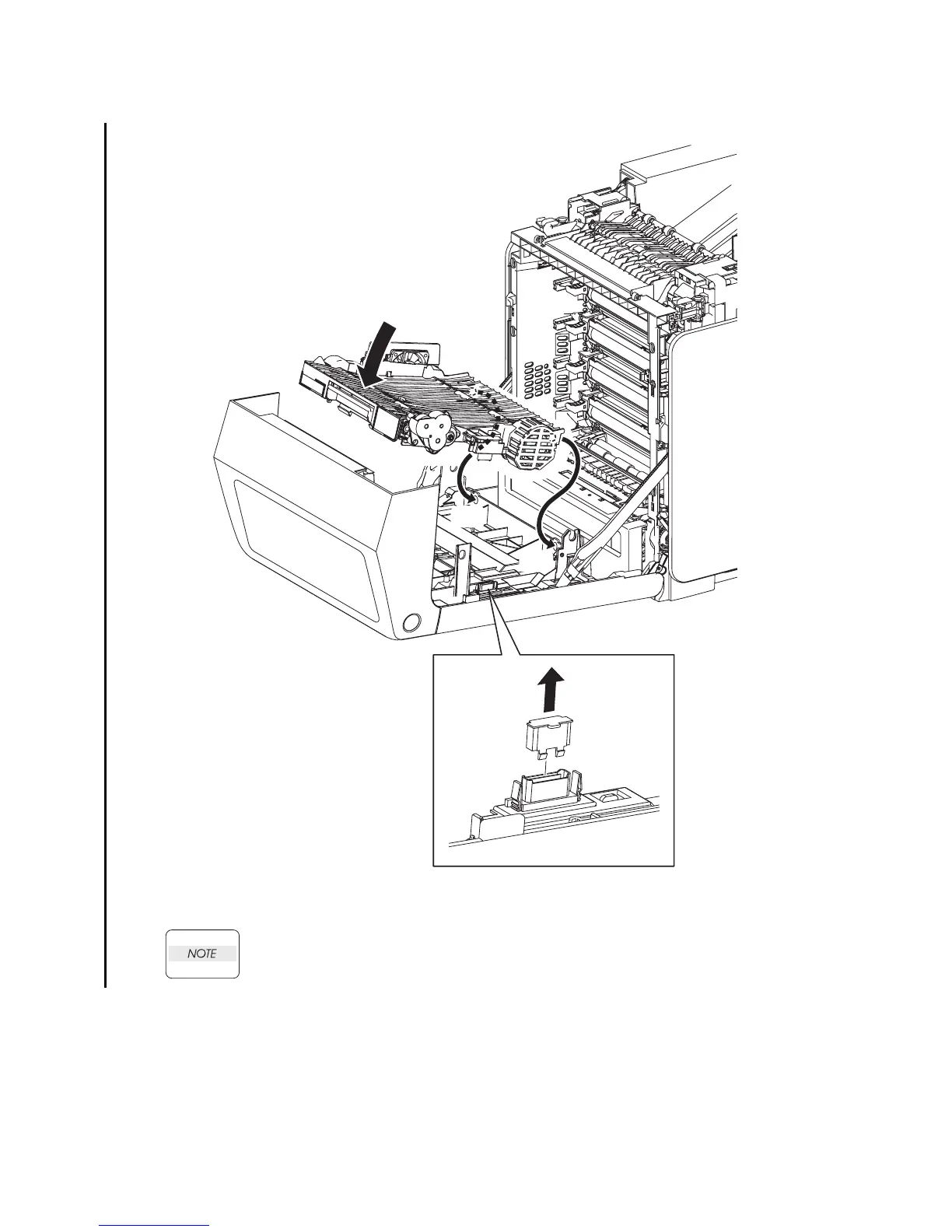
Replacement 41 DUPLEX MODULE (PL11.1.1)
WRemove the DUP CONNECTOR CAP (PL13.2.38) on the connector of the FRONT
COVER when installing new DUPLEX MODULE.
1) Replace the DUPLEX MODULE slowly by mating the two backside bosses of the DUPLEX
MODULE with the holes on the FRONT COVER, and then secure with the lever.
Go to the next replacement step:
Replacement 42 TRANSFER BELT (PL4.1.1)
Gnb03067KB
1)-2
1)-1
1)-1
NOTE















 To Next Page