3 - 122
Chapter 3 Removal and Replacement Procedures (RRPs)
Version 2 2007.03.20
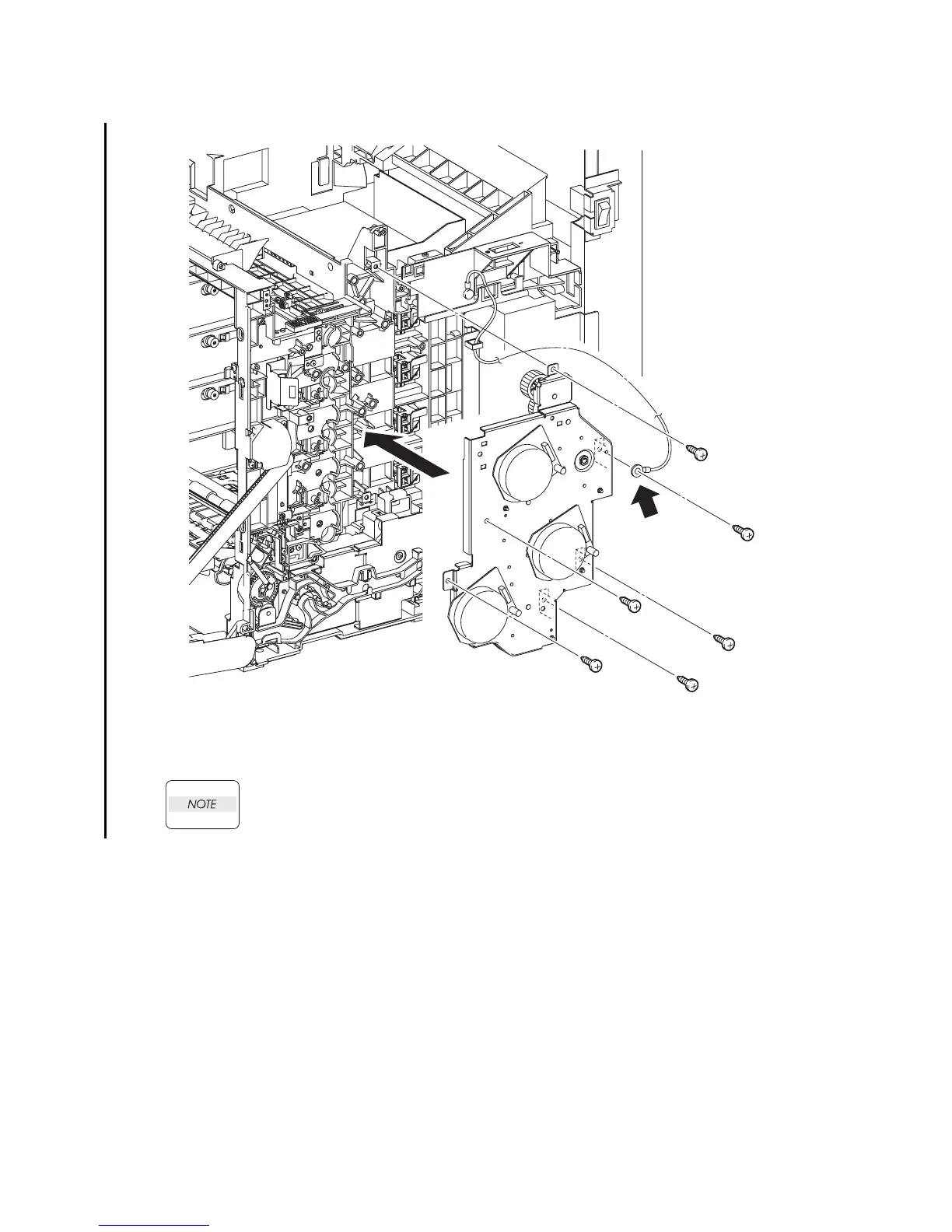
Replacement 10 PHOTOCONDUCTOR (PC) / DEVELOPER (DEV) DRIVE (PL8.1.2)
When securing at the point A shown in the illustration, ensure that the grounding wire is
also secured with the same screw.
1) Replace the PHOTOCONDUCTOR (PC) / DEVELOPER (DEV) DRIVE by aligning the gear of
each drive of the PHOTOCONDUCTOR (PC) / DEVELOPER (DEV) DRIVE with the holes on
the printer.
2) Secure the PHOTOCONDUCTOR (PC) / DEVELOPER (DEV) DRIVE to the printer using the
six screws (silver, tap, 10mm).
Continues to the next page.
Gnb03111KB
2)
A
2)
2)
2)
2)
2)
1)















 To Next Page