3 - 70
Chapter 3 Removal and Replacement Procedures (RRPs)
Version 1 2006.11.28
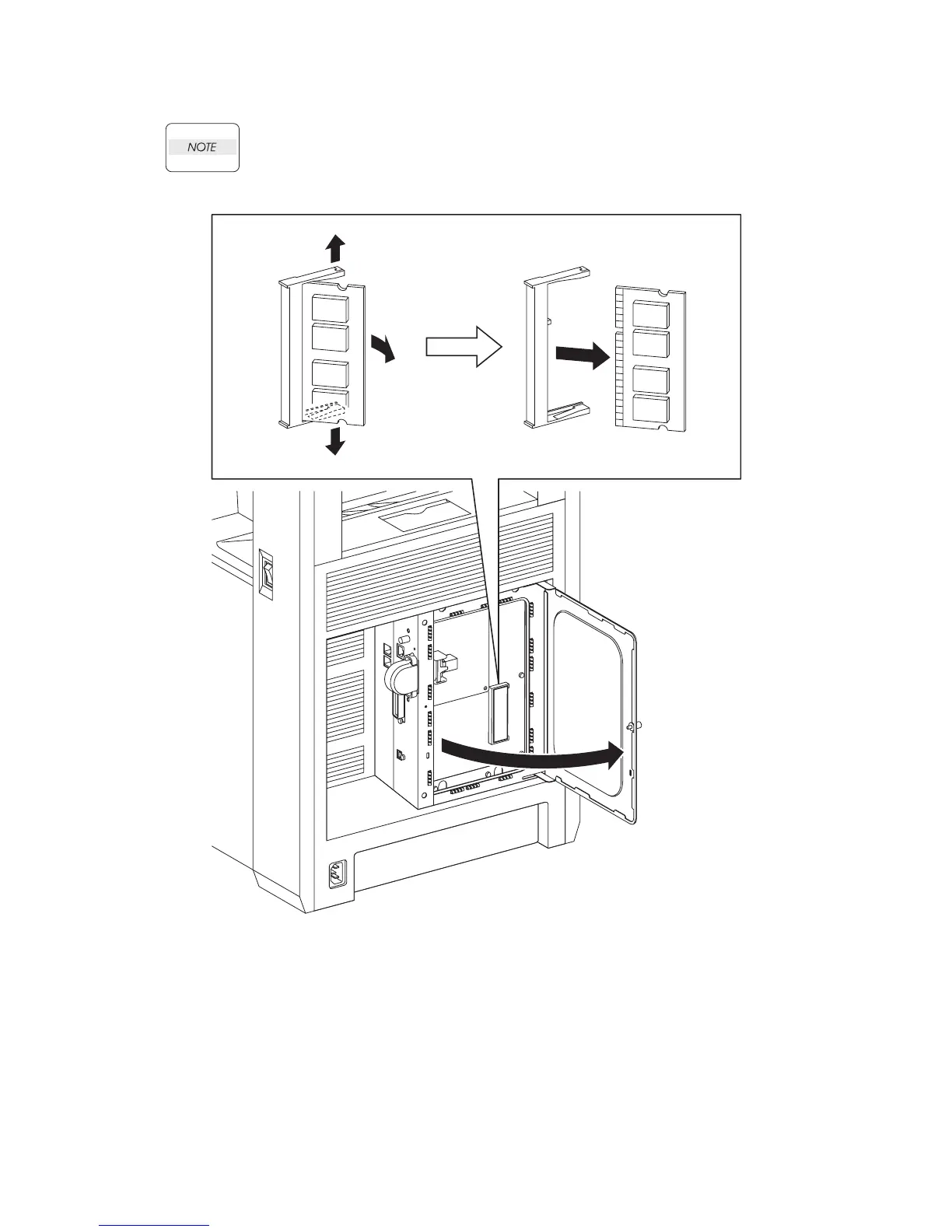
Removal 46 MEMORY CARD (PL13.4.22)
Use a wristband to protect the MEMORY CARD from electrostatic damage.
1) Loosen the SCREW KNURLING (PL13.4.12), and then open the PLATE WINDOW ESS
(PL13.4.10).
2) Gently spread open both the tabs on the socket holding the MEMORY CARD (PL13.4.22) until
the MEMORY CARD pops up slightly.
3) Remove the MEMORY CARD.
Gnb03127KA
1)
2)
2)
3)-1
3)-2















 To Next Page