3 - 200
Chapter 3 Removal and Replacement Procedures (RRPs)
Version 2 2007.03.20
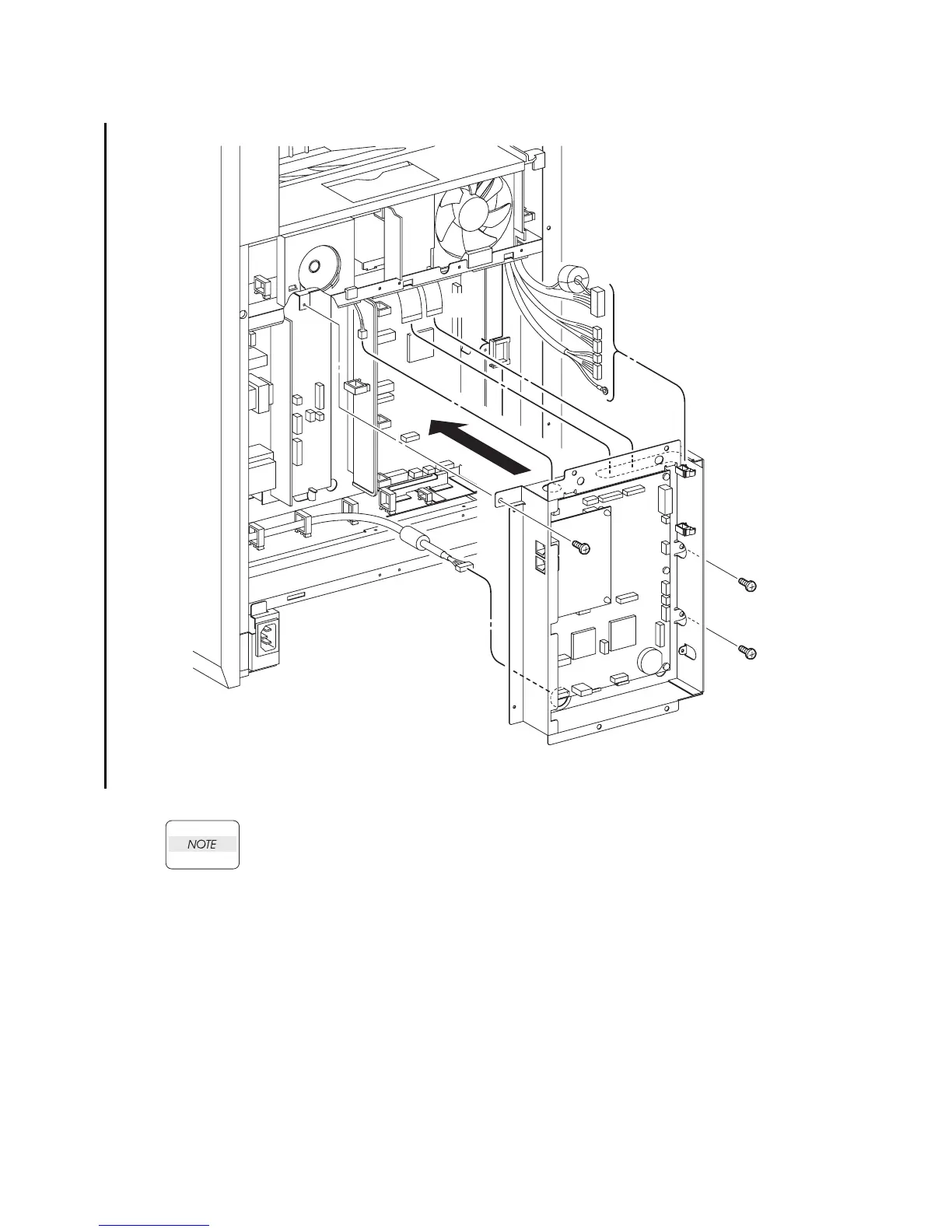
Replacement 60 BOX ASSY FAX AIO (PL13.4.4)
1) Route all the harness through the holes of the BOX ASSY FAX AIO.
When performing the step described below, ensure that the harness will not be caught
between the BOX ASSY FAX AIO and the printer.
2) Replace the BOX ASSY FAX AIO to the printer together with the PWBA HYUI and the PWBA
FAX by mating the two hooks of the BOX ASSY FAX AIO to the holes of the printer.
3) Secure the BOX ASSY FAX AIO to the printer using the three screws (silver, 6mm).
Continues to the next page.
Gnb03204KB
3)
3)
3)
1)
1)
1)
2)















 To Next Page