3 - 166
Chapter 3 Removal and Replacement Procedures (RRPs)
Version 1 2006.11.28
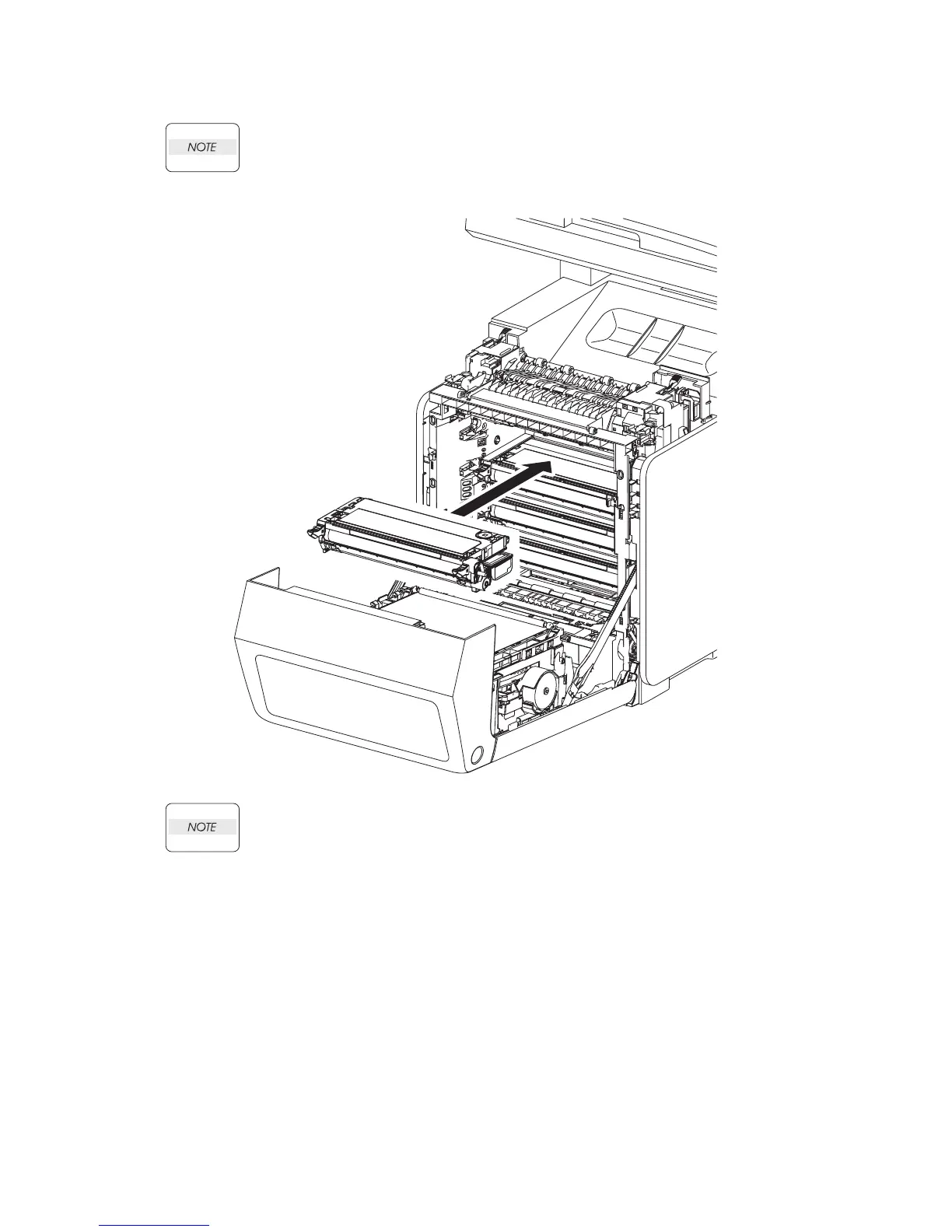
Replacement 40 TONER CARTRIDGE (K), (C), (M), (Y) (PL5.1.18
〜
21)
Described below is the replacement procedure common among TONER CARTRIDGEs
(C), (M), (Y), and (K).
If all the TONER CARTRIDGEs are removed, attach them in the order of Yellow,
Magenta, Cyan, and Black from the bottom.
1) Replace the TONER CARTRIDGE inserting it by the left and right handles along the guide on
the printer.
2) Close the FRONT COVER.
Gnb03068KA
1)















 To Next Page