3 - 11
Chapter 3 Removal and Replacement Procedures (RRPs)
Version 1 2006.11.28
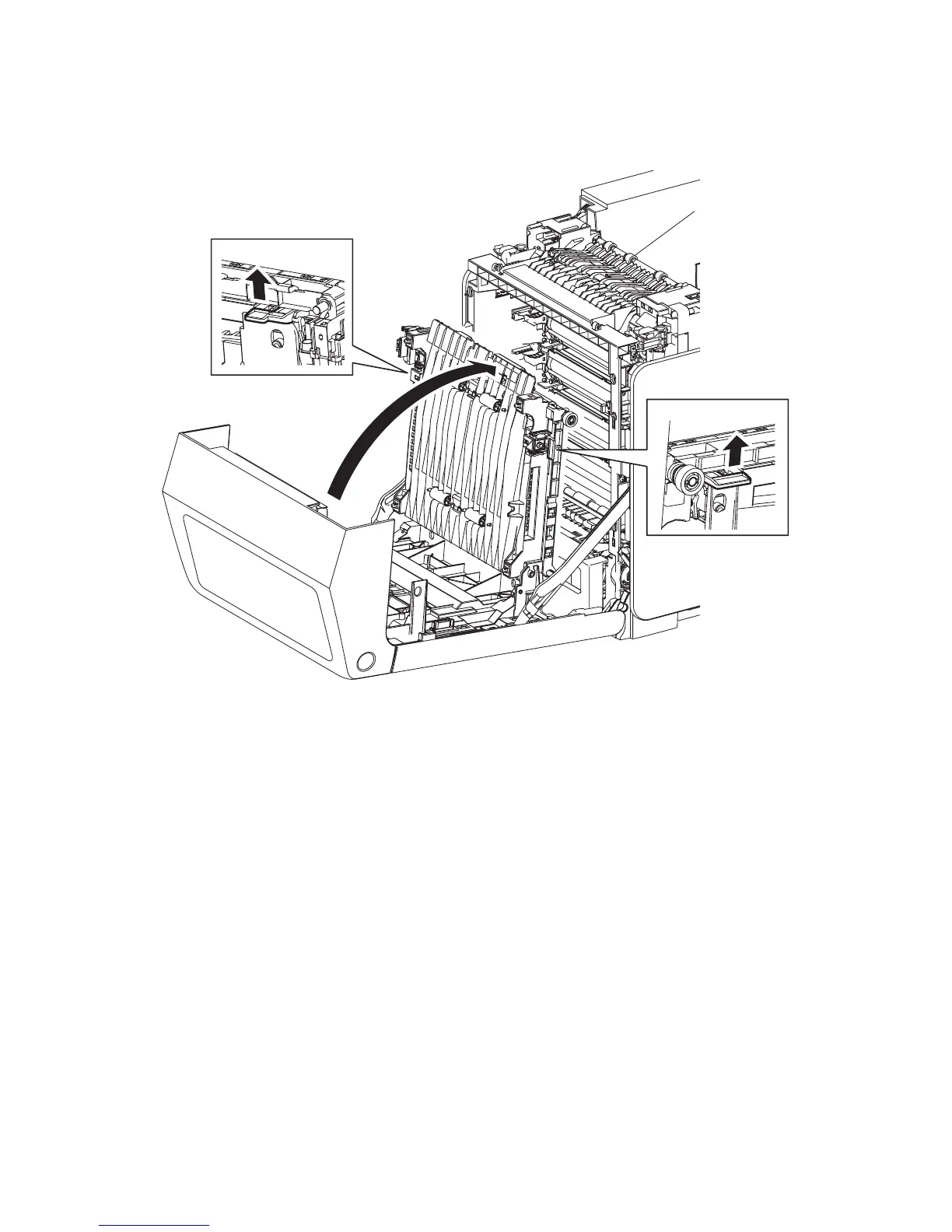
Removal 4 TRANSFER BELT (PL4.1.1)
1) Open the FRONT COVER (PL13.2.1).
2) Release the lock by pulling up the levers on the left and right sides of the TRANSFER BELT
(PL4.1.1). Raise the TRANSFER BELT upright.
Continues to the next page.
Gnb03006KA
2)-1
2)-2
2)-1















 To Next Page