3 - 189
Chapter 3 Removal and Replacement Procedures (RRPs)
Version 1 2006.11.28
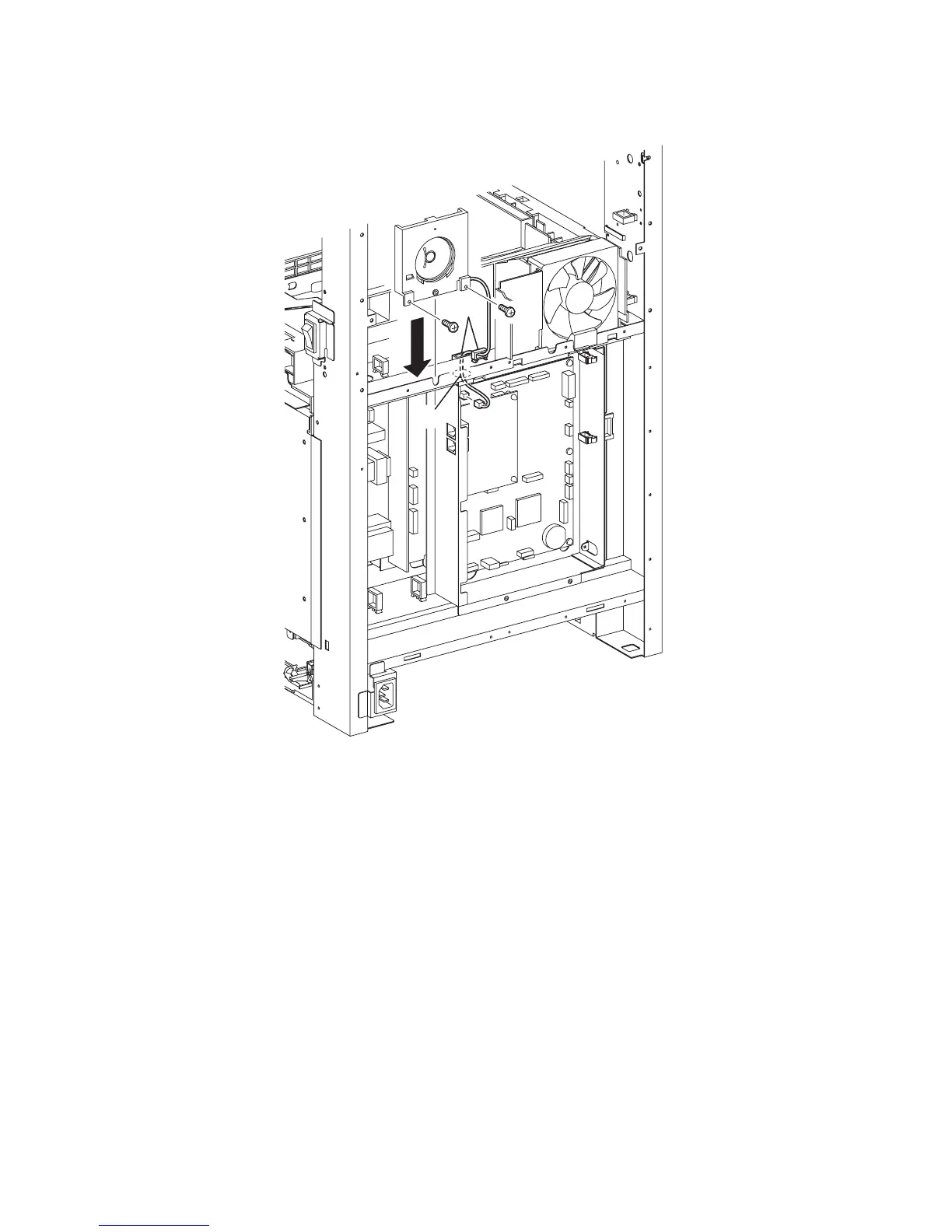
Replacement 53 SPEAKER ASSY (PL13.5.6)
1) Mate the lug of the SPEAKER ASSY with the U-shaped notch of printer frame.
2) Secure the SPEAKER ASSY to the printer using the two screws (silver, 6mm).
3) Route the harness of the SPEAKER ASSY through the hole of the printer.
4) Engage the connector (P/J52) to the connector of the PWBA HYUI.
5) Secure the harness of the SPEAKER ASSY with the two clamps.
Go to the next replacement step:
Replacement 62 BOX ASSY PRT AIO (PL13.4.13)
Gnb03197KA
4)
3)
5)
2)
1)
2)















 To Next Page