3 - 24
Chapter 3 Removal and Replacement Procedures (RRPs)
Version 1 2006.11.28
Removal 15 FEED DRIVE ASSEMBLY (PL8.1.7)
Steps 1 through 7 are for reference. Before removing this component, check that Steps 1 through 7
have been performed.
1) Open FRONT COVER (PL13.2.1).
2) Remove the FUSER.(Removal 8)
3) Remove the REAR COVER. (Removal 49)
4) Remove the COVER BOTTOM. (Removal 50)
5) Remove the COVER POLE IN R.(Removal 51)
6) Remove the COVER POLE R.(Removal 52)
7) Remove the RIGHT COVER. (Removal 54)
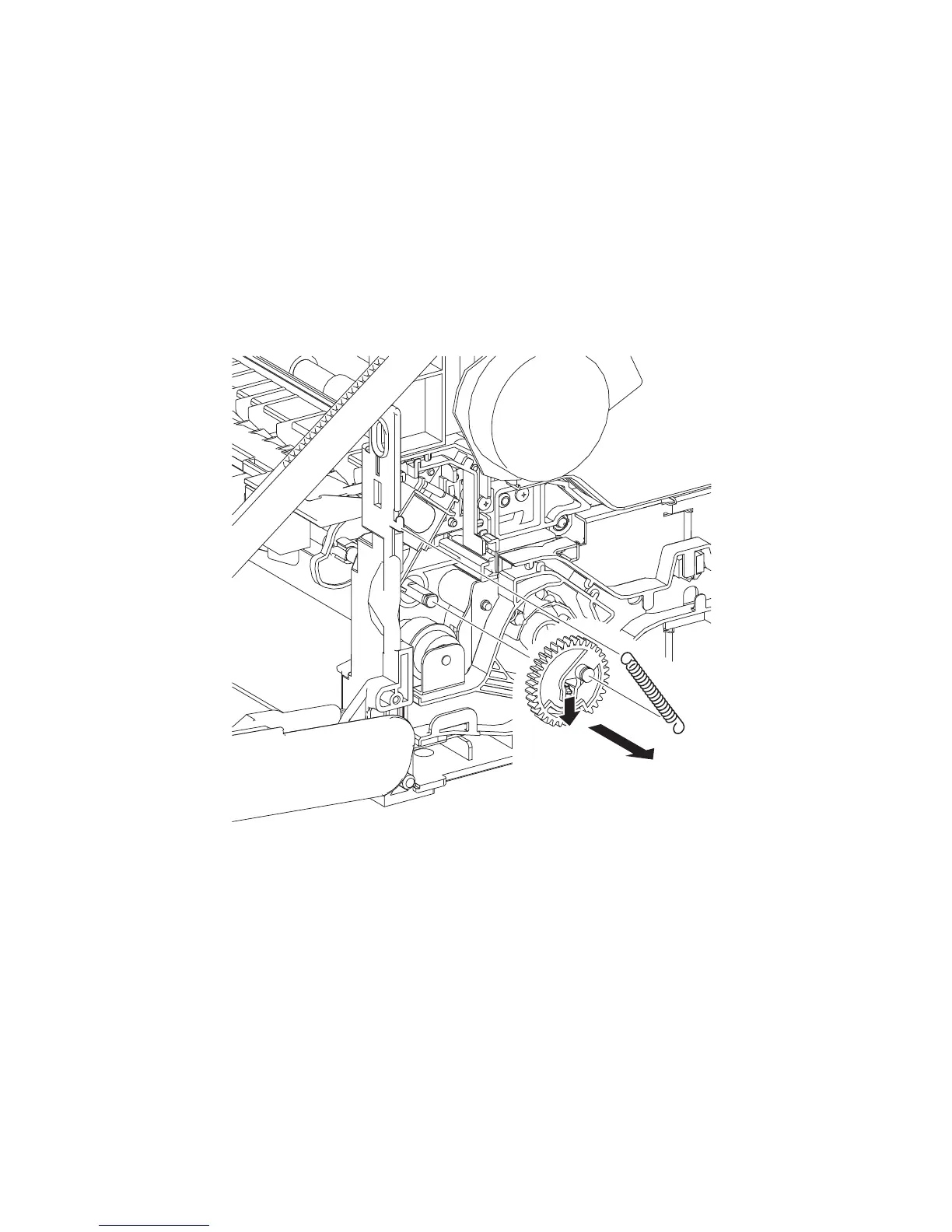
8) Remove the SPRING FEED MSI (PL3.1.4) from the printer.
9) Remove the GEAR MSI from the SHAFT MSI (PL3.1.12) by releasing the hook on the GEAR
MSI (PL3.1.5).
10) Remove all the harnesses from the DUCT DRV PH (PL8.1.8).
Continues to the next page.
Gnb03017KA
9)-1
9)-2
8)















 To Next Page