3 - 175
Chapter 3 Removal and Replacement Procedures (RRPs)
Version 1 2006.11.28
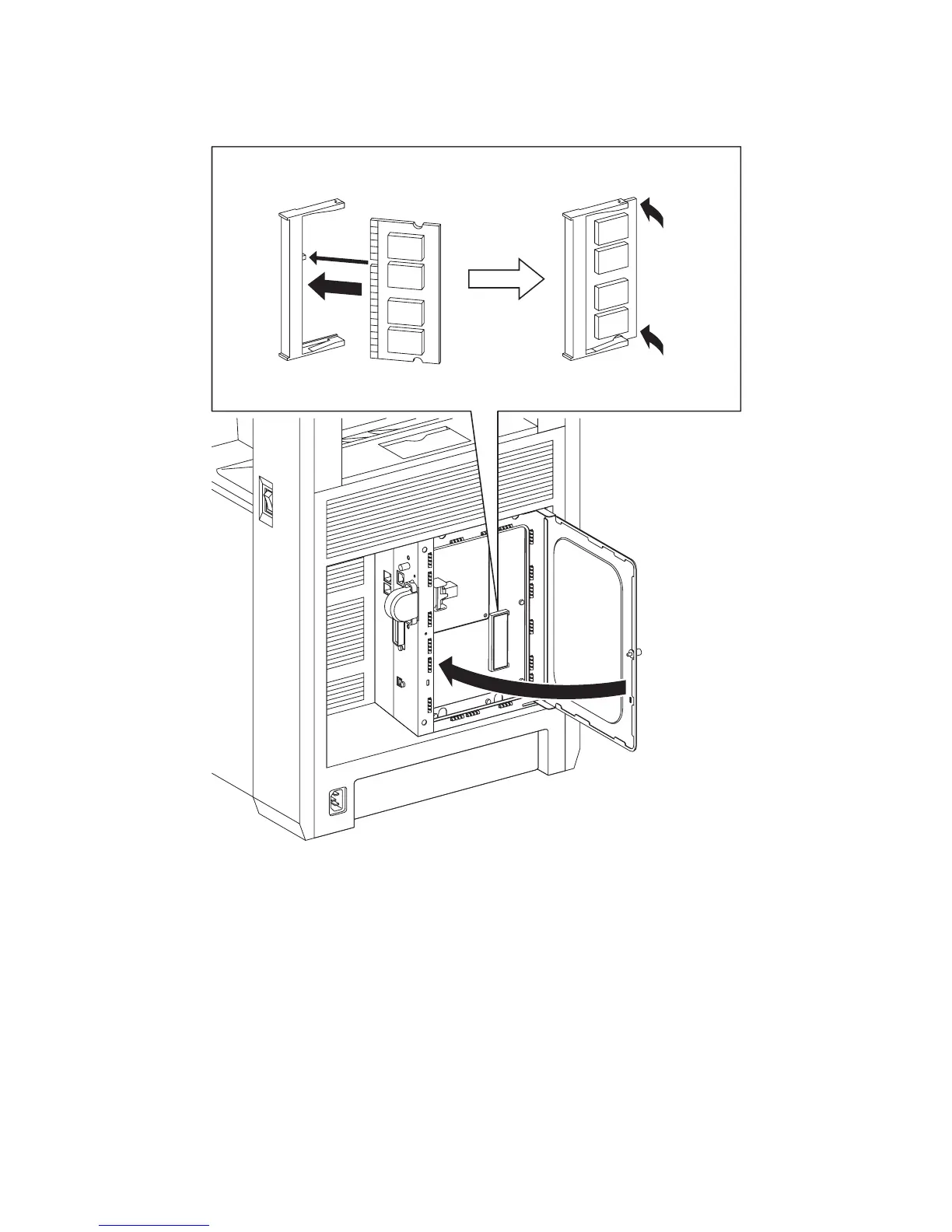
Replacement 47 MEMORY CARD (PL13.4.22)
1) Fit the MEMORY CARD into the socket by mating the notch of the MEMORY CARD with the
lug on the socket.
2) Push the MEMORY CARD toward the ELECTRONIC SUB-SYSTEM CONTROL BOARD
until it snaps into place.
3) Close the SHIELD WINDOW and secure the SCREW KNURLING.
Gnb03130KA
1)
2)
2)
3)















 To Next Page