3 - 12
Chapter 3 Removal and Replacement Procedures (RRPs)
Version 1 2006.11.28
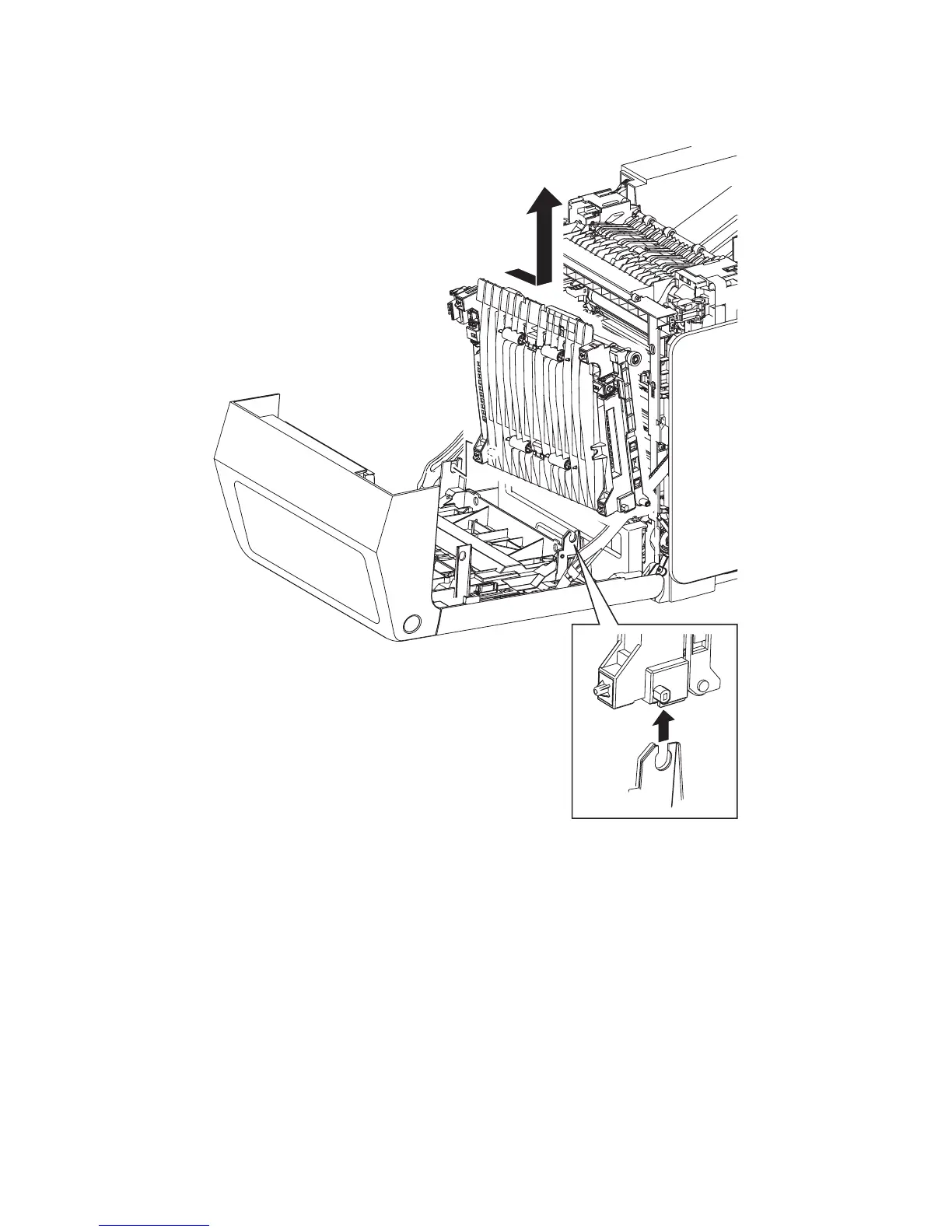
Removal 4 TRANSFER BELT (PL4.1.1)
3) Remove the TRANSFER BELT by releasing the right side lug on the TRANSFER BELT from
the U-shaped notch of the FRONT COVER and pulling out the left side lug on the TRANSFER
BELT from the hole on the FRONT COVER.
Go to the next removal step:
Removal 5 DUPLEX MODULE (PL11.1.1)
Gnb03007KA
3)-2
3)-1















 To Next Page