3 - 88
Chapter 3 Removal and Replacement Procedures (RRPs)
Version 2 2007.03.20
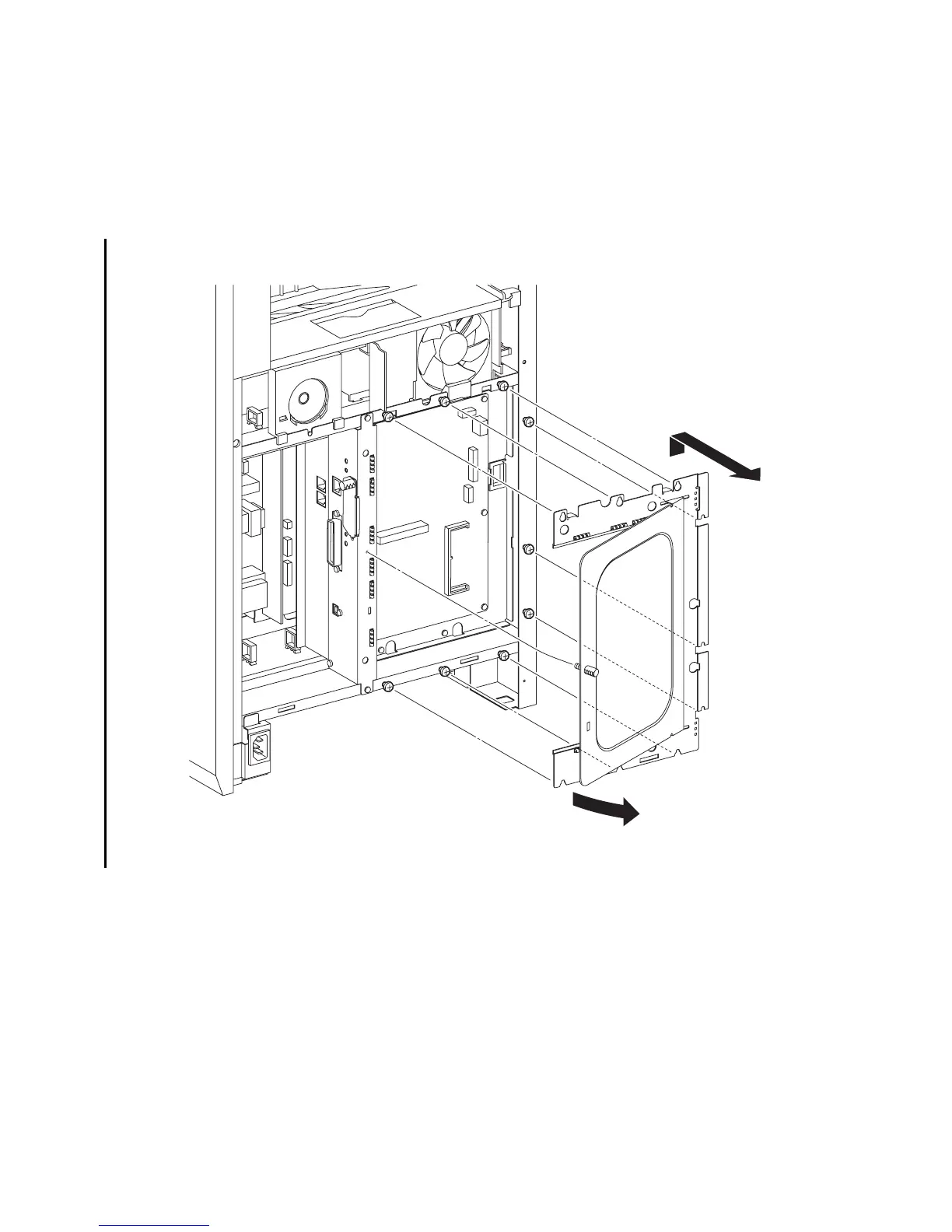
Removal 60 BOX ASSY PRT AIO (PL13.4.13)
Steps 1 through 4 are for reference. Before removing this component, check that Steps 1 through 4
have been performed.
1) Remove the REAR COVER. (Removal 49)
2) Remove the COVER BOTTOM. (Removal 50)
3) Remove the COVER POLE IN L. (Removal 57)
4) Remove the COVER POLE L. (Removal 58)
5) Loosen the SCREW KNURLING (PL13.4.12), and then open the PLATE WINDOW ESS
(PL13.4.10).
6) Loosen the nine screws that fix the SHIELD ASSY ESS WINDOW (PL13.4.7) to the printer.
7) Remove the SHIELD ASSY ESS WINDOW from the printer by sliding the SHIELD slightly
upward until the U-shaped grooves on the SHIELD ASSY ESS WINDOW are disengaged from
the nine screws.
Continues to the next page.
Gnb03167KB
5)-1
5)-2
6)
6)
6)
6)
7)
6)
6)
6)
6)
6)















 To Next Page